
UnblurImageAI
Restore clarity to your blurry photos instantly
UnblurImageAI is a powerful online tool that uses AI to quickly fix blurry images, enhancing their clarity and overall quality without requiring any downloads or sign-ups.
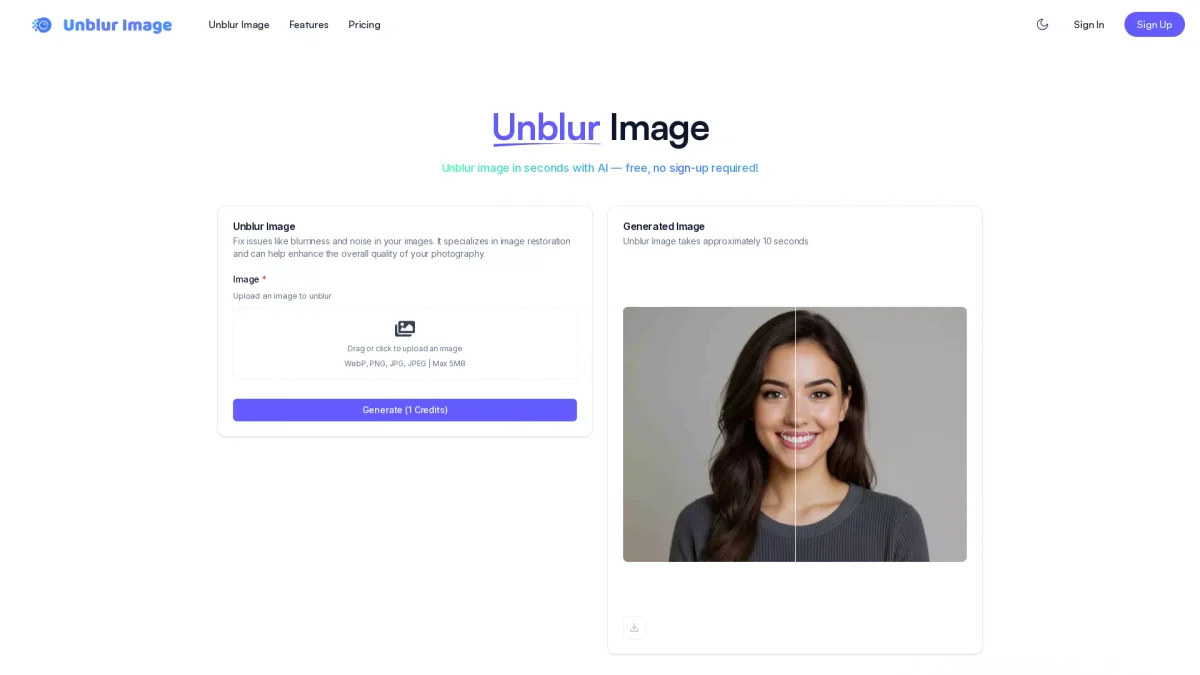
What is UnblurImageAI?
UnblurImageAI is an innovative online tool designed to fix blurry photos and restore clarity using advanced AI technology. Its main purpose is to enhance the quality of images that have suffered from blurriness, noise, or other issues. Users can effortlessly upload their images and receive instant results, making it a convenient solution for anyone looking to improve their photography. The key benefits of using UnblurImageAI include its ease of use, speed, and effectiveness. Users can enhance personal memories or professional projects with just a click, transforming unclear images into sharp, vibrant visuals. The tool is perfect for photographers, content creators, and anyone who values the quality of their images, ensuring every photo looks professional with minimal effort.
Key Features
- AI-powered sharpness enhancement
- Instant photo restoration
- User-friendly online interface
- Free cloud storage for images
- No sign-up required for basic usage
- Daily free credits available
Who is it for?
- Photographers and videographers
- Social media enthusiasts
- Content creators and bloggers
- Marketing professionals
- Casual users wanting quality images
Use Cases
1. Restoring Family Photos
UnblurImageAI can be used to restore cherished family photos that may have become blurry over time. Users simply upload their images and watch as the AI sharpens details and enhances clarity, making memories vivid again.
2. Enhancing Travel Images
Travel enthusiasts can use UnblurImageAI to enhance their travel photos that didn’t turn out as expected. The tool helps transform blurry snapshots into stunning visuals, perfect for sharing on social media or creating photo albums.
3. Improving Professional Photography
Professional photographers can quickly fix motion blur or focus issues in their images before presenting them to clients. UnblurImageAI allows for fast adjustments, ensuring high-quality visuals that meet professional standards.
4. Editing Content for Blogs
Bloggers can use UnblurImageAI to enhance images for their posts, ensuring that all visuals are crisp and engaging. This tool helps maintain a professional aesthetic in digital content, attracting more readers.
Pricing Plans
Free: 10 credits per day for basic features, Pro: $9.9/month - 1000 credits/month and priority queue, Popular: $23.9/month - 4000 credits/month and priority queue, Pro: $39.9/month - 8000 credits/month and priority queue.
Frequently Asked Questions
1. Does UnblurImageAI require a sign-up?
No, UnblurImageAI allows users to unblur images online for free without requiring any sign-up or downloads, making it accessible for immediate use.
2. What image formats does UnblurImageAI support?
UnblurImageAI supports various image formats including WebP, PNG, JPG, and JPEG, with a maximum upload size of 5MB.
3. How quickly can I unblur an image?
UnblurImageAI processes images and provides results in approximately 10 seconds, allowing for quick and efficient photo restoration.
4. Can I use UnblurImageAI for commercial purposes?
Yes, UnblurImageAI can be used for both personal and professional projects, making it suitable for enhancing images in various commercial applications.
UnblurImageAI Reviews & Ratings
Real user feedback and ratings for UnblurImageAI. See what the community thinks about this AI tool.
No reviews yet
Be the first to share your experience with UnblurImageAI