
ImageUnblur
Effortlessly unblur your photos with AI
Restore clarity to blurry images in seconds using advanced AI technology without needing any Photoshop skills or technical expertise.
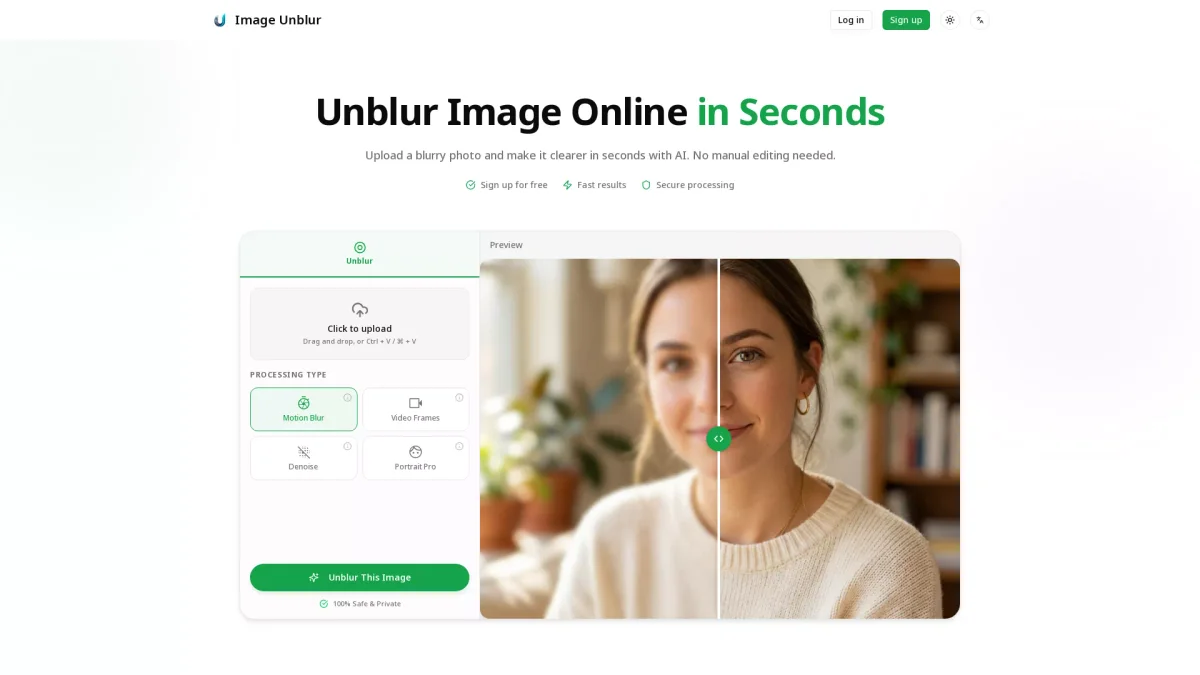
What is ImageUnblur?
ImageUnblur is an online tool that leverages advanced AI algorithms to restore clarity to blurry images. It effectively solves the problem of unclear photos caused by motion blur, out-of-focus shots, and low-resolution images, allowing users to transform their blurry images into sharp, clear visuals with ease. The key benefits of using ImageUnblur include fast processing, secure handling of images, and multiple enhancement modes tailored to different types of blur. Users can enjoy a simple three-step process: upload, enhance, and download, making it accessible for everyone, from amateur photographers to professionals looking to improve their image quality effortlessly.
Key Features
- Instantly restore image clarity
- Multiple enhancement modes available
- User-friendly interface with no technical skills required
- Supports JPG, PNG, and WebP formats
- Preview before downloading enhancements
- Secure and private image processing
- Upgrade option for 4K resolution
Who is it for?
- Photographers and videographers
- E-commerce businesses
- Social media influencers
- Bloggers and content creators
- Families preserving old memories
Use Cases
1. Enhancing Portraits and Selfies
Transform soft focus portraits and selfies into sharper images. ImageUnblur enhances facial details, making it perfect for profile pictures and family photos that need a second chance at clarity.
2. Improving Product Images
Make your e-commerce listings stand out by enhancing blurry product photos. ImageUnblur reduces motion blur to reveal textures and labels, ensuring your products look professional and appealing.
3. Restoring Old Family Photos
Revive cherished memories by enhancing scanned or vintage photos that may have aged poorly. ImageUnblur boosts clarity and reduces noise, bringing faces and details back to life.
4. Clarifying Text in Screenshots
Make important information in blurry screenshots readable again. ImageUnblur enhances edges and contrast, improving clarity for receipts, documents, and notes, ensuring no detail is lost.
5. Cleaning Up Social Media Images
Prepare your images for sharing on social media by reducing compression artifacts and enhancing overall clarity. ImageUnblur ensures your photos look their best before reposting.
Pricing Plans
Free: Basic unblurring features, Pro: $X/month - Includes 4K resolution and premium AI models, Enterprise: Custom pricing - Tailored solutions for large teams.
Frequently Asked Questions
1. What types of blur can ImageUnblur fix?
ImageUnblur can fix motion blur, out-of-focus blur, compression artifacts, and low-resolution images. The AI automatically identifies the type of blur and applies the most effective restoration techniques.
2. What image formats does ImageUnblur support?
ImageUnblur supports JPG, PNG, and WebP formats for images up to 10MB. This flexibility allows users to upload various types of photos for enhancement.
3. Do I need any software to use ImageUnblur?
No, ImageUnblur is an online tool that requires no software installation. Users can easily access it through their web browser, making it convenient and accessible from any device.
4. Is there a limit on the number of images I can unblur?
While ImageUnblur offers free basic tools, the number of images you can process may vary. For extensive needs, consider upgrading to the Pro plan for enhanced features and capabilities.
ImageUnblur Reviews & Ratings
Real user feedback and ratings for ImageUnblur. See what the community thinks about this AI tool.
No reviews yet
Be the first to share your experience with ImageUnblur