
SimpleImageUpscaler
Upscale images effortlessly with AI technology
Enhance and enlarge your images up to 8X without losing quality, using SimpleImageUpscaler's AI-driven features designed for various image types.
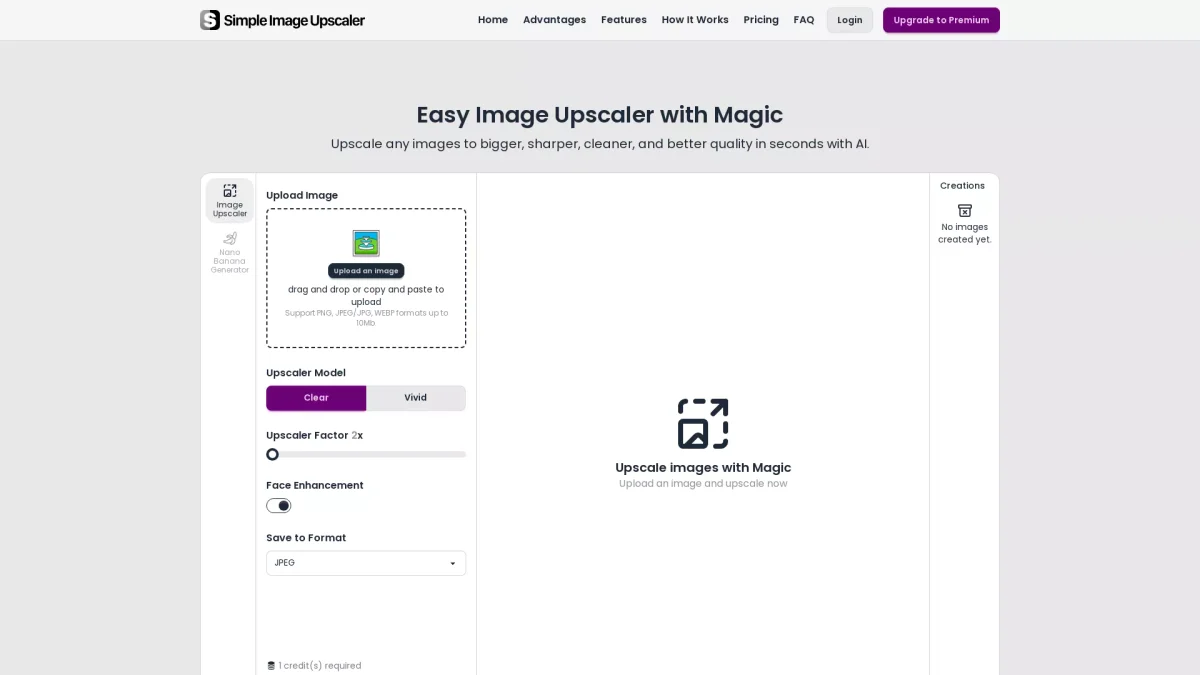
What is SimpleImageUpscaler?
SimpleImageUpscaler is an innovative AI image upscaling tool that allows users to enlarge images up to 8 times their original size while maintaining sharpness and detail. Its main purpose is to solve the common problem of low-resolution images by providing a powerful solution that enhances clarity and texture, making images suitable for professional use in various contexts such as social media, print, and online sales. The tool offers a range of features, including face enhancement and creative detail generation, allowing users to customize the upscaling process. It is ideal for photographers, artists, and e-commerce sellers who need high-quality images for their projects. By using SimpleImageUpscaler, users can save time and effort while ensuring their images are vibrant, clear, and print-ready, making it essential for anyone looking to improve their visual content quality.
Key Features
- Upscale images up to 8X
- Face enhancement for portraits
- Creative mode for new details
- Precise mode for exact resizing
- Supports multiple file formats
- No watermarks on images
- Daily free credits available
Who is it for?
- Photographers and artists
- E-commerce sellers
- Content creators and bloggers
- Graphic designers
- Social media marketers
Use Cases
1. Enhancing Portrait Photography
Use SimpleImageUpscaler to upscale portraits for profile pictures and social media. The tool enhances facial details and sharpness, ensuring that your images look professional and polished.
2. E-commerce Product Images
Upscale product photos for e-commerce platforms like Amazon and Shopify. The tool enhances clarity, making your products stand out and appealing to potential buyers, ultimately increasing sales.
3. Restoring Old Photographs
Bring new life to old or low-resolution photographs by upscaling them with SimpleImageUpscaler. The tool sharpens details and reduces noise, making historical images clearer and more vibrant.
4. Preparing Images for Print
Transform standard images into high-resolution files suitable for printing. Whether for brochures, flyers, or art prints, SimpleImageUpscaler ensures your images maintain their quality at larger sizes.
Pricing Plans
Pricing information not available on website. Please visit the official website for current pricing.
Frequently Asked Questions
1. What file formats does SimpleImageUpscaler support?
SimpleImageUpscaler supports various file formats including PNG, JPEG/JPG, and WEBP, allowing users to upload images easily for enhancement.
2. Can I upscale images for commercial use?
Yes, SimpleImageUpscaler allows users to upscale images for commercial use, ensuring that the enhanced images are suitable for marketing and sales purposes.
3. Is there a limit on the size of images I can upload?
Users can upload images up to 10MB in size, which is sufficient for most high-resolution images needing enhancement.
4. How does the AI enhancement work?
The AI enhancement uses advanced algorithms to analyze the image and intelligently upscale it, adding details and textures that may not have been present in the original image.
SimpleImageUpscaler Reviews & Ratings
Real user feedback and ratings for SimpleImageUpscaler. See what the community thinks about this AI tool.
No reviews yet
Be the first to share your experience with SimpleImageUpscaler