
Voicemaker
Transform Text into Realistic Speech
Voicemaker is a powerful text-to-speech converter that creates realistic audio from written content, enhancing user experience in various applications.
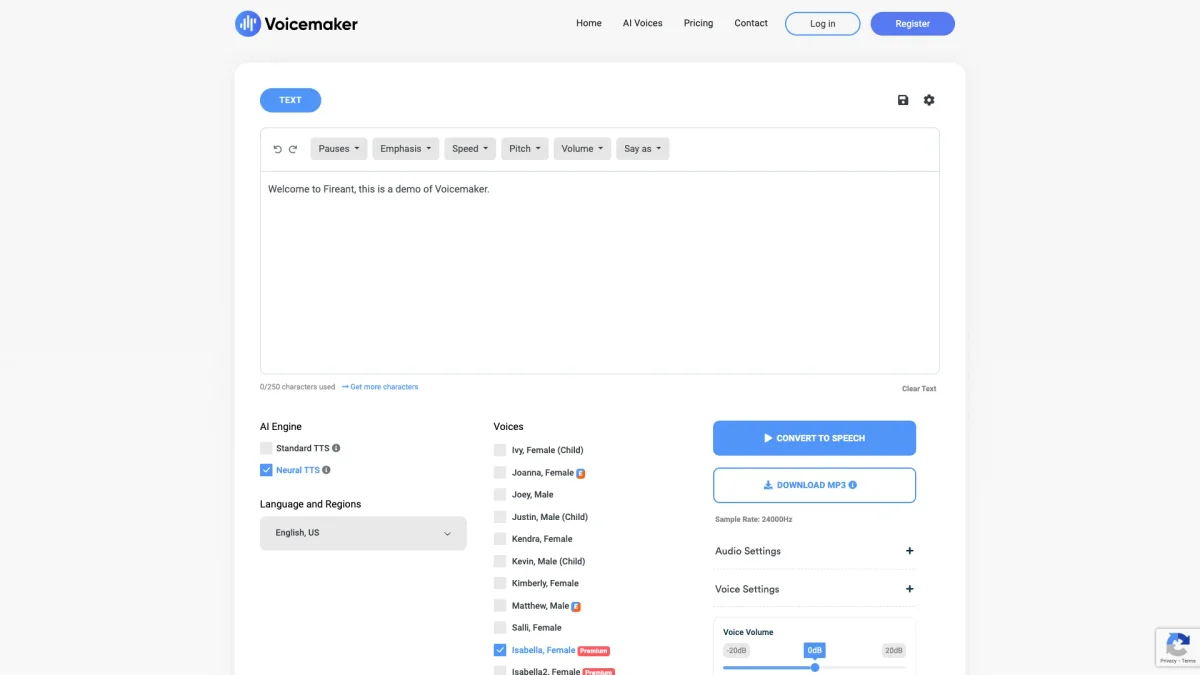
What is Voicemaker?
Voicemaker is an advanced text-to-speech converter that transforms written text into high-quality audio speech. Its main purpose is to facilitate content creation for various applications, including education, entertainment, and customer support. By converting text into speech, Voicemaker addresses the need for accessible content delivery, enabling users to reach a wider audience and enhance engagement through auditory experiences. The platform offers a range of features including customizable voice options, pitch, and speed settings, making it flexible for diverse use cases. Users benefit from high-quality, expressive voices in multiple languages, ideal for audiobooks, voiceovers, and more. By leveraging Voicemaker, individuals and businesses can save time, improve accessibility, and create engaging audio content without the need for professional voice talent.
Key Features
- Multiple voice types and accents
- Customizable pitch and speed settings
- Supports various audio formats
- Pronunciation editor for accuracy
- Real-time speech generation
- Expressive voice models for storytelling
- Integration with various applications
Who is it for?
- Content creators and bloggers
- Educators and trainers
- Developers for IVR systems
- Marketing professionals
- Podcast creators
- Businesses needing voiceovers
Use Cases
1. Audiobook Production
Voicemaker transforms written books into audiobooks, providing high-quality narration that enhances the listening experience. Authors can easily convert their text into engaging audio formats, expanding their reach to audiobook audiences.
2. Customer Support Automation
Integrate Voicemaker into customer service applications to provide automated responses in a natural-sounding voice. This improves user satisfaction by offering clear and engaging audio responses to common inquiries.
3. Educational Content Creation
Teachers and educational content creators can use Voicemaker to generate audio versions of their materials. This aids in accessibility for students who benefit from auditory learning, making lessons more engaging.
4. Social Media Content
Create captivating audio clips for social media posts. By converting text into speech, users can share unique audio content that stands out, attracting more engagement and shares across platforms.
5. Voiceovers for Videos
Voicemaker is perfect for producing voiceovers for videos, advertisements, and presentations. Users can customize voices to match the tone of their content, enhancing overall production quality.
Pricing Plans
Pricing information not available on website. Please visit the official website for current pricing.
Frequently Asked Questions
1. What types of voices does Voicemaker offer?
Voicemaker provides multiple voice options, including male, female, and child voices, with various accents to suit different applications. This allows users to choose the best voice for their specific needs.
2. What audio formats can I export from Voicemaker?
Users can export audio in several formats including MP3, WAV, OGG, AAC, and OPUS. This flexibility ensures compatibility with various platforms and applications for seamless integration.
3. Is there a limit on the amount of text I can convert?
Voicemaker allows users to convert large amounts of text, but character limits may vary based on the selected voice model. Users are encouraged to check specific limits associated with their plans.
4. Can Voicemaker be used for commercial projects?
Yes, Voicemaker is suitable for commercial projects, including advertisements, educational materials, and content creation. However, users should review licensing agreements to ensure compliance.
Voicemaker Reviews & Ratings
Real user feedback and ratings for Voicemaker. See what the community thinks about this AI tool.
No reviews yet
Be the first to share your experience with Voicemaker