
VideoTranscriberAI
Transcribe videos to text effortlessly online
Convert any video into accurate text instantly with VideoTranscriberAI, a free and user-friendly tool that requires no sign-up or limits.
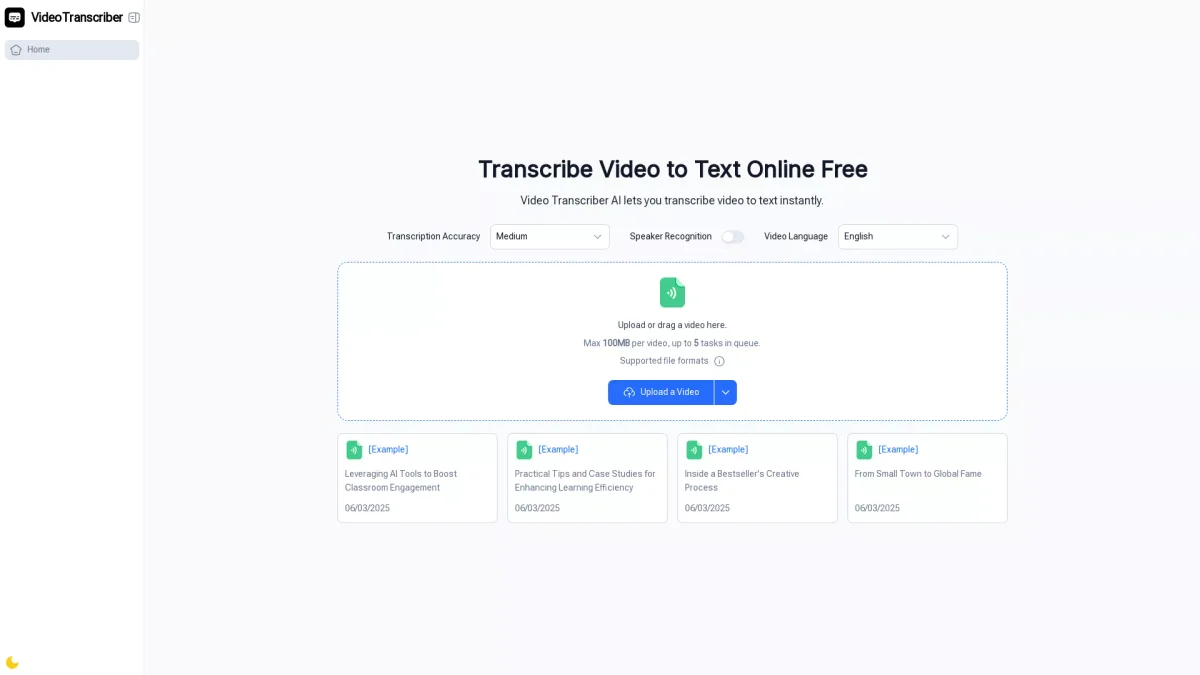
What is VideoTranscriberAI?
VideoTranscriberAI is an online tool that enables users to convert videos into precise text transcripts in seconds. It supports various formats, including YouTube lectures and Zoom meetings, allowing users to upload files directly from their browser without hassle. By addressing the need for accessible and accurate transcriptions, VideoTranscriberAI simplifies the process of extracting information from video content, making it ideal for students, professionals, and content creators alike. The platform offers numerous benefits, including 99.8% accuracy, support for over 98 languages, and the ability to recognize multiple speakers. Users can transcribe videos for study, work, or content creation, enhancing productivity and ensuring important details are captured. With no sign-up required and unlimited transcription minutes, VideoTranscriberAI is a go-to solution for anyone needing fast and reliable video-to-text transcription services.
Key Features
- 99.8% transcription accuracy
- Supports 98+ languages
- Speaker recognition capability
- Free to use with no sign-up
- Handles multiple video formats
- Instant transcription in seconds
- User-friendly interface
Who is it for?
- Students and learners
- Teachers and trainers
- Professionals and teams
- Content creators
- Researchers and writers
- Journalists and media workers
Use Cases
1. Lecture and Course Transcription
Students can upload recorded lectures or online courses to VideoTranscriberAI to create study notes. This helps in reviewing and sharing key points with classmates for better understanding and retention.
2. Meeting Documentation
Business professionals can transcribe Zoom calls and team meetings using VideoTranscriberAI. This ensures that important discussions and decisions are documented accurately, facilitating follow-up actions.
3. Content Creation for YouTube
Content creators can use VideoTranscriberAI to generate captions or scripts from their videos. This aids in repurposing content into blogs or social media posts, enhancing their reach and engagement.
4. Research Data Collection
Researchers can transcribe interviews and recorded talks into text. This allows for easier analysis and citation, saving time and improving the efficiency of research processes.
5. Accessible Learning Materials
Teachers can create transcriptions of their lessons to provide accessible materials for students who missed class. This ensures all students have equal access to learning resources.
Pricing Plans
Free: Unlimited transcription minutes with no sign-up required. Pro: Pricing information not available on website. Please visit the official website for current pricing.
Frequently Asked Questions
1. What file formats does VideoTranscriberAI support?
VideoTranscriberAI supports various file formats including MP3, MP4, MPEG, WAV, and more, allowing users to upload audio or video files for transcription easily.
2. Is there a limit to the number of videos I can transcribe?
No, VideoTranscriberAI offers unlimited transcription minutes, enabling users to transcribe as many videos or audio files as they need without any restrictions.
3. Can VideoTranscriberAI recognize different speakers in a video?
Yes, VideoTranscriberAI includes a speaker recognition feature that labels different speakers in the transcription, making it easier to follow conversations and discussions.
4. Do I need to create an account to use VideoTranscriberAI?
No, VideoTranscriberAI allows users to start transcribing immediately without the need for sign-up or account creation, making it convenient and accessible.
VideoTranscriberAI Reviews & Ratings
Real user feedback and ratings for VideoTranscriberAI. See what the community thinks about this AI tool.
No reviews yet
Be the first to share your experience with VideoTranscriberAI