
TypingDNA
Secure Authentication without Compromise
TypingDNA offers innovative authentication solutions, enabling seamless security through typing biometrics, ensuring a frictionless user experience while safeguarding identities.
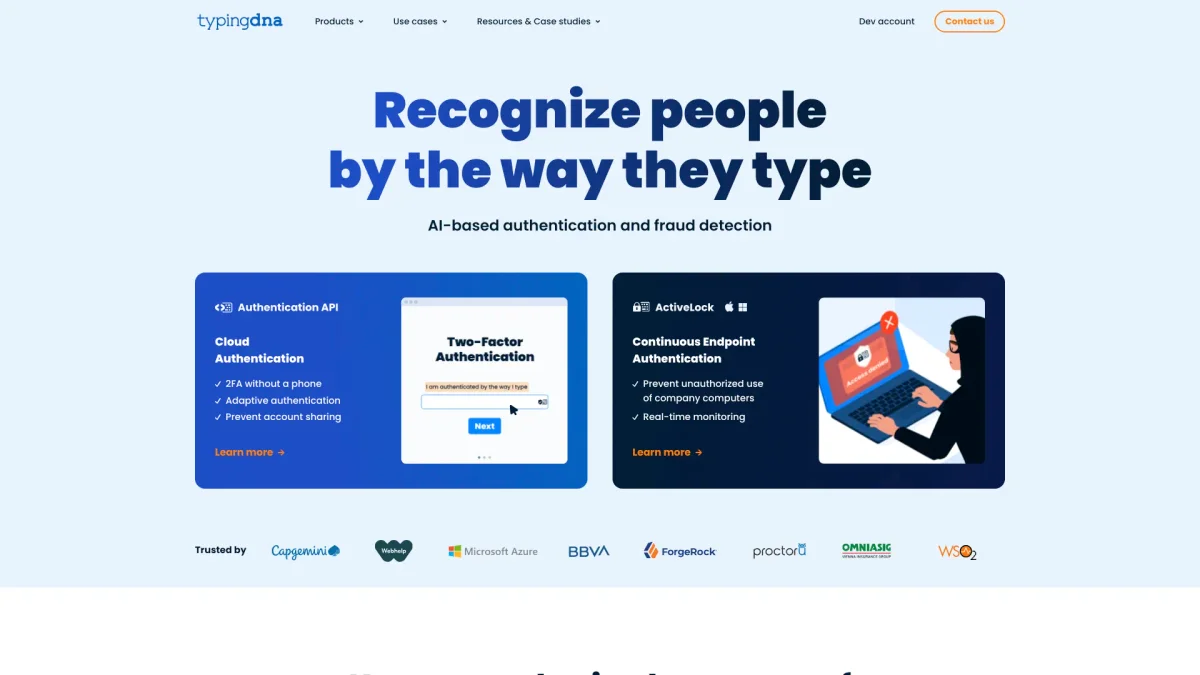
What is TypingDNA?
TypingDNA is a cutting-edge authentication platform focused on enhancing digital security through unique typing biometrics. Its primary purpose is to provide a secure and user-friendly alternative to traditional two-factor authentication (2FA) methods, addressing the issues of device dependency and user frustration. By enabling authentication through simply typing a few words, TypingDNA eliminates the need for phones or additional hardware, making it a convenient choice for both users and organizations. The key benefits of TypingDNA include its seamless integration with existing Identity and Access Management (IAM) systems, such as Okta and Microsoft Entra ID, and its ability to continuously authenticate users based on their typing patterns. This continuous endpoint authentication not only improves security by preventing unauthorized access but also enhances user productivity by simplifying the login process. TypingDNA is ideal for businesses seeking to implement a zero-trust security framework while ensuring a positive user experience.
Key Features
- 2FA without phone dependency
- Continuous authentication through typing
- Seamless integration with IAM systems
- Real-time monitoring of user behavior
- User-friendly authentication experience
- Prevention of account sharing and fraud
- HIPAA/SOC2 compliant solutions
Who is it for?
- Remote workforce managers
- E-learning institutions
- Business security teams
- Healthcare organizations
- Customer service providers
Use Cases
1. Seamless Customer Authentication
TypingDNA enables businesses to implement a frictionless 2FA solution for their customers, allowing them to authenticate by typing just a few words instead of dealing with complex code inputs, enhancing customer experience.
2. Workforce Security Management
Organizations can utilize TypingDNA to continuously authenticate employees while working remotely, ensuring that only authorized personnel access sensitive data and systems, thus maintaining security in a zero-trust environment.
3. Preventing Device Sharing
With TypingDNA's ActiveLock feature, organizations can prevent unauthorized device sharing among employees and contractors, ensuring that only the authenticated user has access to company equipment and data.
4. E-learning Student Authentication
Educational institutions can leverage TypingDNA for secure, privacy-friendly student authentication during online exams, preventing cheating and ensuring the integrity of assessments.
Pricing Plans
Pricing information not available on website. Please visit the official website for current pricing.
Frequently Asked Questions
1. What is TypingDNA's main authentication method?
TypingDNA primarily utilizes typing biometrics for authentication, allowing users to verify their identities by typing a few words, which eliminates the need for phones or additional devices.
2. How does TypingDNA ensure ongoing security?
TypingDNA provides continuous authentication through its ActiveLock feature, which monitors users' typing patterns in real-time to prevent unauthorized access to company devices and data.
3. Which IAM systems are compatible with TypingDNA?
TypingDNA seamlessly integrates with various Identity and Access Management (IAM) systems, including Microsoft Entra ID, Okta, and Ping, facilitating easy implementation into existing security frameworks.
4. Can TypingDNA assist with remote workforce security?
Yes, TypingDNA is designed to enhance security for remote workforces by continuously authenticating users based on their typing behaviors, ensuring that only authorized individuals can access company resources.
TypingDNA Reviews & Ratings
Real user feedback and ratings for TypingDNA. See what the community thinks about this AI tool.
No reviews yet
Be the first to share your experience with TypingDNA