CVFormatter
Automated CV Formatting for Recruiters
Effortlessly format resumes and CVs in minutes, enabling recruiters to focus on placements instead of document formatting tasks.
What is CVFormatter?
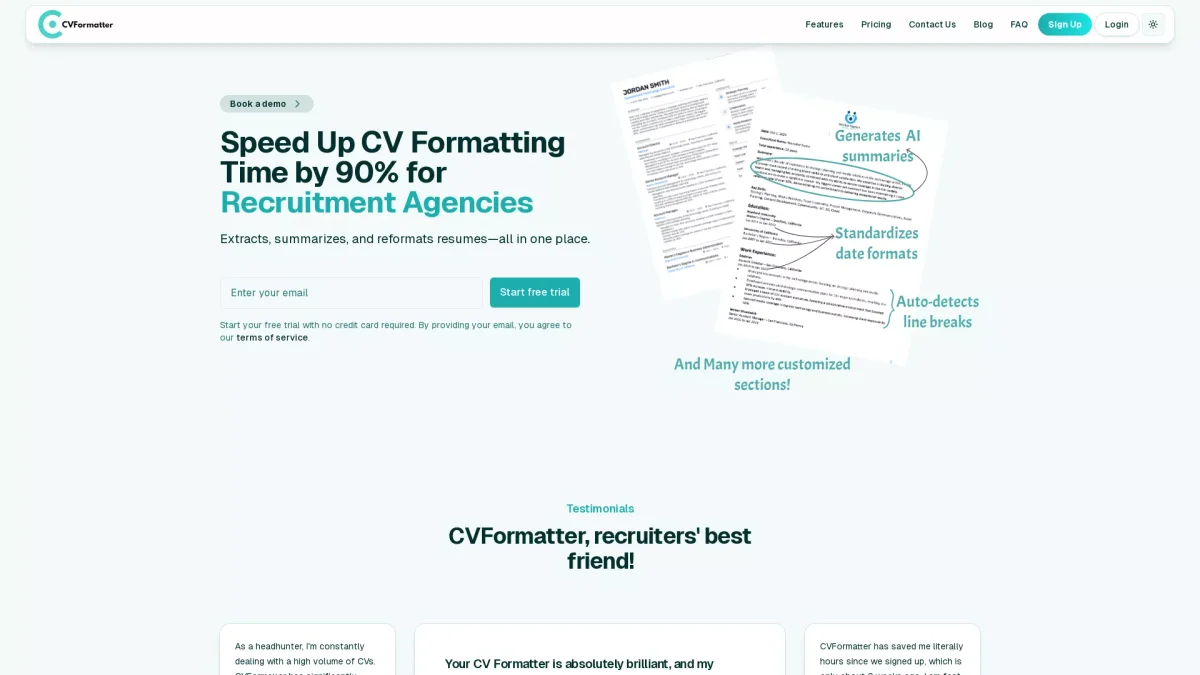
CVFormatter is an innovative tool designed specifically for recruitment agencies to automate the formatting of resumes and CVs. Its primary purpose is to streamline the tedious process of formatting various resume layouts into a standardized format, which saves time and enhances efficiency for recruiters. By leveraging AI technology, CVFormatter transforms chaotic and unstructured resumes into polished documents ready for client presentation. With CVFormatter, users can save up to 90% of the time spent on formatting resumes. The tool allows for easy upload of various file formats, AI-driven data extraction, and quick editing capabilities. Users benefit from a seamless experience, ensuring that they deliver well-structured, professional-looking CVs within minutes, thus empowering recruiters to concentrate on their core responsibilities of placing candidates effectively.
Key Features
- Instant resume formatting
- AI data extraction
- Multiple file format support
- Branded templates available
- Side-by-side comparison tool
- One-click sharing options
Who is it for?
- Recruitment agencies
- HR professionals
- Freelance recruiters
- Talent acquisition teams
Use Cases
1. Standardizing Resumes for Candidates
Recruiters can upload multiple resumes and instantly format them to their agency's branding and layout standards. This ensures that all candidate submissions are consistent and professional, enhancing the agency's image.
2. Quick Editing and Review Process
Utilize the side-by-side comparison feature to review AI-extracted data against the original resume. This facilitates quick edits, ensuring accuracy and that the formatted CV meets the agency's quality standards.
3. Time-Saving for Recruitment Teams
Recruitment teams can dramatically reduce the time spent formatting resumes, allowing them to focus on candidate interaction and placement. This efficiency leads to improved productivity and faster hiring processes.
4. First-Time User Branded Templates
New users receive a free branded template to start, making it easy to create visually appealing resumes. This feature helps agencies establish a strong brand presence right from the start.
Pricing Plans
Free: Your first branded template and 5 CVs free, Pro: Pricing information not available on website - Additional features and premium support, Enterprise: Custom pricing - Tailored solutions for large teams.
Frequently Asked Questions
1. What types of files can I upload to CVFormatter?
CVFormatter supports various file formats, including PDF, DOCX, PNG, JPG, and LinkedIn URLs, ensuring seamless integration with most resume types.
2. Is there a free trial available for CVFormatter?
Yes, CVFormatter offers a free trial that includes your first branded template and up to five CVs formatted at no cost, allowing users to explore its features without any financial commitment.
3. How does the AI extraction feature work?
The AI extraction feature allows users to see original resumes side-by-side with data extracted by the AI, enabling easy review and editing of the information to ensure accuracy and completeness.
4. Can CVFormatter handle complex resume layouts?
Absolutely! CVFormatter is equipped to manage complex resume layouts, including two-column designs and unusual formatting, transforming them into standardized, client-ready CVs effortlessly.
CVFormatter Reviews & Ratings
Real user feedback and ratings for CVFormatter. See what the community thinks about this AI tool.
No reviews yet
Be the first to share your experience with CVFormatter