
RoomDesign
Effortless AI Room Design at Your Fingertips
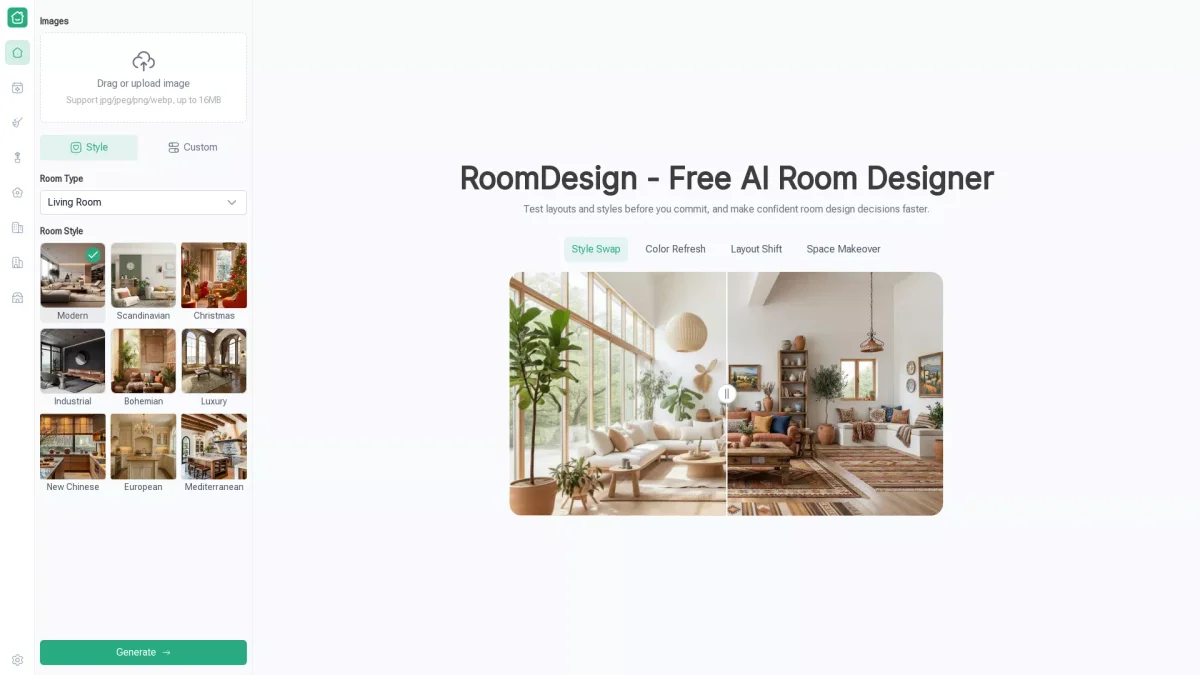
RoomDesign is an AI-powered tool that simplifies interior design, allowing users to visualize and plan their spaces quickly and easily without any design experience.
What is RoomDesign?
RoomDesign is an AI-driven room design tool that enables users to visualize their interior spaces with ease. It helps homeowners and renters alike to generate realistic room layouts by simply uploading an image or starting from scratch. The primary purpose of RoomDesign is to alleviate the uncertainty often associated with room design decisions by providing clear, visually appealing concepts tailored to individual preferences. The key benefits of using RoomDesign include its user-friendly interface, which requires no prior design skills, and the ability to generate photo-realistic visuals in just minutes. Users can explore various styles and layouts, making informed decisions about furniture arrangement, color schemes, and decor. This tool empowers individuals to maximize their space and creativity, making home design both enjoyable and efficient.
Key Features
- Upload images in various formats
- Instant room visualization
- Try different design styles
- Explore furniture arrangements
- Download high-resolution designs
- No signup required for use
- User-friendly for all skill levels
Who is it for?
- Homeowners looking to redesign
- Renters seeking decor solutions
- Interior design enthusiasts
- Real estate professionals
- DIY decorators
Use Cases
1. Planning a Living Room Makeover
Easily design and visualize a new living room layout. Users can upload a photo of their space and experiment with various furniture arrangements and styles to see what fits best before making any purchases.
2. Optimizing Small Spaces
RoomDesign helps users with small rooms to explore multiple layout ideas and storage solutions. By testing different configurations, they can find creative ways to maximize space while maintaining style and comfort.
3. Comparing Decor Styles
Before committing to a renovation, users can quickly try different color schemes and decor themes. This allows them to visualize the overall look and feel of their space, ensuring it aligns with their personal taste.
4. Preparing for a Home Renovation
Homeowners can use RoomDesign to visualize potential renovations by experimenting with new layouts and styles. This helps them make confident choices that enhance the functionality and aesthetics of their homes.
Pricing Plans
Pricing information not available on website. Please visit the official website for current pricing.
Frequently Asked Questions
1. What file formats does RoomDesign support?
RoomDesign supports image uploads in jpg, jpeg, png, and webp formats, with a maximum file size of 16MB, allowing users to work with various image types.
2. Is there a registration requirement to use RoomDesign?
No, RoomDesign does not require users to sign up or create an account. This allows for quick access and immediate use of the tool without any setup delays.
3. Can I download my room designs?
Yes, users can download high-resolution images of their room designs. This feature allows you to share your visuals with family, friends, or professionals for feedback and planning.
4. How does RoomDesign help with small spaces?
RoomDesign enables users to test multiple layout ideas for small rooms, helping them evaluate feasible setups. This aids in maximizing storage and comfort while ensuring efficient use of space.
RoomDesign Reviews & Ratings
Real user feedback and ratings for RoomDesign. See what the community thinks about this AI tool.
No reviews yet
Be the first to share your experience with RoomDesign