
Roomdesigner
Transform Your Space with AI Design
Roomdesigner enables users to redesign interiors, exteriors, and gardens using AI, offering over 25 design styles for a stunning transformation.
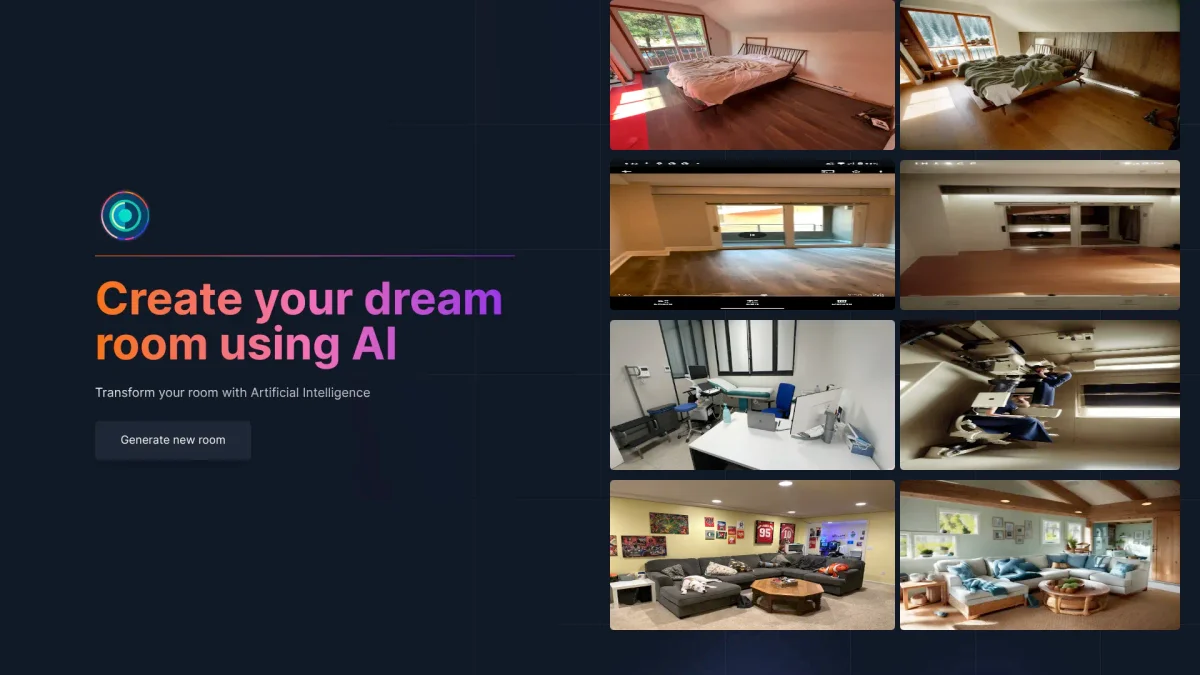
What is Roomdesigner?
Roomdesigner is an innovative AI-powered tool that specializes in room design and virtual staging. It allows users to upload photos and choose from numerous design styles to revamp their spaces effortlessly. The main purpose of Roomdesigner is to simplify the design process, enabling users to visualize their interiors, exteriors, or gardens in just seconds, thus solving the problem of complex and time-consuming design tasks. The key benefits of Roomdesigner include its ease of use and the ability to generate photorealistic renders from sketches. This feature is particularly advantageous for real estate agents, as homes staged with Roomdesigner.ai tend to sell faster and at higher prices. With affordable pricing plans and options to stage numerous properties, Roomdesigner is ideal for anyone looking to enhance their living spaces or boost real estate listings efficiently.
Key Features
- Upload photos and redesign instantly
- Choose from over 25 design styles
- Photorealistic renders from sketches
- Virtual staging for real estate
- Transform interiors, exteriors, and gardens
- Affordable pricing for agents
- User-friendly AI design interface
Who is it for?
- Homeowners and renters
- Real estate agents
- Interior designers
- Property developers
- Landscape architects
Use Cases
1. Virtual Staging for Real Estate
Use Roomdesigner to stage homes virtually, making them more appealing to potential buyers. This feature helps properties sell faster and at higher prices, significantly benefiting agents.
2. Interior Redesign for Homeowners
Homeowners can upload photos of their spaces and choose their preferred design style to visualize potential transformations. This allows for quick and easy redesigns without needing professional help.
3. Garden and Exterior Design
Transform outdoor spaces by selecting from various styles tailored to gardens and exteriors. Roomdesigner helps users visualize changes to their outdoor environments effortlessly.
4. Creating Photorealistic Renders
Interior designers can use Roomdesigner to convert raw sketches into photorealistic images. This feature aids in client presentations, enhancing the ability to communicate design concepts effectively.
Pricing Plans
Free: 2 credits for initial use, Pro: $390/year - Stage up to 1,000 properties monthly, access to premium features, and enhanced support.
Frequently Asked Questions
1. Does Roomdesigner offer a free trial?
Yes, Roomdesigner provides 2 free credits to new users, allowing them to explore the tool's features before committing to a paid plan.
2. How many properties can I stage with Roomdesigner?
With the Pro plan, users can stage up to 1,000 properties each month, making it an excellent choice for real estate professionals.
3. What design styles does Roomdesigner support?
Roomdesigner offers over 25 design styles, including Modern, Minimalist, Bohemian, and Luxury, allowing users to customize their spaces according to their preferences.
4. Can I use Roomdesigner for commercial purposes?
Absolutely. Roomdesigner is suitable for both personal and commercial use, making it ideal for real estate agents, interior designers, and property developers.
Roomdesigner Reviews & Ratings
Real user feedback and ratings for Roomdesigner. See what the community thinks about this AI tool.
No reviews yet
Be the first to share your experience with Roomdesigner