Pixelmator Pro
Effortless image editing and graphic design
Pixelmator Pro empowers users to create stunning visuals and edit images seamlessly on Mac and iPad, leveraging advanced AI features for enhanced creativity.
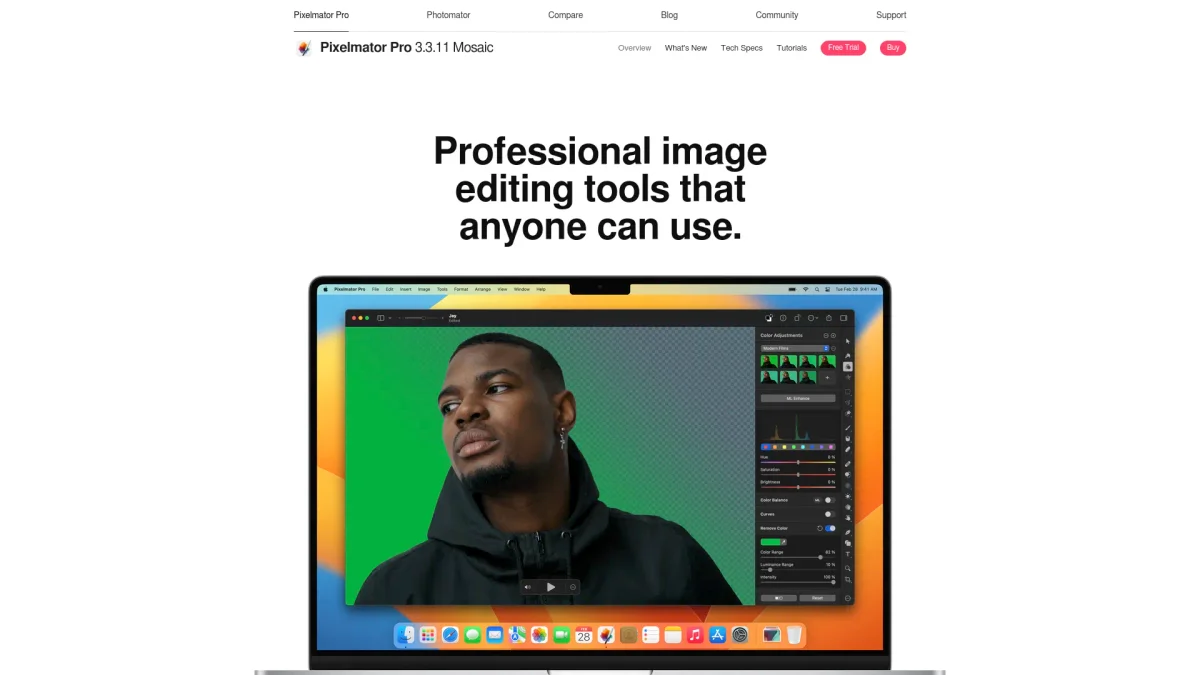
What is Pixelmator Pro?
Pixelmator Pro is a powerful image editing tool designed for creators looking to produce high-quality graphics and edit photos effortlessly. It combines intuitive design with advanced AI capabilities, streamlining workflows and allowing users to focus on their creative vision without the complexity often associated with professional tools. With a suite of intelligent features, Pixelmator Pro enhances productivity and creativity for users across various industries. Its capabilities include customizable templates, nondestructive editing, and intelligent masking, making it an ideal choice for photographers, graphic designers, and anyone needing to create stunning visuals quickly and efficiently.
Key Features
- Advanced AI-powered image enhancement
- Nondestructive editing for flexibility
- Customizable design templates
- Intelligent masking for detailed selections
- Full support for RAW photo editing
- Wide range of vector tools and effects
- Seamless integration with Apple Creator Studio
Who is it for?
- Photographers and videographers
- Graphic designers and artists
- Social media marketers
- Content creators and influencers
- Small business owners
Use Cases
1. Photo Editing for Social Media
Utilize Pixelmator Pro to enhance images for social media platforms. With its intuitive tools, users can perform quick edits, apply filters, and create eye-catching graphics that engage their audience.
2. Creating Marketing Materials
Design compelling marketing materials such as flyers and banners using customizable templates and professional-grade editing tools. Pixelmator Pro streamlines the creation process, ensuring high-quality outputs.
3. Graphic Design for Branding
Leverage Pixelmator Pro's vector tools and effects to create unique logos and brand visuals. The software allows for detailed customization, making it easy to align designs with brand identity.
4. Video Layer Editing
Edit video layers similarly to images, making it simple to adjust colors and apply effects. This feature is perfect for content creators looking to enhance their video projects visually.
Pricing Plans
Free: 14-day trial with full features, Pro: $39.99 one-time purchase - Includes all features and updates.
Frequently Asked Questions
1. Does Pixelmator Pro offer a free trial?
Yes, Pixelmator Pro provides a 14-day free trial allowing users to explore all features before making a purchase decision, helping them evaluate the software's capabilities.
2. What platforms is Pixelmator Pro available on?
Pixelmator Pro is available on both Mac and iPad, ensuring users can design and edit visuals seamlessly across devices while leveraging the power of Apple's ecosystem.
3. Can I use Pixelmator Pro for professional projects?
Absolutely. Pixelmator Pro is designed for professionals, offering advanced features and tools that meet the demands of high-quality image editing and graphic design.
4. What types of files can Pixelmator Pro handle?
Pixelmator Pro supports a wide range of file formats including raster, vector, and over 750 RAW formats, making it versatile for various creative projects.
Pixelmator Pro Reviews & Ratings
Real user feedback and ratings for Pixelmator Pro. See what the community thinks about this AI tool.
No reviews yet
Be the first to share your experience with Pixelmator Pro