
Pixelmost
Create app prototypes in 30 seconds
Pixelmost enables rapid creation of mobile app mockups and interactive prototypes, ideal for designers, founders, and product teams looking to streamline their workflow.
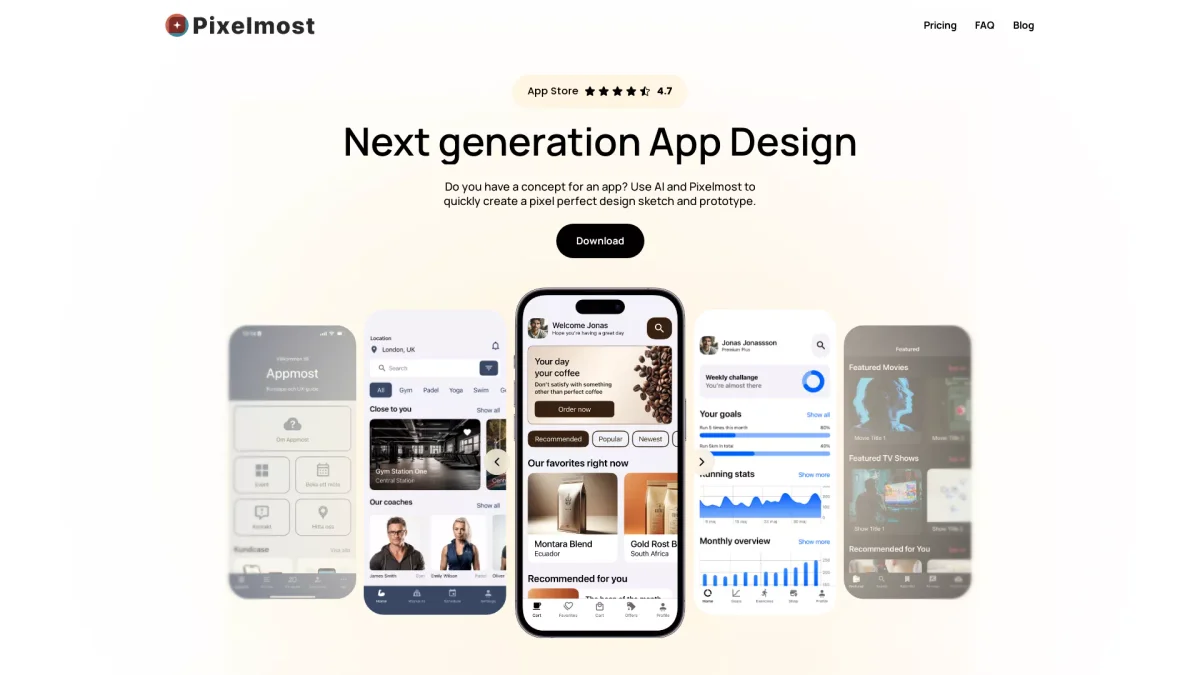
What is Pixelmost?
Pixelmost is an innovative app prototype tool designed for mobile mockups and flows, specifically tailored for iPhone, iPad, and Mac users. Its main purpose is to help founders, designers, and product teams transform their ideas into interactive app mockups and prototypes quickly and efficiently. By leveraging AI technology, Pixelmost eliminates the need to start from a blank canvas, allowing users to turn concepts into visual representations in mere seconds. With Pixelmost, users benefit from a streamlined design process that includes features such as interactive prototype flows, an AI app icon generator, and ready-made mobile UI components. This tool is particularly useful for creating pitch-ready screens, reviewing navigation and flow, and generating color themes, enhancing collaboration and productivity. By simplifying the prototyping process, Pixelmost empowers teams to focus on creativity and innovation without the burden of manual design tasks.
Key Features
- Rapid app mockup creation
- Interactive prototype flows
- AI app icon generation
- Ready-made mobile UI components
- Customizable color themes
- Export options for pitches
- Navigation and flow review
Who is it for?
- Mobile app designers
- Product development teams
- Startup founders
- UX/UI designers
- Marketing professionals
Use Cases
1. Quick App Mockup Creation
Design your mobile app mockups in seconds using Pixelmost’s intuitive interface. Simply input your idea, and the tool generates a polished mockup that can be refined or exported for presentations.
2. Interactive Prototype Development
Build interactive prototypes to demonstrate app functionality. Review screen transitions and adjust layouts using AI components, making it easier to showcase your app concept to stakeholders.
3. Generating App Icons
Use Pixelmost’s AI app icon generator to create stylish icons that match your app's aesthetic. This feature saves time and ensures consistency in visual branding while you focus on design.
4. Team Collaboration on Designs
Export your app layouts for pitch decks and team reviews. Pixelmost allows seamless sharing of designs with team members for feedback and iterations, enhancing project collaboration.
5. Color Theme Customization
Generate and fine-tune color themes for your app concept. Pixelmost helps establish a cohesive visual direction from a simple prompt, aiding in the overall aesthetic of your app.
Pricing Plans
Pricing information not available on website. Please visit the official website for current pricing.
Frequently Asked Questions
1. What platforms does Pixelmost support?
Pixelmost is available for iPhone, iPad, and Mac, allowing users to create and edit app prototypes seamlessly across these devices.
2. How quickly can I create an app mockup?
With Pixelmost, you can create app mockups in as little as 30 seconds by simply entering your idea and letting the AI generate the design.
3. Can I export my designs for presentations?
Yes, Pixelmost allows you to export layouts and compositions, making it easy to include your designs in pitch decks and product reviews.
4. Does Pixelmost provide ready-made UI components?
Absolutely! Pixelmost features a library of ready-made mobile UI components to help you start your designs without rebuilding common screens from scratch.
Pixelmost Reviews & Ratings
Real user feedback and ratings for Pixelmost. See what the community thinks about this AI tool.
No reviews yet
Be the first to share your experience with Pixelmost