
Palette
Transform Your Photos with Realistic Colors
Palette offers advanced AI colorization to breathe life into black-and-white photos, providing realistic colors and customization in just a few clicks.
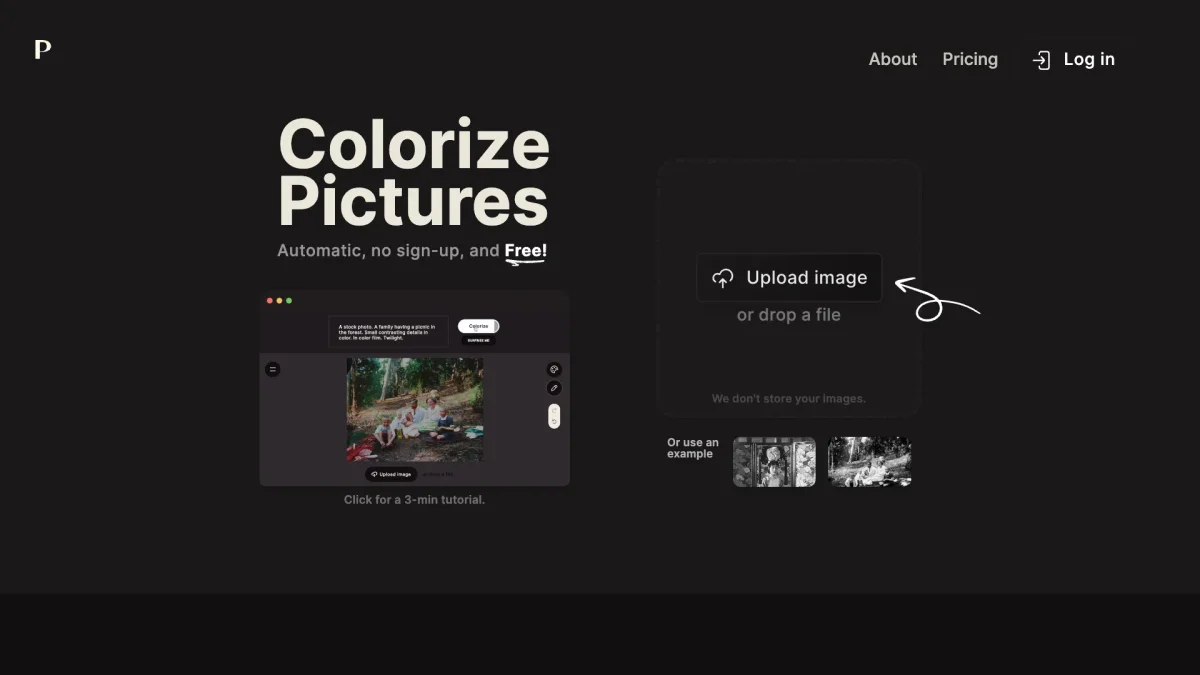
What is Palette?
Palette is an AI-driven photo colorization tool that allows users to upload black-and-white images and transform them into vibrant, lifelike colors. Its main purpose is to enhance historical photos, personal memories, and creative projects by solving the problem of colorizing images accurately and efficiently, making them visually appealing and engaging for a modern audience. With Palette, users benefit from over 21 customizable color filters and can easily adjust color settings for optimal results. It supports both casual users and professional photographers, enabling them to produce stunning, high-resolution colorizations quickly. The platform is particularly valuable for artists, historians, and content creators looking to revitalize old photographs or enhance their creative works with realistic colors, offering a user-friendly experience with impressive results.
Key Features
- Over 21 customizable color filters
- High-resolution colorizations up to 5000x5000px
- User-friendly drag-and-drop interface
- Detailed adjustment options for colors
- No recurring fees with one-time credits
- Fast processing with watermark-free previews
- Trusted by millions of photographers and creators
Who is it for?
- Photographers and artists
- Content creators and bloggers
- Historians and archivists
- Social media managers
- Graphic designers
Use Cases
1. Reviving Historical Photos
Transform black-and-white historical images into vibrant, colorized versions using Palette's advanced filters. This is ideal for historians and educators looking to make history more accessible and engaging.
2. Enhancing Family Memories
Bring old family photos back to life by colorizing them with Palette. Users can customize colors to reflect real-life tones, making cherished memories more vivid and enjoyable for family sharing.
3. Creative Social Media Content
Create eye-catching, colorized images for social media posts. Palette's easy-to-use interface allows marketers and social media managers to quickly produce vibrant content that captures audience attention.
4. Professional Photography Projects
Photographers can utilize Palette to colorize black-and-white images for client projects. The ability to adjust colors and achieve high-resolution outputs makes it a valuable tool for enhancing portfolios.
Pricing Plans
Free: 500x500 pixel colorizations with a watermark, Pro: $72/year - 480 credits for high-resolution, watermark-free colorizations, Enterprise: Custom pricing - tailored solutions for larger teams.
Frequently Asked Questions
1. How accurate is the colorization process?
Palette's colorization is known for its remarkable accuracy, employing advanced AI techniques to provide realistic colors that capture intricate details, making it one of the best tools available.
2. Can I try Palette for free?
Yes, Palette offers a free plan that includes basic features. You can colorize images at a maximum of 500x500 pixels with a watermark, allowing you to explore its capabilities before subscribing.
3. What formats does Palette support for uploads?
Palette supports a variety of image formats for uploads, allowing users to easily drag and drop their black-and-white photos into the platform for instant colorization.
4. Is there a limit to how many photos I can colorize?
In the free plan, images are limited to 500x500 pixels and include a watermark. However, paid plans allow for higher resolution and watermark-free colorizations, with credits that can be used flexibly.
Palette Reviews & Ratings
Real user feedback and ratings for Palette. See what the community thinks about this AI tool.
No reviews yet
Be the first to share your experience with Palette