
Mayday
Your AI Scheduling Co-pilot
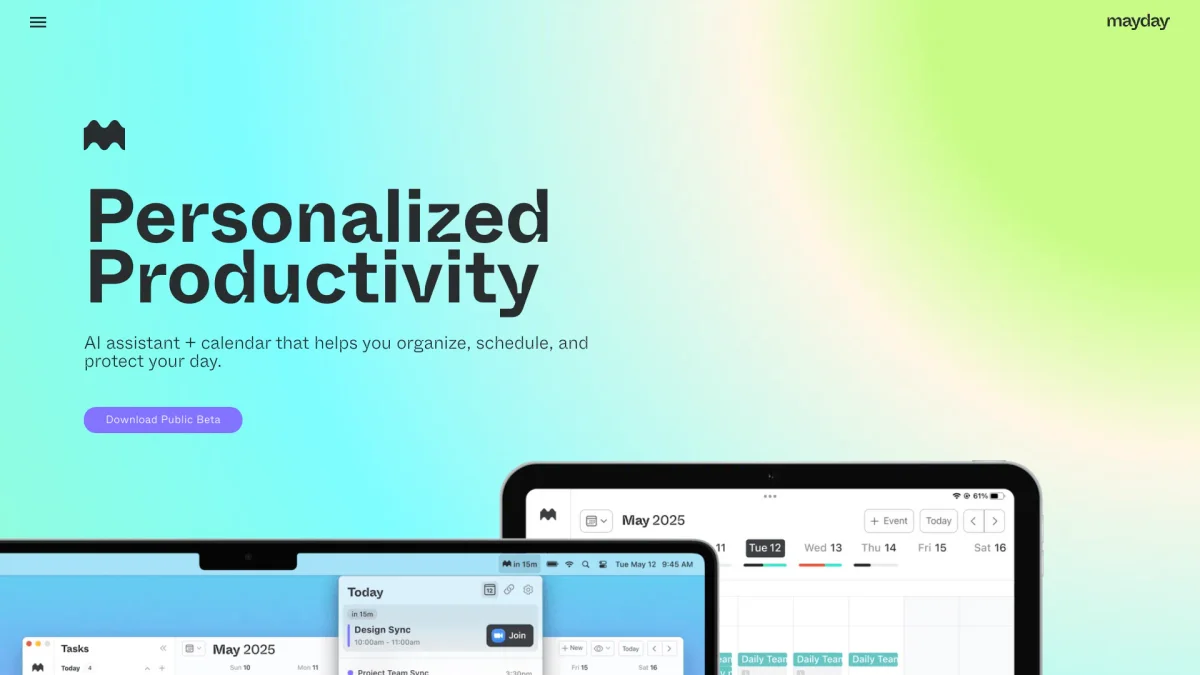
Mayday is an all-in-one AI-powered calendar, task manager, and scheduling assistant designed to optimize your time management effortlessly.
What is Mayday?
Mayday is a comprehensive AI-assisted scheduling tool that combines calendar functionality, task management, and intelligent scheduling into one seamless platform. It aims to solve the problem of inefficient time management by helping users organize their schedules and prioritize tasks based on their unique preferences and changing demands throughout the day. By leveraging advanced AI capabilities, Mayday allows users to auto-schedule meetings, manage tasks effectively, and adapt to shifting priorities with ease. It offers significant benefits such as streamlined collaboration with teams, automatic rescheduling, and features like Smart Tags and FYI events, making it an essential tool for anyone looking to enhance productivity and maintain a balanced schedule.
Key Features
- Auto-schedule meetings effortlessly
- AI-scheduled tasks management
- Automatic and one-click rescheduling
- Integrated scheduling links
- Smart Tags for organized calendars
- Calendar sync across multiple platforms
- Widgets for quick schedule access
Who is it for?
- Busy professionals
- Project managers
- Remote teams
- Students and educators
- Small business owners
Use Cases
1. Effortless Team Coordination
Use Mayday to schedule team meetings without the hassle of checking individual calendars. The AI suggests optimal times based on everyone’s availability, saving time and reducing email chains.
2. Dynamic Task Management
Manage tasks with Mayday's AI by simply inputting the duration and timeframe. It automatically finds the best times to slot tasks into your busy schedule, ensuring you stay productive.
3. Smooth Event Planning
Plan events seamlessly with Mayday’s integrated scheduling links. It helps you set availability limits, nudges guests towards ideal times, and maintains a balanced schedule without oversharing your free time.
4. Calendar Syncing Made Simple
Sync all your calendars with Mayday to reflect your true availability. It creates mirrored placeholder events across platforms like Google Calendar and Microsoft 365, ensuring you never overbook yourself.
5. Time Blocking for Better Focus
Utilize Mayday's buffer time feature to create breaks between meetings. This helps you prepare and debrief, enhancing focus and productivity by preventing back-to-back scheduling.
Pricing Plans
Pricing information not available on website. Please visit the official website for current pricing.
Frequently Asked Questions
1. What platforms does Mayday support?
Mayday is designed for Mac, iOS, and iPad users. Native apps are built with SwiftUI, ensuring seamless integration across these platforms. Android and Windows versions are coming soon.
2. How does Mayday handle changing priorities?
Mayday offers automatic rescheduling and one-click rescheduling options, allowing users to adapt their calendars dynamically as priorities shift throughout the day.
3. Can I categorize my events in Mayday?
Yes, Mayday includes Smart Tags which allow users to categorize events. This feature helps keep your calendar organized and enables powerful automations based on event types.
4. What is the purpose of FYI events in Mayday?
FYI events are designed to keep you informed about your schedule without cluttering your timeline. This allows you to visually minimize events that require your attention but do not need your involvement.
Mayday Reviews & Ratings
Real user feedback and ratings for Mayday. See what the community thinks about this AI tool.
No reviews yet
Be the first to share your experience with Mayday