Komandi
AI-Powered CLI Command Management Simplified
Easily manage and generate terminal commands with AI assistance, enhancing productivity for developers and system administrators across all platforms.
What is Komandi?
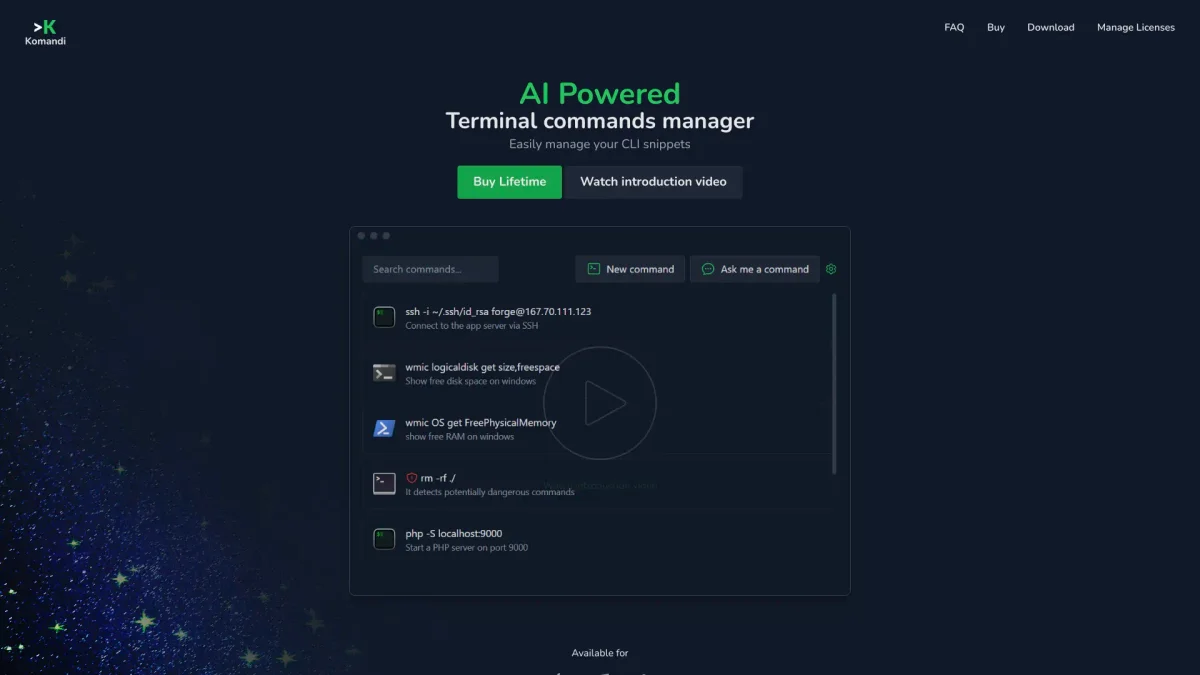
Komandi is an AI-powered terminal command manager designed to simplify the process of managing command-line interface (CLI) snippets. Its main purpose is to enable users to efficiently generate, organize, and execute terminal commands directly from natural language prompts, solving the problem of cumbersome command management and reducing the risk of errors during execution. With features such as command detection for potential dangers, cross-platform compatibility, and AI-generated command suggestions, Komandi significantly streamlines the workflow for developers and system administrators. Users benefit from the ability to quickly access their most frequently used commands, thus saving time and minimizing the likelihood of mistakes, making it an essential tool for anyone who works with the command line regularly.
Key Features
- Generate commands from natural language
- Detect potentially dangerous commands
- Cross-platform support: macOS, Windows, Linux
- Insert, favorite, copy, and execute commands
- Search and execute commands using shortcuts
- Lifetime updates and 10,000 AI tokens included
Who is it for?
- Software developers
- System administrators
- DevOps engineers
- IT professionals
- Tech enthusiasts
Use Cases
1. Command Generation from Prompts
Easily generate complex terminal commands by simply typing natural language prompts. This feature allows users to save time and avoid remembering intricate command syntax.
2. Managing Frequently Used Commands
Organize and access your most commonly used commands with ease. Users can favorite, copy, and execute commands quickly, enhancing their productivity in the command line.
3. Risk Management in Command Execution
Komandi actively detects and marks potentially dangerous commands, preventing accidental execution and ensuring a safer command-line experience for users.
4. Cross-Platform Command Execution
Execute commands across different terminal environments, such as Windows Terminal, PowerShell, and Gnome Terminal, making it versatile for various operating systems.
5. Importing and Exporting Commands
Soon to be available, this feature will allow users to import and export their command snippets, providing greater flexibility in managing and sharing their command libraries.
Pricing Plans
Free: 7-day trial with limited features, Pro: $19 - Lifetime access with 10,000 AI tokens included, Enterprise: Custom pricing - Tailored options for teams and organizations.
Frequently Asked Questions
1. Does Komandi offer a free trial?
Yes, Komandi provides a free trial for 7 days. However, AI command generation is not available during the trial period.
2. How does the licensing work for Komandi?
With a Komandi license, you can use the app on one device indefinitely, and it includes 10,000 AI tokens for command generation. Additional tokens can be purchased if needed.
3. Can I get a refund if I'm not satisfied?
Yes, you can request a refund within 7 days of purchase, no questions asked. Feedback is appreciated to improve the service.
4. What platforms is Komandi compatible with?
Komandi is compatible with macOS, Windows, and Linux, allowing users to execute commands across various terminal environments.
Komandi Reviews & Ratings
Real user feedback and ratings for Komandi. See what the community thinks about this AI tool.
No reviews yet
Be the first to share your experience with Komandi