
FastMCP
Effortless Installation of AI Tool Servers
Discover and install 1,891+ community-vetted MCP servers for AI development tools with one-click installation and seamless integration.
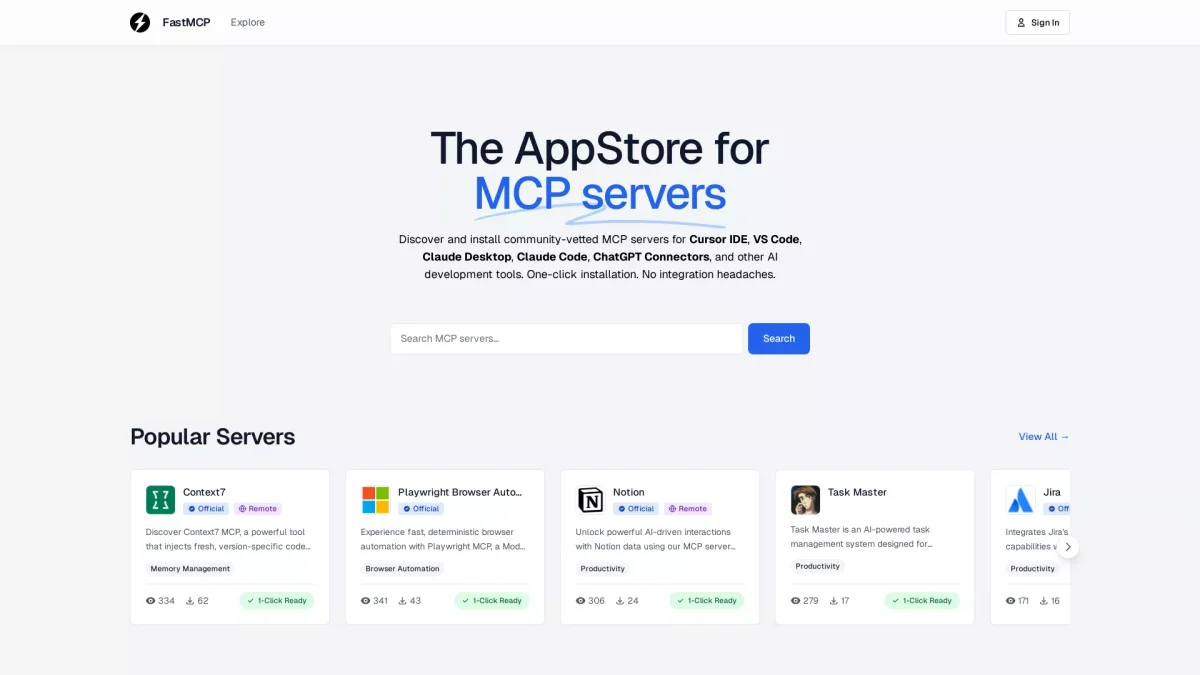
What is FastMCP?
FastMCP is a comprehensive platform designed to simplify the discovery and installation of Model Context Protocol (MCP) servers for various AI development tools. It addresses the need for developers to access and integrate powerful AI capabilities without facing complex installation processes or integration challenges. By offering a wide catalog of vetted servers, FastMCP makes it easy for users to enhance their development environments seamlessly. FastMCP enables users to boost their productivity by providing one-click installations for a diverse range of servers tailored for popular tools such as Cursor IDE, VS Code, and ChatGPT Connectors. This streamlined approach eliminates integration headaches, allowing developers to focus on creating and refining AI applications while ensuring they have access to the latest coding references and documentation. The platform is perfect for both new and experienced developers looking to enhance their AI toolsets efficiently.
Key Features
- One-click installation for easy setup
- Access to 1,891+ community-vetted servers
- Seamless integration with popular IDEs
- Up-to-date documentation and examples
- Dynamic tool discovery for efficient workflows
- Support for multiple AI development environments
- Real-time context for improved coding accuracy
Who is it for?
- AI developers and engineers
- Software development teams
- Data scientists and analysts
- Tech startups and enterprises
- Educators in programming
Use Cases
1. Integrating New AI Tools
FastMCP allows developers to quickly integrate new AI tools into their existing workflows without complex setups. Users can easily install servers for various AI capabilities, enhancing their development efficiency.
2. Real-Time Coding Assistance
With FastMCP's Context7 server, developers can ensure their AI coding assistants provide accurate, up-to-date documentation and code snippets, improving code quality and reducing debugging time.
3. Web Automation Tasks
Using FastMCP's Playwright and Puppeteer servers, developers can automate web interactions and tasks efficiently, allowing for seamless integration of AI capabilities in web applications.
4. Enhanced Project Management
FastMCP's GitHub MCP server helps teams streamline their project management by automating workflows, managing issues, and enhancing collaboration through AI-driven insights.
Pricing Plans
Pricing information not available on website. Please visit the official website for current pricing.
Frequently Asked Questions
1. What types of servers does FastMCP offer?
FastMCP provides access to over 1,891 community-vetted MCP servers designed for various AI tools, including Cursor IDE, VS Code, and ChatGPT Connectors, allowing for diverse AI development capabilities.
2. How can I install MCP servers using FastMCP?
Installation is straightforward with FastMCP. Users can simply browse through the catalog of MCP servers and utilize the one-click installation feature to seamlessly integrate desired servers into their development environments.
3. Is FastMCP suitable for beginners in AI development?
Absolutely! FastMCP is designed to be user-friendly, making it easy for beginners to discover and install necessary tools without facing complex integration challenges, thus facilitating their learning process.
4. Can FastMCP integrate with popular IDEs?
Yes, FastMCP is compatible with several popular IDEs such as Cursor IDE and VS Code, allowing for smooth integration and enhanced development experiences for users across different platforms.
FastMCP Reviews & Ratings
Real user feedback and ratings for FastMCP. See what the community thinks about this AI tool.
No reviews yet
Be the first to share your experience with FastMCP