
ImageToTable
Transform images into structured data effortlessly
ImageToTable converts images and PDFs into structured Excel or CSV tables, streamlining data entry and reducing manual errors for various use cases.
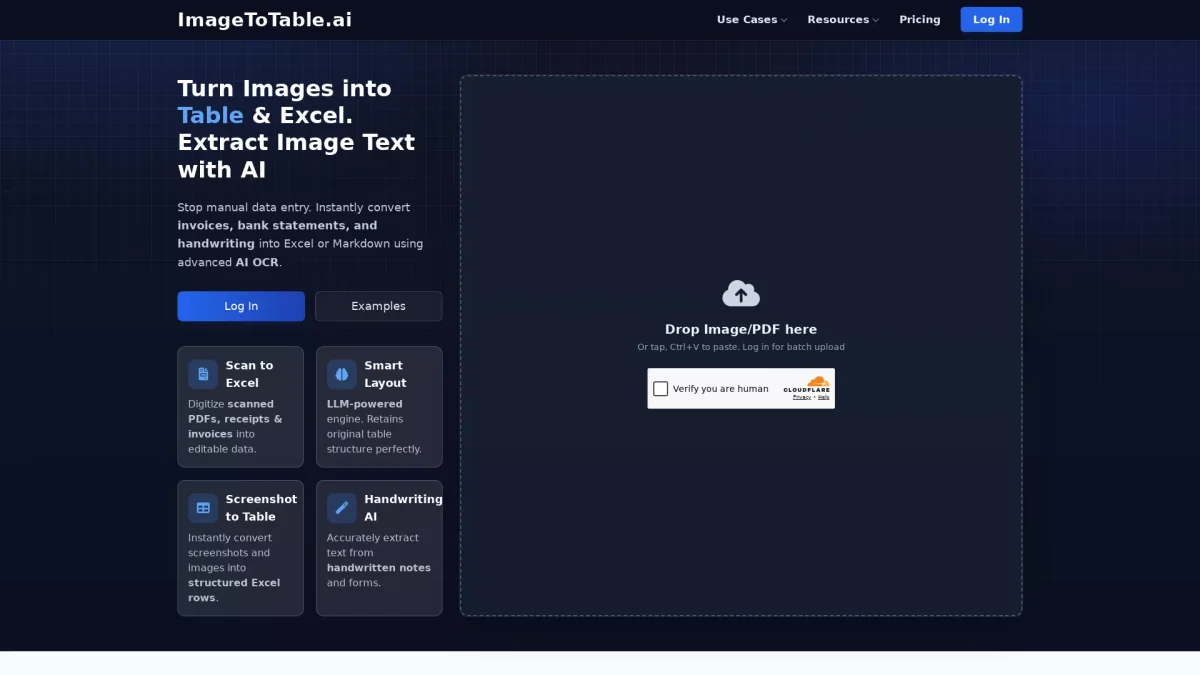
What is ImageToTable?
ImageToTable is an advanced AI-powered tool that specializes in converting images and scanned documents into structured data formats like Excel and CSV. Its primary purpose is to eliminate the tedious and error-prone task of manual data entry, allowing users to quickly extract relevant information from forms, receipts, and other documents with high accuracy, typically around 98%. The key benefits of using ImageToTable include significant time savings and increased productivity by automating data extraction processes. Users can convert various documents, such as tax forms, student IDs, and sales orders, into editable formats in seconds. This tool is particularly valuable for businesses, accountants, and educational institutions looking to streamline their data management and enhance accuracy in record-keeping.
Key Features
- AI-powered data extraction
- Supports batch processing
- 98% accuracy
- Zero-template extraction
- Handwriting recognition
- Secure data handling
- Fast conversion times
Who is it for?
- Accountants and financial professionals
- Educational institutions
- Small business owners
- Recruiters and HR teams
- Freelancers and contractors
Use Cases
1. Convert VAT Return Forms to Excel
Streamline your VAT/GST return process by converting scanned forms into structured Excel sheets in just 20 seconds. Extract crucial data like tax period, sales, and net tax payable with high accuracy.
2. Batch Convert Student IDs to Excel
Automate student enrollment processes by extracting student data and cropping ID photos into Excel/CSV format. Perfect for educational institutions managing large numbers of students.
3. AI Resume Parsing for Recruitment
Enhance your hiring process by converting PDF or image CVs into structured JSON or Excel formats. This automation allows recruiters to quickly screen candidates and organize their data efficiently.
4. Automated Receipt Scanning
Efficiently track expenses by converting receipt images into Excel or CSV formats. This automation reduces manual data entry and helps businesses and freelancers manage their finances easily.
5. PDF Quotation to Excel Converter
Stop manual data entry from PDF quotes. Convert them into structured Excel tables, extracting vendor details, customer information, and amounts with 98% accuracy to save time.
Pricing Plans
Pricing information not available on website. Please visit the official website for current pricing.
Frequently Asked Questions
1. Does ImageToTable offer a free trial or free plan?
Yes, ImageToTable provides a free tax form OCR converter that allows users to test the basic features without any cost, making it accessible for everyone.
2. What types of documents can I convert using ImageToTable?
ImageToTable supports a wide range of documents, including tax forms, receipts, invoices, student IDs, and resumes, enabling users to automate data extraction from various sources.
3. How accurate is the data extraction with ImageToTable?
ImageToTable boasts an impressive accuracy rate of 98% for its data extraction processes, which significantly reduces errors compared to manual entry.
4. Is my data secure when using ImageToTable?
Yes, ImageToTable ensures secure data handling with bank-level data security measures, protecting sensitive information during and after the conversion process.
ImageToTable Reviews & Ratings
Real user feedback and ratings for ImageToTable. See what the community thinks about this AI tool.
No reviews yet
Be the first to share your experience with ImageToTable