
GptForWork
The AI agent for Excel and Sheets
Transform your spreadsheet tasks with AI, from formulas to data enrichment, directly in Excel and Google Sheets.
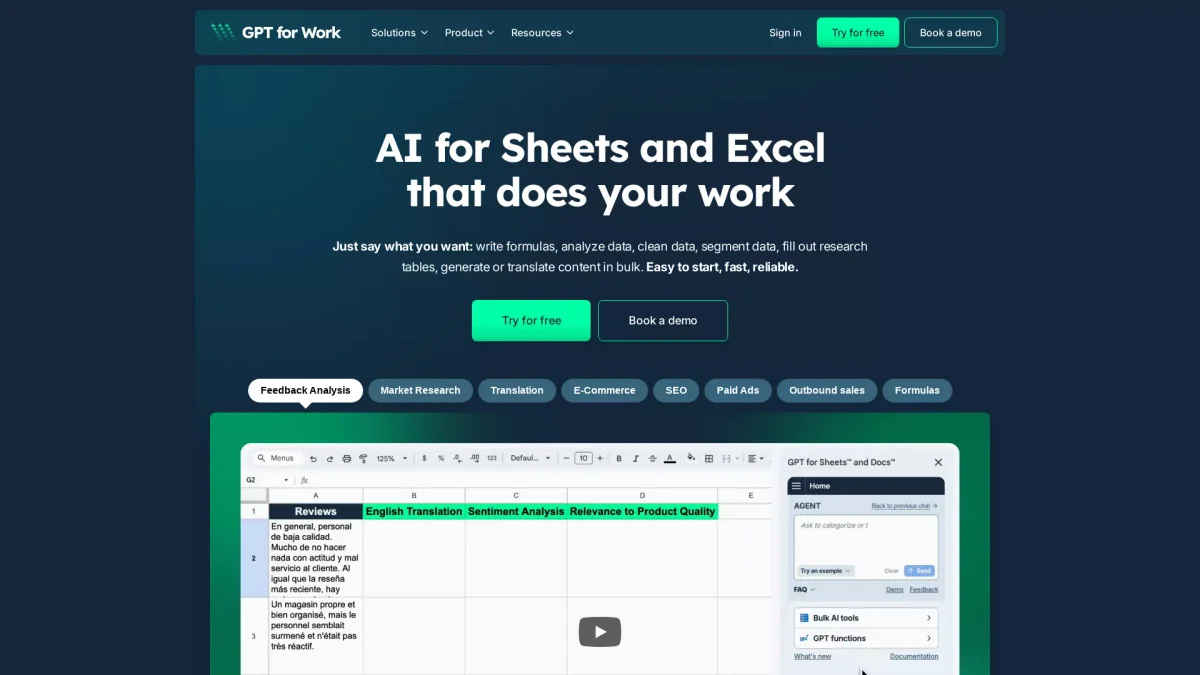
What is GptForWork?
GptForWork is an advanced AI agent designed to enhance productivity in spreadsheet applications like Excel and Google Sheets. Its main purpose is to automate complex tasks such as writing formulas, formatting data, and enriching datasets at scale, ultimately solving the problem of time-consuming manual data management. By integrating seamlessly into existing workflows, GptForWork empowers users to maximize efficiency and accuracy in their spreadsheet operations. Key benefits of GptForWork include its unmatched speed and ease of use, allowing users to process thousands of rows of data simultaneously without requiring advanced technical skills. The tool eliminates the need for manual data entry and error correction, enabling users to focus on strategic decision-making. With real-time support and a pay-per-use pricing model, GptForWork is an invaluable resource for anyone who regularly works with spreadsheets, from everyday operators to power users in various industries.
Key Features
- Automate formula creation
- Fix errors and format data
- Bulk data enrichment and translation
- Generate pivot tables and charts
- Real-time progress tracking
- No prompt engineering required
- Pay-per-use pricing model
Who is it for?
- Data analysts and scientists
- Finance and accounting professionals
- Marketing and SEO specialists
- Project managers and coordinators
- E-commerce and sales teams
Use Cases
1. SEO Data Optimization
Utilize GptForWork to automate SEO tasks by generating and optimizing content, translating keywords, and analyzing trends across large datasets, making it easier to enhance search rankings.
2. Financial Reporting
Streamline the financial reporting process by automating data cleaning, formula application, and pivot table generation, ultimately reducing time spent on manual spreadsheet work.
3. E-commerce Product Management
Enhance e-commerce operations by using GptForWork to enrich product listings with detailed attributes, automate bulk translations for international markets, and clean inventory data efficiently.
4. Lead Scoring Automation
Optimize sales processes by automating lead scoring and data enrichment in spreadsheets, allowing sales teams to focus on high-potential leads and improve conversion rates.
Pricing Plans
Free: Basic features available for trial, Pro: Pay-per-use pricing - Only pay for what you use, Enterprise: Custom pricing - Tailored solutions for larger teams.
Frequently Asked Questions
1. Does GptForWork offer a free trial?
Yes, GptForWork provides a free plan that allows users to test basic features without any hidden fees or credit card requirements.
2. What is the maximum data processing capacity?
GptForWork can handle up to hundreds of thousands of rows per run in Google Sheets and up to 1 million rows in Excel, enabling efficient bulk processing.
3. Is my data secure with GptForWork?
Absolutely, GptForWork is ISO 27001 certified, GDPR compliant, and ensures data privacy with zero retention policies, meaning your data remains secure and private.
4. Can I integrate GptForWork with existing workflows?
Yes, GptForWork integrates seamlessly into Excel and Google Sheets, allowing users to automate tasks without the need for file uploads to a separate platform.
GptForWork Reviews & Ratings
Real user feedback and ratings for GptForWork. See what the community thinks about this AI tool.
No reviews yet
Be the first to share your experience with GptForWork