Free TTS
Free and powerful audio transformation tools
Transform text to speech, enhance audio quality, and effortlessly convert audio files with Free TTS's advanced online tools—all completely free of charge.
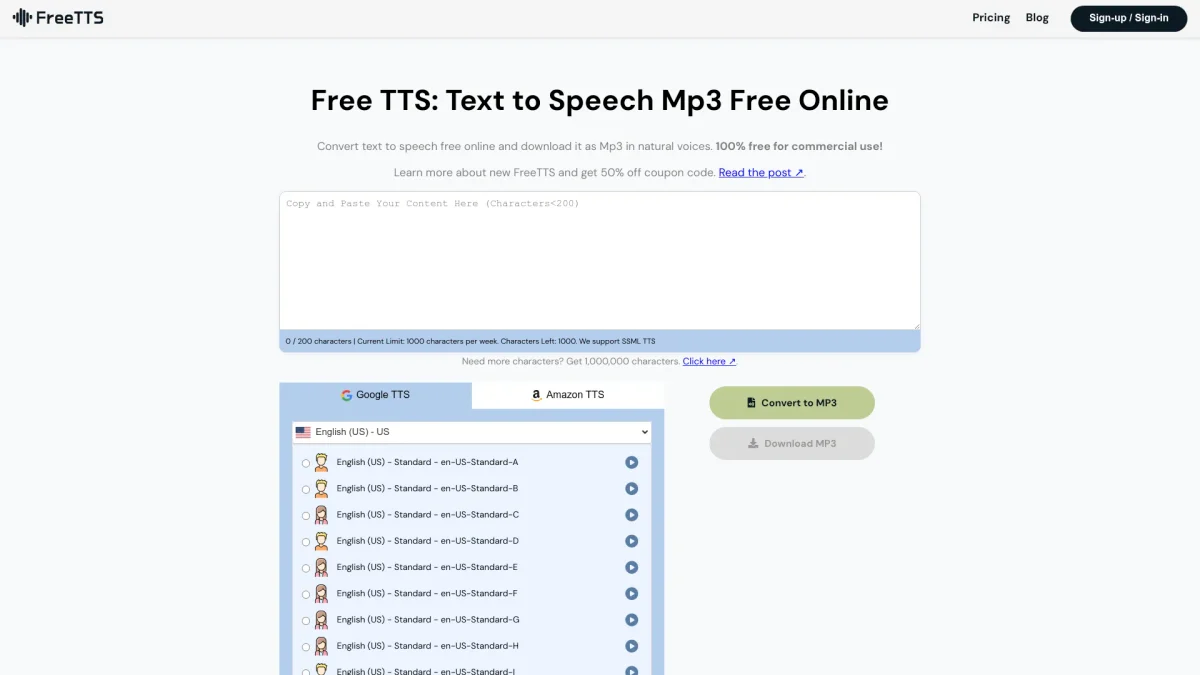
What is Free TTS?
Free TTS is a comprehensive online platform that specializes in converting text to natural speech and transcribing audio to text. Its main purpose is to provide users with high-quality audio solutions, addressing the need for efficient voice generation and audio editing without any cost. The tool resolves common issues faced by users looking for reliable voice synthesis and transcription services, ensuring a seamless audio experience. Users can benefit from Free TTS through its array of features, including text-to-speech, speech-to-text, audio enhancement, and various audio conversion tools. The platform supports multiple audio formats and allows batch processing, making it ideal for content creators, educators, and professionals. Its user-friendly interface and commitment to privacy further enhance the appeal, providing a secure, efficient way to manage audio files without any hidden fees or subscriptions.
Key Features
- High-quality text-to-speech conversion
- Accurate speech-to-text transcription
- AI-powered vocal remover
- Audio enhancement for improved clarity
- Batch processing for audio files
- Supports multiple audio formats
- User-friendly interface with no account needed
Who is it for?
- Content creators and bloggers
- Educators and trainers
- Musicians and audio producers
- Podcasters and voiceover artists
Use Cases
1. Creating Audiobooks
Transform written content into engaging audiobooks using the text-to-speech feature. Ideal for authors looking to reach a wider audience by offering their books in audio format.
2. Transcribing Lectures and Meetings
Utilize the speech-to-text feature to convert recorded lectures or meetings into editable text. This is perfect for students and professionals needing accurate transcriptions for notes.
3. Karaoke Track Creation
Use the vocal remover to create karaoke versions of popular songs. Musicians can isolate instrumentals for remixing or personal enjoyment.
4. Enhancing Podcast Audio Quality
Improve the audio quality of podcast episodes with the AI voice enhancer. This feature removes background noise and optimizes sound clarity for a professional finish.
Pricing Plans
Free: Access to all tools with no hidden fees or subscriptions.
Frequently Asked Questions
1. Do I need an account to use Free TTS features?
A free account is required to access the Text to Speech feature to utilize all voices and settings. However, other features like speech-to-text, vocal remover, and audio converter do not require an account.
2. What audio formats are supported by Free TTS?
Free TTS supports a wide range of audio formats, including MP3, WAV, FLAC, OGG, and M4A. This ensures compatibility with various devices and applications for seamless audio handling.
3. How accurate is the Speech to Text feature?
The Speech to Text feature is powered by Whisper AI, providing high accuracy for transcription even in challenging audio conditions. It's ideal for capturing spoken content quickly and reliably.
4. How does Free TTS handle data security?
Free TTS prioritizes user privacy by processing files in the browser and automatically clearing uploaded files after about 12 hours. No data is collected from users, ensuring a secure experience.
Free TTS Reviews & Ratings
Real user feedback and ratings for Free TTS. See what the community thinks about this AI tool.
No reviews yet
Be the first to share your experience with Free TTS