
Free Subtitles AI
Transcribe audio and video effortlessly.
Free Subtitles AI allows users to transcribe audio and video files to text for free, complete with translation features in numerous languages.
What is Free Subtitles AI?
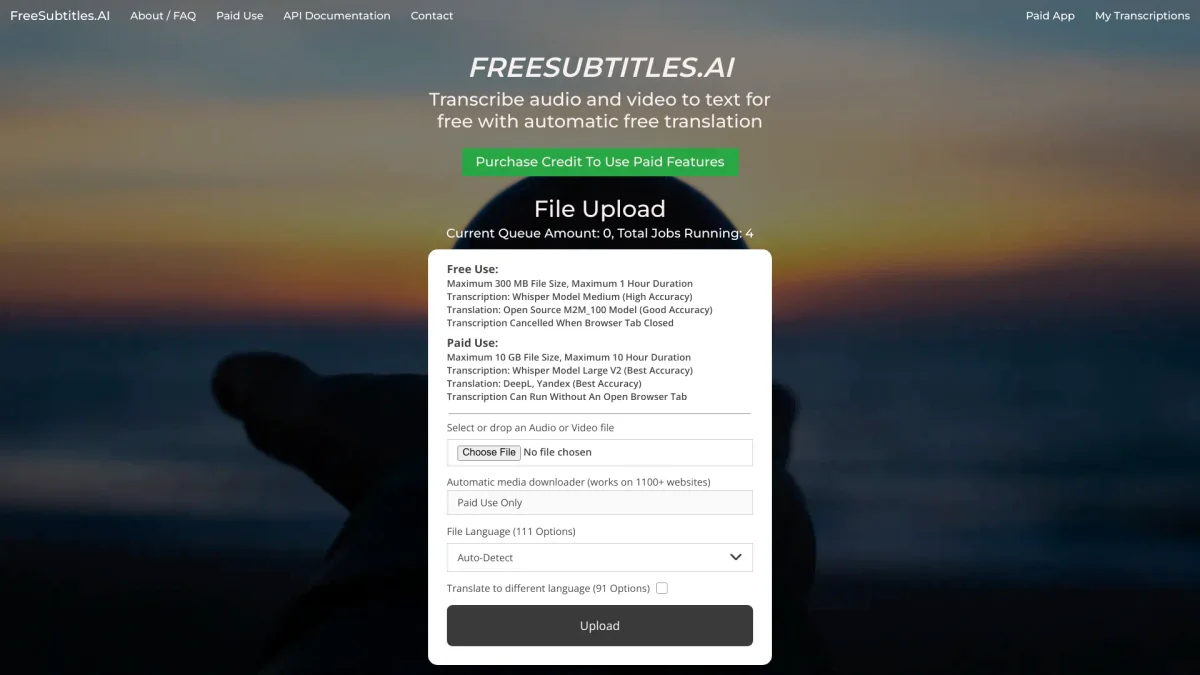
Free Subtitles AI is a powerful tool designed to transcribe audio and video files into text, providing users with a seamless way to convert spoken content into written format. Its primary purpose is to simplify the transcription process for users who need to create subtitles or written documentation from various media sources, effectively addressing the challenge of time-consuming manual transcription. This tool offers numerous benefits, such as supporting multiple audio and video formats and auto-detecting over 100 languages for transcription. Users can easily upload files up to 300 MB and one hour long, making it perfect for content creators, educators, and anyone needing quick and accurate transcription. Its translation feature into 91 languages further enhances accessibility and usability, ensuring users can reach a wider audience with their content.
Key Features
- Supports multiple audio and video formats
- Auto-detects over 100 languages
- Translates transcripts into 91 languages
- Free transcription up to 1 hour long
- User-friendly drag and drop interface
- Email support and help center available
Who is it for?
- Content creators and bloggers
- Educators and trainers
- Podcasters and video producers
- Researchers and students
Use Cases
1. Creating Subtitles for Videos
Easily convert video audio to text for subtitles. Upload your video file, and Free Subtitles AI will transcribe the audio, allowing you to create accessible content for viewers worldwide.
2. Transcribing Podcast Episodes
Turn your podcast audio into written transcripts quickly. With Free Subtitles AI, you can provide transcripts for your listeners, enhancing engagement and accessibility.
3. Generating Written Content from Lectures
Capture lecture audio from educational videos and transcribe them into text. This helps students review material more efficiently and aids in studying for exams.
4. Creating Multilingual Content
Transcribe and translate your audio files into multiple languages. This feature allows you to reach international audiences and make your content accessible to non-native speakers.
Pricing Plans
Free: Max 1 hour and 300 MB per file, Pro: Pricing information not available on website. Please visit the official website for current pricing.
Frequently Asked Questions
1. What formats does Free Subtitles AI support?
Free Subtitles AI supports several formats including MP4, MKV, MOV, MP3, WAV, and FLAC, allowing for versatile use across different media types.
2. How long can my audio or video files be?
You can upload files that are up to 1 hour long and a maximum of 300 MB in size for free transcription on Free Subtitles AI.
3. Does Free Subtitles AI provide translation services?
Yes, Free Subtitles AI includes translation features that allow users to translate transcripts into 91 different languages, enhancing accessibility for diverse audiences.
4. Is there a limit to the number of transcriptions I can perform?
While the free version allows transcribing files up to 1 hour long, there may be further limitations on the number of files based on the specific plan. Please check the website for detailed information.
Free Subtitles AI Reviews & Ratings
Real user feedback and ratings for Free Subtitles AI. See what the community thinks about this AI tool.
No reviews yet
Be the first to share your experience with Free Subtitles AI