
Eraser
AI co-pilot for technical design
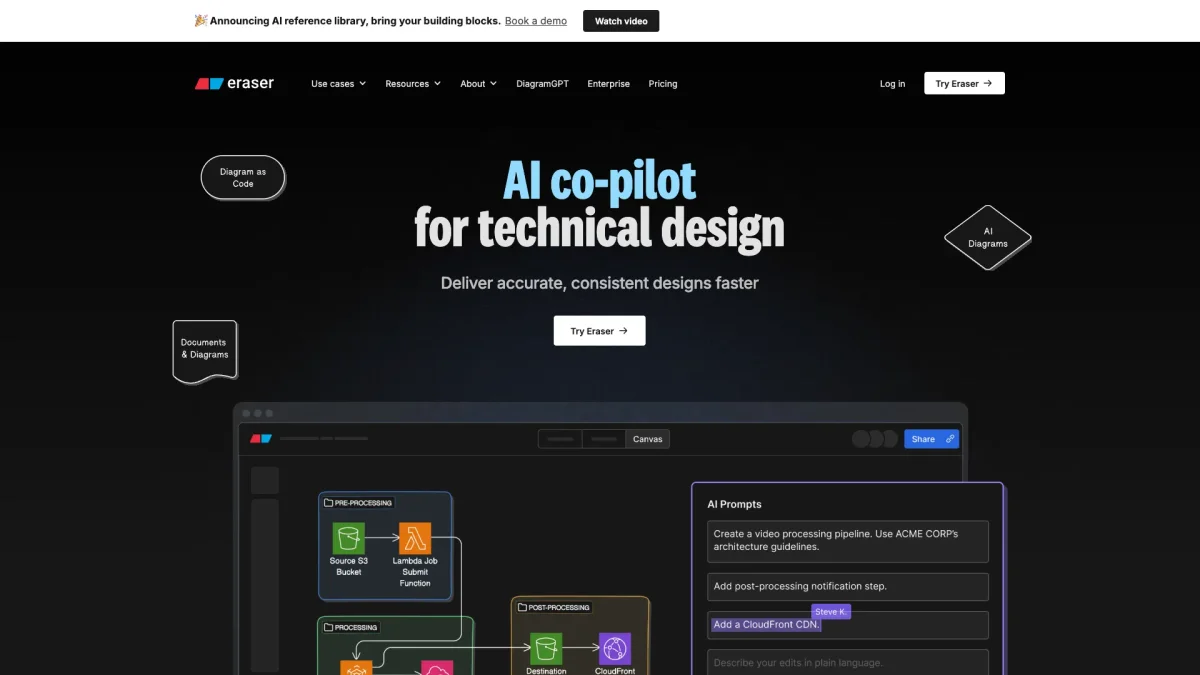
Eraser accelerates the technical design process by enabling real-time diagramming, documentation, and seamless integration with existing workflows, making design tasks effortless.
What is Eraser?
Eraser is an advanced AI tool designed to streamline the technical design process, allowing users to create diagrams and documentation rapidly. Its main purpose is to enhance productivity by automating routine diagram updates and providing intelligent integration with various platforms like GitHub and Confluence. This tool addresses common challenges in design workflows, enabling users to focus on creativity rather than administrative tasks. With features like Diagram-as-Code and a user-friendly interface, Eraser offers significant benefits for technical teams, including faster design iterations, improved documentation quality, and seamless collaboration. By leveraging Eraser, users can maintain clarity in their workflows, enhance communication among team members, and ensure their designs are always up-to-date, ultimately leading to more efficient project execution and better outcomes.
Key Features
- AI-generated diagrams in real-time
- Automatic codebase diagram updates
- Integration with popular platforms
- Markdown formatted notes
- Export options in multiple formats
- Version history and snapshots
- Minimalist user interface design
Who is it for?
- Enterprise architects
- DevOps teams
- Technology consultants
- Software engineers
- Technical documentation specialists
Use Cases
1. Automated Codebase Diagrams
Eraser helps developers create and maintain codebase diagrams that automatically update as the code changes. This feature ensures the documentation remains accurate without manual intervention, saving time and reducing errors.
2. Cloud Architecture Visualization
Eraser allows teams to visualize their cloud architecture effortlessly. Users can draft and modify diagrams to reflect current infrastructure, ensuring effective communication and clearer understanding among stakeholders.
3. Creating Technical Documentation
With Eraser, users can design technical documentation that integrates with their diagrams seamlessly. The markdown support allows for easy formatting, ensuring that all technical documents are both professional and easy to read.
4. Streamlined Workflow Integration
Eraser integrates with tools like GitHub, Notion, and Confluence, allowing teams to embed diagrams directly into their workflow. This eliminates the need to switch between applications, enhancing productivity and collaboration.
5. Version Control for Diagrams
The version history feature in Eraser allows teams to track changes made to diagrams over time. This capability is crucial for maintaining an accurate record of design evolution and facilitating better project management.
Pricing Plans
Pricing information not available on website. Please visit the official website for current pricing.
Frequently Asked Questions
1. What integrations does Eraser support?
Eraser integrates with popular platforms like Confluence, Notion, VS Code, and GitHub, allowing seamless incorporation of diagrams into existing workflows and improving collaboration across teams.
2. How does Eraser ensure data security?
Eraser is SOC 2 type 2 certified and undergoes annual penetration testing. It also supports SAML SSO integration with providers like Microsoft Entra and Okta, ensuring secure access for enterprise users.
3. Can I export diagrams from Eraser?
Yes, Eraser allows users to export diagrams in multiple formats, including PNG, SVG, PDF, and Markdown. This ensures that your data is portable and can be utilized across various platforms.
4. Is there a free version of Eraser available?
Eraser offers free tools like DiagramGPT and a free diagram maker, allowing users to test basic functionalities before committing to a paid plan. Check the website for more details on available features.
Eraser Reviews & Ratings
Real user feedback and ratings for Eraser. See what the community thinks about this AI tool.
No reviews yet
Be the first to share your experience with Eraser