Edit in PPT
Transform Images into Editable PowerPoint Slides
Edit in PPT converts images to high-quality, editable PowerPoint slides, streamlining your presentation creation process with intuitive AI technology.
What is Edit in PPT?
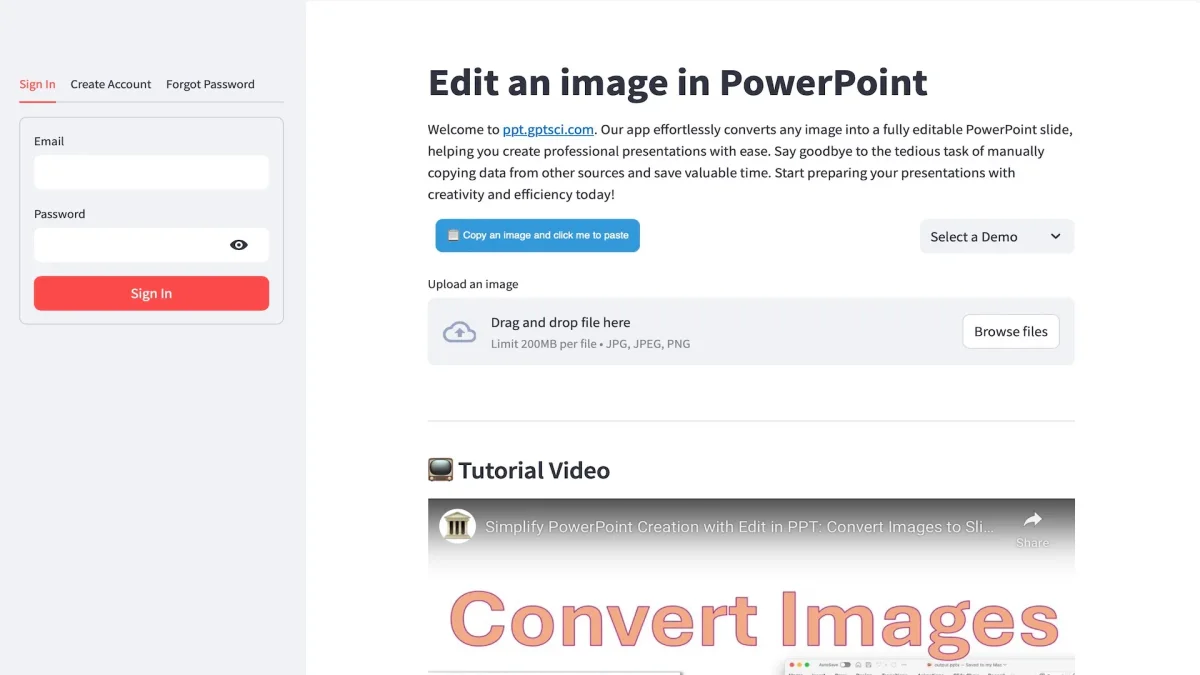
Edit in PPT is an innovative application designed to convert images into fully editable PowerPoint slides. Its primary purpose is to alleviate the tedious task of manually recreating presentations from images, enabling users to generate high-quality slides effortlessly. By leveraging advanced AI models, including GPT-5, the tool transforms visual content into editable elements, making it accessible for anyone who needs to create presentations quickly and efficiently. The key benefits of using Edit in PPT include significant time savings and enhanced productivity. Users can produce high-resolution slides in just a few clicks, allowing them to focus on crafting compelling narratives rather than getting bogged down in formatting. With a user-friendly interface and the ability to edit slides using natural language, this tool is perfect for professionals, educators, and students alike, who seek to elevate their presentations without the usual hassle of slide creation.
Key Features
- Convert images to editable slides
- Edit slides using natural language
- High-resolution output
- User-friendly interface
- 5 free conversions monthly
- Quick and efficient slide creation
- Powered by GPT-5 technology
Who is it for?
- Educators and teachers
- Business professionals
- Students and researchers
- Content creators and marketers
Use Cases
1. Academic Presentations
Transform lecture notes and diagrams into professional PowerPoint presentations. Edit in PPT allows educators to quickly convert visual materials into editable slides, enhancing teaching effectiveness.
2. Corporate Training Sessions
Create engaging training materials by converting instructional images into PowerPoint slides. This tool streamlines the preparation process, enabling trainers to focus on delivering impactful sessions.
3. Marketing and Sales Pitches
Convert product images and promotional graphics into polished slides for pitches. Edit in PPT helps sales teams create visually appealing presentations that effectively communicate their messages.
4. Research and Conference Presentations
Easily convert research visuals into editable slides for academic conferences. This tool simplifies the presentation preparation process, allowing researchers to share their findings effectively.
Pricing Plans
Free: 5 free conversions each month, Pro: Pricing information not available on website. Please visit the official website for current pricing.
Frequently Asked Questions
1. How many free conversions does Edit in PPT offer monthly?
Edit in PPT provides 5 free conversions each month to users who register for an account, allowing them to test the tool's capabilities before considering a paid plan.
2. What AI model powers Edit in PPT?
Edit in PPT is powered by GPT-5, along with other vision-capable models, which enables it to convert images into high-quality editable slides efficiently.
3. Can I edit slides using natural language?
Yes, Edit in PPT allows users to edit their slides using natural language, making it easy to modify content without needing advanced technical skills.
4. Why do I need to register for an account?
User registration helps manage usage fairly and prevent abuse, as the processing costs for image conversions are significant. This allows Edit in PPT to maintain quality service.
Edit in PPT Reviews & Ratings
Real user feedback and ratings for Edit in PPT. See what the community thinks about this AI tool.
No reviews yet
Be the first to share your experience with Edit in PPT