
Circleback
Unbelievably good meeting notes
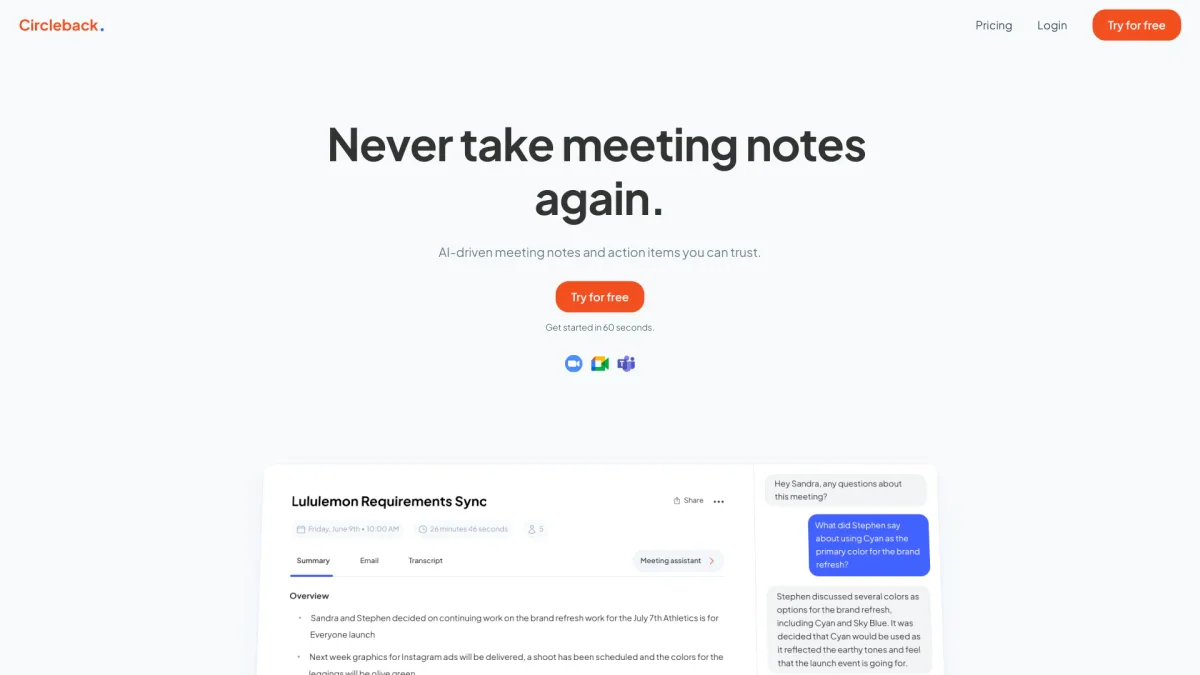
Circleback utilizes AI to automate note-taking, action item tracking, and workflow management, ensuring you never miss a detail from your meetings.
What is Circleback?
Circleback is an AI-powered tool designed to streamline the process of note-taking during meetings. Its main purpose is to automatically generate meticulous notes, capture action items, and enhance productivity by integrating with various applications. By eliminating the need for manual note-taking, Circleback solves the common problem of missed details and disorganized notes, helping users stay focused on discussions. The key benefits of Circleback include state-of-the-art transcription accuracy, automated action item organization, and seamless integration with popular apps like Google Calendar and Slack. Users can easily search across all their meeting notes, making it simpler to retrieve past insights and decisions. By using Circleback, teams can boost their productivity, maintain clear communication, and ensure that all relevant information is easily accessible, ultimately leading to more effective meetings and follow-ups.
Key Features
- AI-generated meeting notes
- Automated action item tracking
- Advanced transcription accuracy
- Integration with popular apps
- AI context-driven search
- Data privacy and security
Who is it for?
- Corporate teams and professionals
- Project managers
- Remote workers
- Startups and small businesses
- Executive assistants
Use Cases
1. Efficient Meeting Summaries
Use Circleback to automatically generate detailed summaries of your meetings, ensuring that all key points and decisions are captured without manual effort. This helps in maintaining clarity and accountability.
2. Action Item Management
Circleback automatically tracks and assigns action items during meetings, reducing the chances of tasks falling through the cracks. Team members can easily follow up on their responsibilities post-meeting.
3. Enhanced Collaboration
Integrate Circleback with tools like Slack and Google Calendar to share meeting notes and updates seamlessly. This fosters better communication and collaboration across teams, especially in remote settings.
4. Searchable Meeting Archives
Utilize Circleback’s AI-driven search feature to quickly find information from past meetings. This allows users to reference previous discussions easily, saving time and enhancing decision-making.
Pricing Plans
Pricing information not available on website. Please visit the official website for current pricing.
Frequently Asked Questions
1. What platforms does Circleback support?
Circleback is available on both desktop and mobile devices, allowing users to access their notes and features seamlessly across different platforms.
2. How secure is my data with Circleback?
Circleback employs best-in-class security practices to ensure that your data remains private and secure. You can learn more about their security measures on their dedicated security page.
3. Can I use Circleback for in-person meetings?
Yes, Circleback is designed to work in various meeting formats, including in-person meetings, allowing users to capture notes and action items regardless of how the meeting is conducted.
4. Does Circleback integrate with other applications?
Absolutely! Circleback can connect with various applications like Google Calendar, Slack, and HubSpot, enhancing your workflow by automating data updates and communication.
Circleback Reviews & Ratings
Real user feedback and ratings for Circleback. See what the community thinks about this AI tool.
No reviews yet
Be the first to share your experience with Circleback