AudioToTextAICovner
Convert audio to text effortlessly with AI
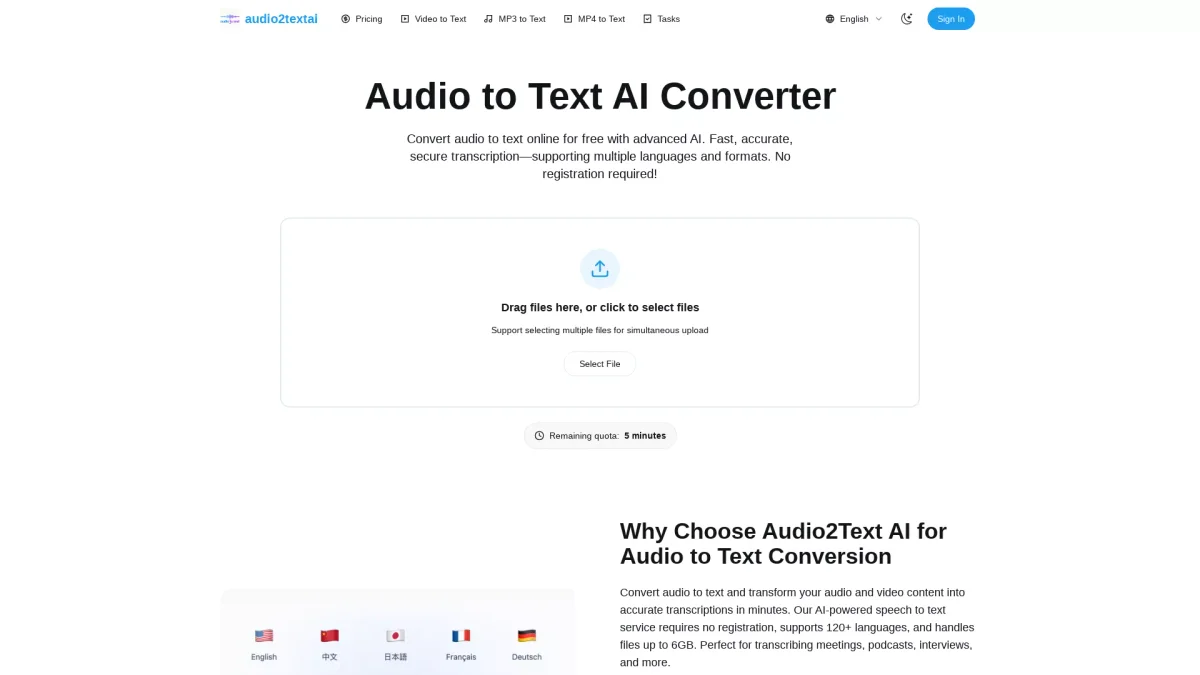
Transform your audio and video files into accurate text transcriptions within minutes using our powerful AI-powered transcription tool, with no registration required.
What is AudioToTextAICovner?
AudioToTextAICovner is an advanced online transcription tool designed to convert audio and video content into text quickly and accurately. It addresses the challenge of manual transcription, saving users time and effort by providing automated, high-quality transcriptions in over 120 languages. The service is particularly beneficial for content creators, businesses, and researchers who require reliable and efficient transcription solutions without the need for registration. With features like automatic speaker identification, precise timestamps, and support for large file sizes up to 6GB, AudioToTextAICovner ensures enterprise-grade accuracy for various applications, including meetings, podcasts, and interviews. Users can instantly share transcripts with team members, export results in multiple formats, and enjoy a seamless conversion experience. This tool is ideal for anyone looking to enhance productivity and achieve high-quality transcriptions with ease.
Key Features
- No registration required
- Supports 120+ languages
- Transcribes files up to 6GB
- Automatic speaker identification
- Precise timestamps included
- 21 audio and video formats supported
- Instant sharing and export options
Who is it for?
- Content creators and bloggers
- Business analysts and professionals
- Researchers conducting interviews
- Podcasters and vloggers
- Corporate trainers and educators
Use Cases
1. Podcast Transcription
Podcasters can quickly convert hour-long episodes into text, enhancing accessibility and allowing for easier content repurposing. The tool's accuracy and speaker identification save hours of manual work.
2. Meeting Documentation
Businesses utilize AudioToTextAICovner to transcribe team meetings and client calls, ensuring accurate documentation and easy sharing among team members, improving collaboration and efficiency.
3. Multilingual Interviews
Researchers conducting interviews in various languages benefit from the tool's ability to automatically detect and transcribe in over 120 languages, making it invaluable for global studies.
4. Video Subtitling
Content creators can upload videos and quickly generate SRT files for subtitling, streamlining the process of making videos accessible for a wider audience without extensive editing.
5. Training Session Accessibility
Corporate trainers can transcribe training sessions to provide accessible records for participants, ensuring that all information is available for review and enhancing learning outcomes.
Pricing Plans
Pricing information not available on website. Please visit the official website for current pricing.
Frequently Asked Questions
1. What audio and video formats can be converted?
AudioToTextAICovner supports 21 formats, including 9 audio formats like MP3, WAV, and M4A, and 12 video formats such as MP4, MOV, and AVI. Just upload your files to start transcribing.
2. How accurate is the transcription service?
The tool utilizes advanced AI technology to achieve enterprise-grade accuracy in audio transcription. It includes automatic speaker identification and precise timestamps, accommodating various accents and dialects.
3. Do I need an account to use the service?
No, you can start using AudioToTextAICovner immediately without creating an account. Enjoy 5 minutes of free audio to text conversion to test the service with no commitment.
4. Is my data secure with AudioToTextAICovner?
Yes, AudioToTextAICovner prioritizes data security. All data is encrypted and handled with strict privacy measures to ensure your information remains safe and confidential.
AudioToTextAICovner Reviews & Ratings
Real user feedback and ratings for AudioToTextAICovner. See what the community thinks about this AI tool.
No reviews yet
Be the first to share your experience with AudioToTextAICovner