
ArchRender
Instant Photorealistic 3D Rendering for Architects
ArchRender empowers architects and designers to create stunning 3D renders in seconds, eliminating the complexities of traditional rendering software.
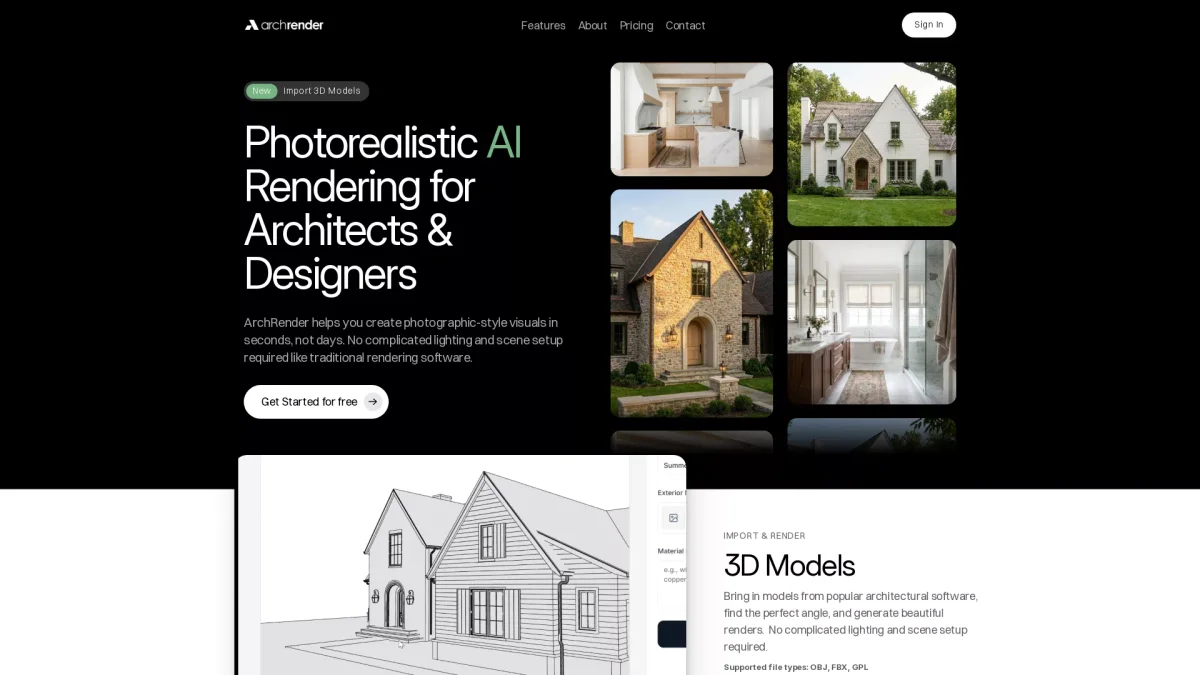
What is ArchRender?
ArchRender is an AI-powered rendering platform designed specifically for architects and designers. Its primary purpose is to streamline the rendering process by generating photorealistic visuals in seconds, which traditionally would take days. With its user-friendly interface, ArchRender removes the need for complicated lighting setups, making it accessible for all skill levels. The platform offers key benefits such as rapid rendering, customizable environments, and seasonal control, allowing users to visualize designs effectively. ArchRender enhances client presentations and project planning by producing high-quality images that can be generated with natural language prompts. This innovative tool not only saves time but also boosts productivity and creativity in architectural design workflows.
Key Features
- Import and render 3D models
- Season and time of day control
- Environment placement options
- 4K image upscaling
- Prompt-driven material and style settings
- Edit mode for style iteration
- Organized project management
Who is it for?
- Architects and designers
- Residential builders
- Interior designers
- Real estate professionals
- Marketing teams
Use Cases
1. Client Presentations
Enhance client presentations by generating realistic 3D renders of architectural designs in seconds. ArchRender allows architects to showcase their projects effectively, helping clients visualize the final outcome.
2. Seasonal Design Visualization
Utilize the season control feature to display designs in various seasonal contexts. This helps clients understand how projects will look year-round, making informed decisions easier.
3. Interior Design Mockups
Create stunning interior design mockups from existing models. ArchRender's intuitive interface allows designers to experiment with different styles and materials rapidly, perfect for client feedback sessions.
4. Marketing and Proposals
Generate high-resolution renders for marketing materials and client proposals. The 4K upscaling feature ensures that images are crisp and professional, ideal for print and digital use.
Pricing Plans
Free: 150 credits/month, 5 projects, 5 GB storage; Pro: $49/month - 300 credits/month, 20 projects, 25 GB storage; Studio: $119/month - 1000 credits/month, unlimited projects, 100 GB storage.
Frequently Asked Questions
1. What file formats does ArchRender support?
ArchRender supports popular 3D file formats including OBJ, FBX, and GPL, allowing easy import of models from various architectural software.
2. Can I use ArchRender for commercial projects?
Yes, ArchRender is suitable for commercial use, making it a great tool for architects and designers working on client projects and presentations.
3. How does the credit system work?
ArchRender operates on a credit system where different subscription plans provide a set number of credits per month, which are used to generate renders. Additional credits can be purchased as needed.
4. Does ArchRender offer a free trial or free plan?
Yes, ArchRender offers a free plan that includes essential features, allowing users to explore the platform without any cost before deciding to upgrade to a paid plan.
ArchRender Reviews & Ratings
Real user feedback and ratings for ArchRender. See what the community thinks about this AI tool.
No reviews yet
Be the first to share your experience with ArchRender