AnyToSpeech
Effortless text-to-speech conversion online
Transform any text into natural-sounding audio with ease, perfect for audiobooks, podcasts, and more, all from a user-friendly platform.
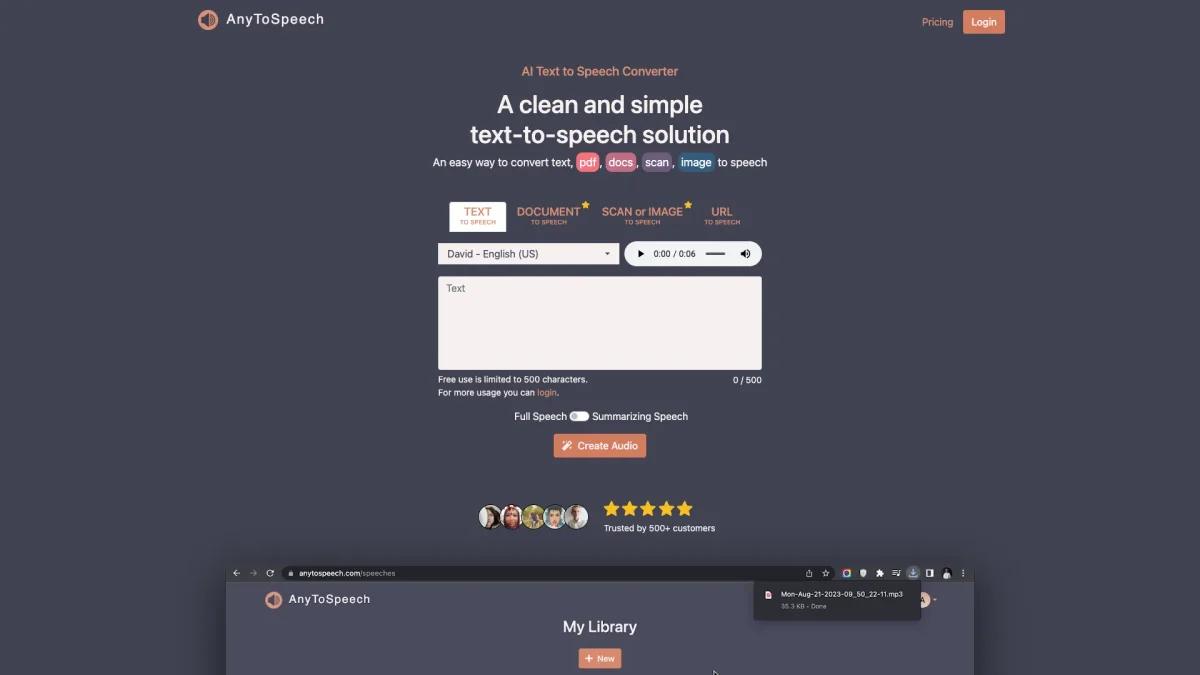
What is AnyToSpeech?
AnyToSpeech is a versatile text-to-speech converter that transforms written text into high-quality audio. Its primary purpose is to enable users to create audiobooks, podcasts, and voiceovers effortlessly, addressing the challenge of converting static text into engaging audio content. The platform supports various formats including text, PDF, and images, making it a comprehensive solution for diverse audio needs. With AnyToSpeech, users benefit from access to a wide range of natural-sounding AI voices, simple interface, and additional features like PDF to MP3 and image-to-speech conversion. It streamlines the process of content creation, allowing users to listen to documents, articles, and more on-the-go. Whether you're a content creator, educator, or professional, AnyToSpeech enhances productivity and accessibility by turning written material into audio effortlessly.
Key Features
- Natural-sounding AI voices
- Supports multiple text formats
- PDF to MP3 conversion
- Image-to-speech functionality
- User-friendly interface
- Transcription services for audio
- Mobile app for on-the-go access
Who is it for?
- Content creators and podcasters
- Educators and students
- Authors and writers
- Professionals needing transcriptions
- Individuals with visual impairments
Use Cases
1. Audiobook Production
Convert written books and scripts into audiobooks with AnyToSpeech. Select from a variety of voices and customize the audio output to create engaging listening experiences for your audience.
2. Podcasting
Easily generate voiceovers for podcasts by converting your scripts or articles into audio. This tool helps you produce high-quality content quickly, ensuring your podcast remains timely and engaging.
3. Educational Resources
Transform educational materials such as PDFs and articles into audio format, enabling students to listen to the content. This is particularly useful for auditory learners and on-the-go studying.
4. Image-to-Speech Conversion
Extract text from images and convert it to speech seamlessly. This feature is beneficial for reading signs, menus, or any printed content, enhancing accessibility for users.
5. Transcription Services
Utilize AnyToSpeech for accurate transcription of audio and video files. This feature supports meetings and interviews, allowing users to convert spoken content into written text efficiently.
Pricing Plans
Free: Up to 15 seconds audio and 5,000 characters per month, Hobby: $7/month - 50,000 characters with unlimited image conversions, Standard: $14/month - 100,000 characters with additional features, Pro: $69/month - 1,000,000 characters and premium capabilities.
Frequently Asked Questions
1. What is AnyToSpeech's text-to-speech service?
AnyToSpeech converts written text into natural-sounding audio using advanced AI technology. Users can convert plain text, documents, or PDFs into speech and download the result as an MP3 file.
2. How do I convert a PDF to MP3?
To convert a PDF to MP3, upload your PDF file using the PDF to MP3 converter, select your preferred voice, adjust the speaking rate, and click 'Convert' to download the audio.
3. Can I use AnyToSpeech for commercial projects?
Yes, AnyToSpeech allows commercial use of the audio generated, making it suitable for businesses, content creators, and professionals needing audio content for various applications.
4. Is there a mobile app for AnyToSpeech?
Yes, AnyToSpeech offers a mobile app available for free download on Android devices. This app allows you to convert text, images, and audio to speech anywhere, anytime.
AnyToSpeech Reviews & Ratings
Real user feedback and ratings for AnyToSpeech. See what the community thinks about this AI tool.
No reviews yet
Be the first to share your experience with AnyToSpeech