
WiseOCR
Transform Receipts into Structured Data Instantly
WiseOCR is an AI-based tool that swiftly converts receipts and invoices into organized JSON data, simplifying financial data management and integration.
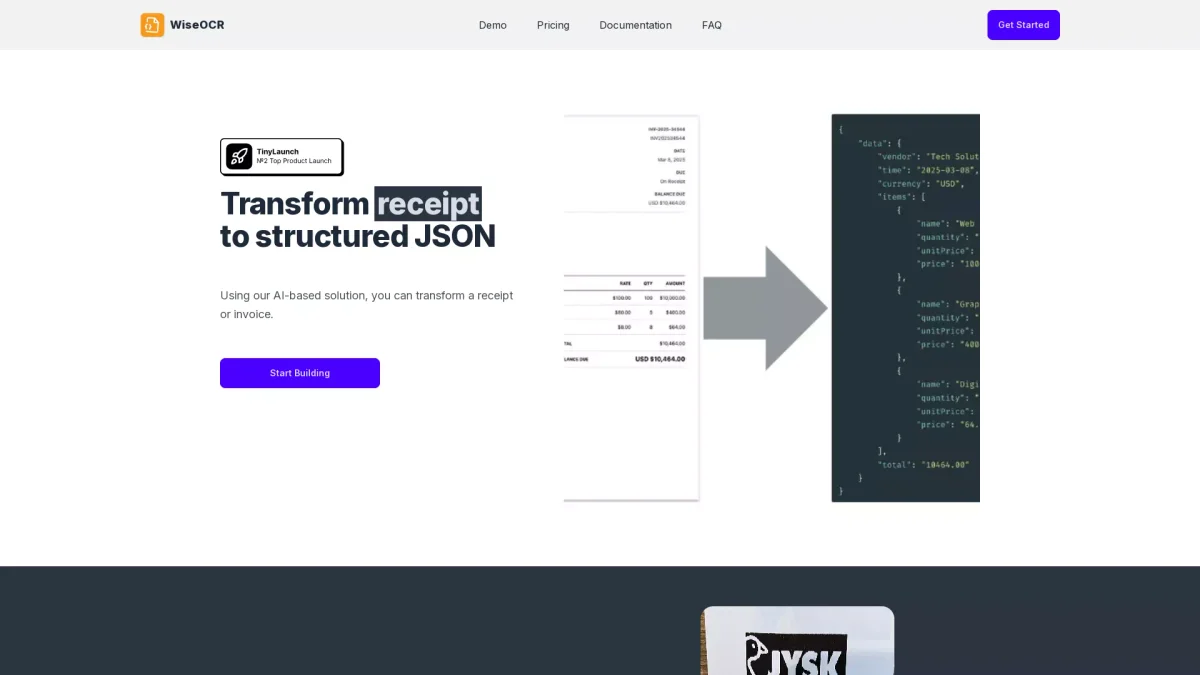
What is WiseOCR?
WiseOCR is an advanced OCR solution that specializes in transforming receipt and invoice images into structured JSON data. It addresses the common challenge of manual data entry by automating the extraction of key information from documents, ensuring accuracy and efficiency in financial processes. This tool is particularly beneficial for businesses looking to streamline their accounting and data management practices. By utilizing WiseOCR, users can save significant time and reduce typing errors associated with manual entry. The tool's intelligent technology extracts essential data and organizes it effectively, making it readily available for integration with various accounting software. Additionally, its seamless integration with platforms like Make.com allows for automated workflows, enhancing productivity while ensuring data security and reliability during processing.
Key Features
- Accurate OCR technology with over 98% accuracy
- Standardized JSON output for easy integration
- Supports multiple file formats: JPG, PNG, PDF, TIFF
- Automated data processing with Make.com integration
- Secure data handling with encryption protocols
- Pay-as-you-go credit system for flexible pricing
Who is it for?
- Small business owners
- Accountants and bookkeepers
- Freelancers managing expenses
- Finance professionals
- E-commerce businesses
Use Cases
1. Expense Tracking for Small Businesses
Small business owners can use WiseOCR to effortlessly scan and convert receipts into structured data, simplifying expense tracking and financial reporting. This automation reduces the time spent on manual entry and helps ensure accuracy in financial records.
2. Integration with Accounting Software
Accountants can integrate WiseOCR with their preferred accounting software, using the standardized JSON output to streamline data entry processes. This allows for quick updates and accurate financial records without manual intervention.
3. Automating Invoicing Processes
Freelancers can utilize WiseOCR to automate the extraction of data from invoices, making it easier to manage billing and payments. This reduces administrative workload, allowing freelancers to focus on their core services.
4. Efficient Data Migration
E-commerce businesses can leverage WiseOCR to convert receipts and invoices into structured data, facilitating efficient data migration to new systems. This ensures that historical financial data is preserved and easily accessible.
Pricing Plans
Pricing information not available on website. Please visit the official website for current pricing.
Frequently Asked Questions
1. What file formats does WiseOCR support?
WiseOCR supports various file formats including JPG, PNG, HEIF, TIFF, and PDF. This flexibility allows users to upload documents from different sources without compatibility issues.
2. How accurate is WiseOCR's OCR technology?
WiseOCR's OCR technology boasts over 98% accuracy with high-quality input images. However, accuracy may vary with lower-quality scans or complex layouts, particularly regarding discount information.
3. Is my data secure when using WiseOCR?
Yes, WiseOCR prioritizes data security and privacy. It employs industry-standard encryption for data handling, and all uploaded documents are automatically deleted after processing to protect sensitive information.
4. Are there any limits on document processing?
Yes, WiseOCR has API rate limits of 100 requests per minute and 10,000 requests per day. Users can manage their usage based on the credits available in their account.
WiseOCR Reviews & Ratings
Real user feedback and ratings for WiseOCR. See what the community thinks about this AI tool.
No reviews yet
Be the first to share your experience with WiseOCR