
WindowAI
Your AI models, your way on the web
Easily use and configure AI models on the web without needing API keys. Tailor your AI experience with WindowAI's user-friendly extension.
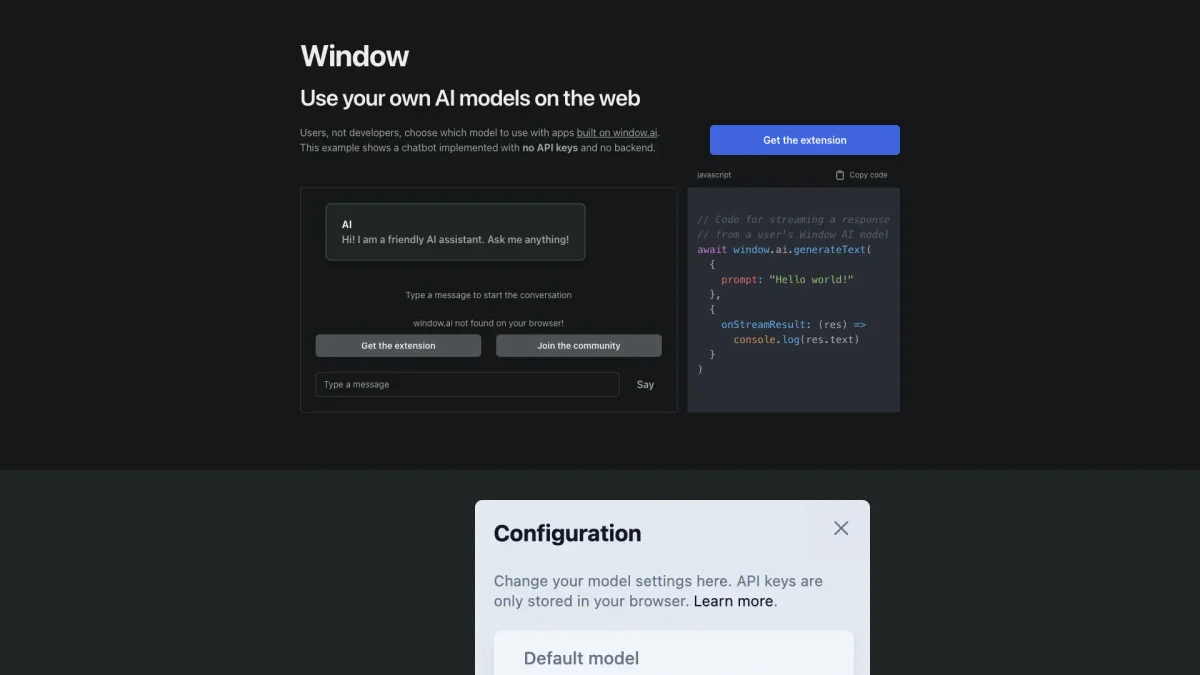
What is WindowAI?
WindowAI is a versatile platform that empowers users to utilize their own AI models directly on the web without requiring API keys or backend setup. Its main purpose is to simplify the process of integrating AI into everyday applications, making advanced capabilities accessible to users who may not have a technical background. By eliminating complex configurations, WindowAI allows users to focus on leveraging AI for their specific needs. With the WindowAI extension, users can effortlessly choose from various AI models, including OpenAI, Google, Anthropic, and more. This flexibility enhances user control over their AI interactions while ensuring privacy by allowing local model usage. Additionally, the platform saves conversation history, which can be utilized for training personal AI models, making it an invaluable tool for anyone looking to harness AI technology efficiently and effectively.
Key Features
- No API keys needed
- Choose from multiple AI models
- Privacy-focused local AI options
- Save conversation history
- User-friendly browser extension
- Train your own AI models
- Community support and documentation
Who is it for?
- Non-technical users
- AI enthusiasts
- Small business owners
- Educators and students
- Content creators
Use Cases
1. Personalized Chatbot Development
Create a custom chatbot using WindowAI's extension without needing technical expertise. Select your AI model and start engaging with users immediately, enhancing customer interaction.
2. Privacy-Enhanced AI Usage
Utilize AI models running locally on your computer for sensitive tasks. This ensures that your data remains private while providing the flexibility to choose the model that fits your needs.
3. Training Custom AI Models
Leverage the saved conversation history feature to train your own AI models. This allows you to refine model responses based on real interactions, enhancing accuracy and relevance over time.
4. Effortless Model Selection
Easily switch between different AI models like OpenAI and Google. This feature allows users to experiment with various models to find the one that best suits their application needs.
Pricing Plans
Pricing information not available on website. Please visit the official website for current pricing.
Frequently Asked Questions
1. Do I need technical skills to use WindowAI?
No, WindowAI is designed for users, not developers. You can easily choose and configure AI models without any technical background or coding skills.
2. How does WindowAI ensure my data privacy?
WindowAI allows you to run AI models locally on your computer, ensuring that your data remains private and secure. You can also choose from various trusted AI providers.
3. Can I save my conversations with WindowAI?
Yes, the WindowAI extension saves a history of all messages sent and received. This feature enables you to review past interactions and use the data for training your AI models.
4. What AI models can I use with WindowAI?
You can choose from a variety of AI models including OpenAI, Google, Anthropic, Together, and Cohere, or even opt for a model running on your own computer for privacy.
WindowAI Reviews & Ratings
Real user feedback and ratings for WindowAI. See what the community thinks about this AI tool.
No reviews yet
Be the first to share your experience with WindowAI