VocalRemoverAI
Easily remove vocals from any track
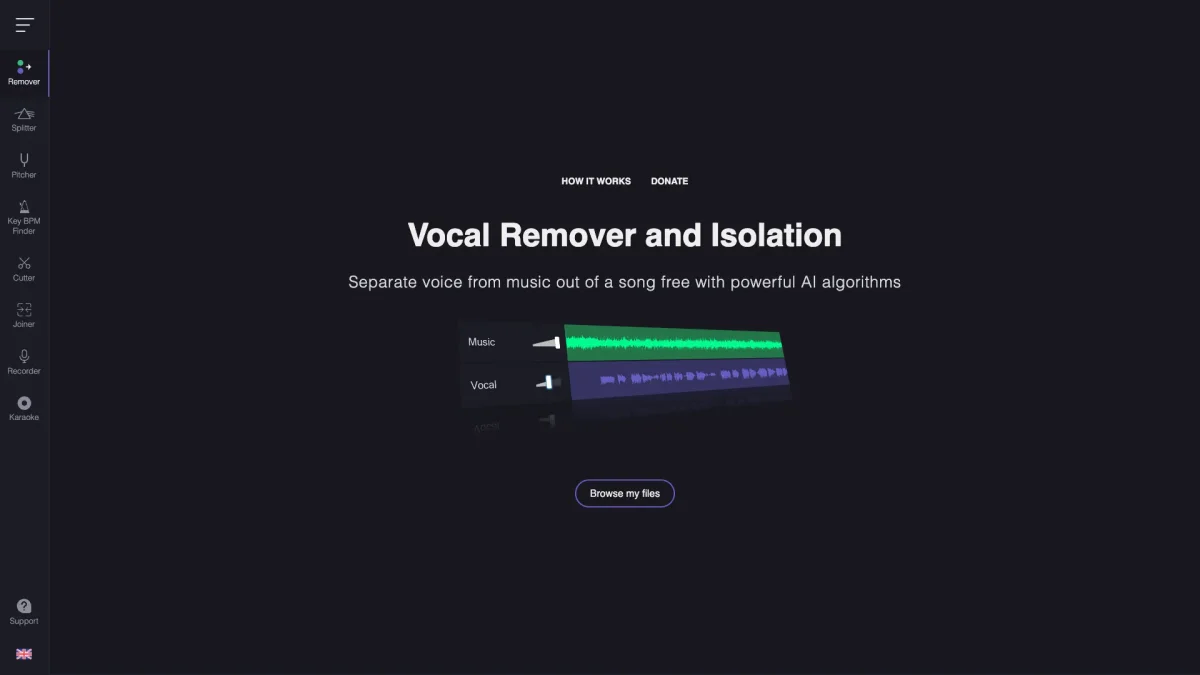
VocalRemoverAI is an online tool designed to remove vocals from music tracks, enabling users to create high-quality karaoke versions effortlessly and enhance their audio projects.
What is VocalRemoverAI?
VocalRemoverAI is a powerful online application specifically designed for removing vocals from audio tracks, making it an essential tool for music enthusiasts and content creators. Its main purpose is to facilitate the creation of instrumental versions of songs, which can be used for karaoke, remixes, and other audio projects. By utilizing advanced algorithms, VocalRemoverAI effectively isolates and removes vocal components, solving the common problem of finding suitable instrumental tracks for personal or professional use. The key benefits of VocalRemoverAI include its user-friendly interface and fast processing capabilities, allowing users to achieve professional-quality results without any technical expertise. Whether you're a musician, a content creator, or a karaoke lover, this tool streamlines the audio editing process and enhances creativity. Users can easily generate karaoke versions of their favorite songs, making it easier to perform or create unique remixes. This tool is ideal for anyone looking to elevate their audio projects efficiently.
Key Features
- Instant vocal removal from tracks
- Supports multiple audio file formats
- User-friendly and intuitive interface
- High-quality audio output
- No software installation required
- Free to use with basic features
Who is it for?
- Musicians and singers
- Karaoke enthusiasts
- Content creators and vloggers
- Audio engineers and producers
Use Cases
1. Create Karaoke Tracks
Easily remove vocals from your favorite songs to produce karaoke tracks that you can sing along with. This feature is perfect for parties, events, or personal practice, allowing you to enjoy your favorite music without vocals.
2. Produce Remixes
Use VocalRemoverAI to extract instrumental versions of songs, enabling you to create remixes and mashups. This tool simplifies the process, allowing you to focus on your creativity rather than searching for instrumental tracks.
3. Enhance Audio Projects
Whether you're working on a podcast, video, or other audio projects, VocalRemoverAI allows you to remove unwanted vocals from background music, enhancing the overall sound quality and ensuring a professional finish.
Pricing Plans
Pricing information not available on website. Please visit the official website for current pricing.
Frequently Asked Questions
1. What audio formats can I use with VocalRemoverAI?
VocalRemoverAI supports various audio formats, including MP3, WAV, and more. This flexibility allows users to upload their preferred file types for vocal removal.
2. Is VocalRemoverAI free to use?
Yes, VocalRemoverAI offers a free version that allows users to remove vocals from audio tracks. However, there might be limitations on features compared to premium options.
3. Can I use VocalRemoverAI for commercial purposes?
While VocalRemoverAI is primarily for personal use, users should review the terms of service for any commercial usage rights regarding the audio tracks processed through the tool.
4. How does VocalRemoverAI compare to other vocal removal tools?
VocalRemoverAI stands out due to its user-friendly interface and quick processing time. It provides high-quality vocal removal, making it a preferred choice for many users looking for efficient audio editing solutions.
VocalRemoverAI Reviews & Ratings
Real user feedback and ratings for VocalRemoverAI. See what the community thinks about this AI tool.
No reviews yet
Be the first to share your experience with VocalRemoverAI