Video Toolkit
Revolutionize Your Video Editing Process
Video Toolkit is an AI-powered video editing tool that streamlines the editing process, saving time and enhancing creativity for content creators and editors alike.
What is Video Toolkit?
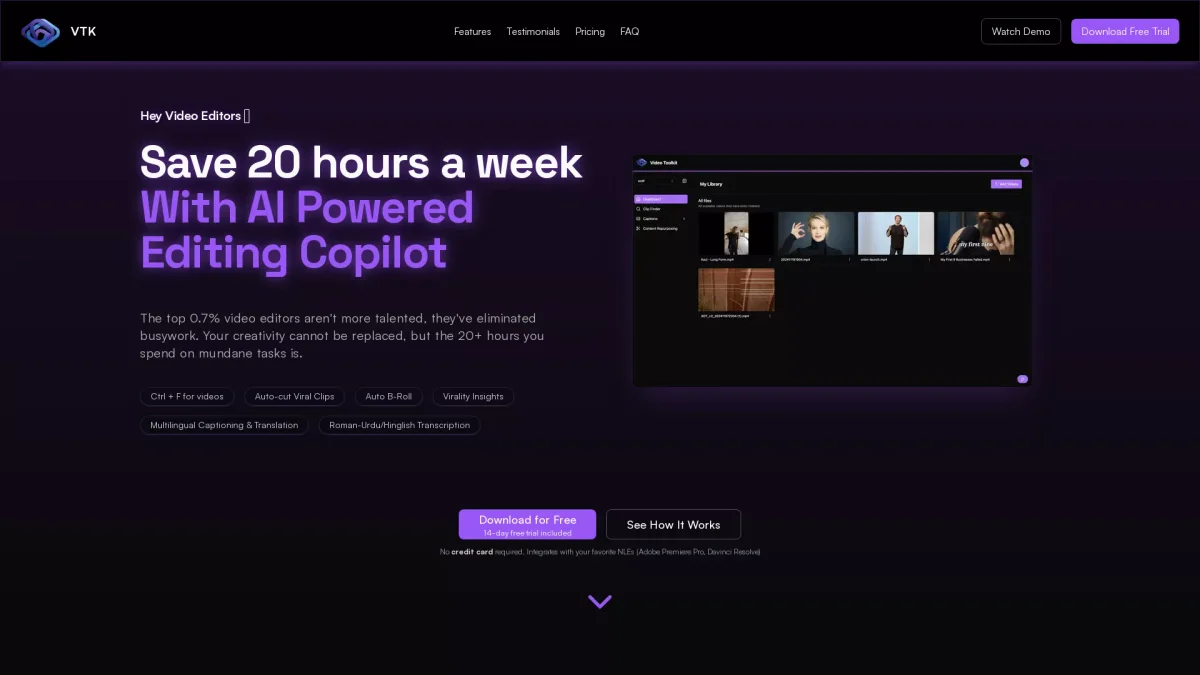
Video Toolkit is an advanced AI copilot designed to expedite video editing tasks by automating repetitive processes and enhancing creativity. It simplifies the creation of rough cuts, adds captions, and identifies viral clips, addressing the time-consuming aspects of video production that often hinder editors' creativity and efficiency. This innovative tool offers significant benefits, such as saving users up to 20 hours a week and dramatically reducing search times for clips from hours to mere seconds. With features like multilingual captioning and a content repurposing suite, Video Toolkit empowers editors to focus on storytelling and creativity, making it an essential tool for anyone involved in video production, including agencies and individual creators.
Key Features
- AI-powered Clip Finder
- Multilingual Captioning Support
- Content Repurposing Suite
- Auto B-Roll Generation
- Instant Rough Cut Generation
- Seamless NLE Integration
Who is it for?
- Professional video editors
- Content creators
- Social media marketers
- Documentary filmmakers
- Podcast producers
Use Cases
1. Efficient Video Editing
Video Toolkit streamlines the editing process by allowing users to prompt edits and generate rough cuts instantly, significantly reducing the time spent on manual editing tasks.
2. Multilingual Content Creation
With support for over 40 languages, Video Toolkit enables users to create and export accurate captions, making their videos accessible to a global audience while saving hours on captioning.
3. Social Media Content Repurposing
The Content Repurposing Suite helps users extract engaging highlights and generate B-Roll, enabling quick adaptation of long-form videos into short, viral-friendly clips for social media platforms.
4. Podcast Editing
Video Toolkit simplifies podcast editing by allowing users to upload raw footage and generate the first rough cut with a single prompt, enhancing workflow efficiency for podcast producers.
Pricing Plans
Free: 14-day free trial, Pro: $35/month - Complete toolkit for professional editors including all features, Basic: $15/month - Ideal for individual creators with essential tools.
Frequently Asked Questions
1. Does Video Toolkit offer a free trial?
Yes, Video Toolkit provides a 14-day free trial that allows users to explore all features without any obligation or credit card requirement.
2. What types of videos can I edit with Video Toolkit?
Video Toolkit is versatile and can be used for a variety of video types, including podcasts, documentaries, vlogs, sports highlights, and more, making it suitable for multiple editing needs.
3. How does Video Toolkit help with captioning?
Video Toolkit automates the captioning process, supporting over 40 languages with 98% accuracy, which significantly reduces the time editors spend on manual captioning tasks.
4. What software does Video Toolkit integrate with?
Video Toolkit seamlessly integrates with popular NLEs like Adobe Premiere Pro and DaVinci Resolve, allowing users to export directly to their editing timelines.
Video Toolkit Reviews & Ratings
Real user feedback and ratings for Video Toolkit. See what the community thinks about this AI tool.
No reviews yet
Be the first to share your experience with Video Toolkit