
Vicoa
Code with AI, Anywhere on the Go
Vicoa enables seamless remote coding with AI agents across devices, ensuring uninterrupted workflow and instant notifications for developers everywhere.
What is Vicoa?
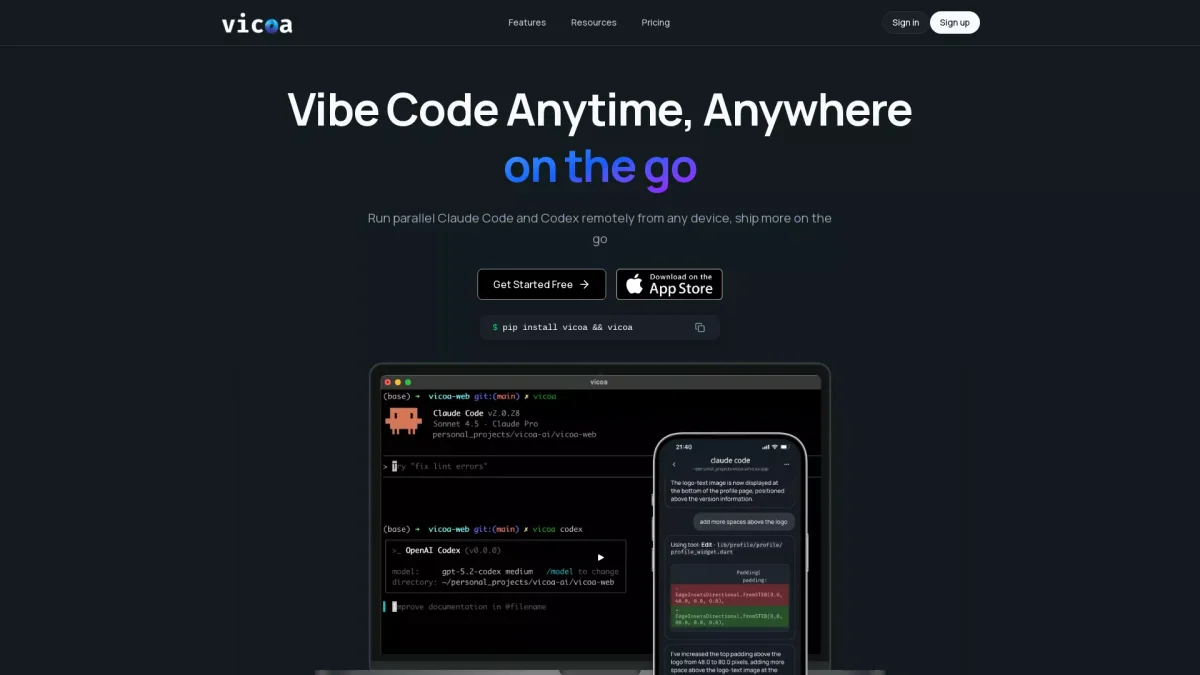
Vicoa, or Vibe Code Anywhere, is a platform that allows users to manage and utilize coding agents like Claude Code and Codex from any device, including phones, tablets, and laptops. Its main purpose is to facilitate remote coding and enhance productivity by letting developers start on one device and continue on another without interruption. This eliminates the need to be tied to a single workstation, solving the problem of limited mobility in coding environments. The key benefits of using Vicoa include real-time synchronization across devices, instant notifications for tasks requiring user input, and a clean visual interface that simplifies the management of coding sessions. The platform is designed to support both novice and experienced users, allowing anyone to leverage AI coding agents without needing extensive coding experience. This flexibility and ease of use make Vicoa an ideal tool for developers looking to enhance their workflow and productivity.
Key Features
- Seamless multi-device support
- Clean visual interface for coding agents
- Real-time session synchronization
- Instant notifications for agent input
- Quick installation with no configuration
- Visual session history browsing
- Remote coding using popular AI agents
Who is it for?
- Software developers and engineers
- Tech enthusiasts and hobbyists
- Students learning programming
- Freelancers and remote workers
- Project managers overseeing coding projects
Use Cases
1. Remote Coding on the Go
Developers can start coding on their laptop and seamlessly transition to their mobile device without losing progress. This flexibility allows for coding during commutes or breaks, enhancing productivity.
2. Collaborative Coding Sessions
Teams can use Vicoa to manage coding agents together, tracking changes and communicating seamlessly during sessions. This fosters collaboration, making it easier to review code and provide feedback.
3. Learning and Experimentation
Students and beginners can use Vicoa to experiment with coding tasks using AI agents. The platform's intuitive interface allows users to learn coding concepts without feeling overwhelmed.
4. Monitoring Coding Progress
Stay updated on coding tasks with instant notifications when the AI agent requires input or completes tasks. This ensures developers can respond quickly, minimizing downtime.
Pricing Plans
Free: Basic features available with your own API keys, Pro: $X/month - Advanced features and higher usage limits, Enterprise: Custom pricing - Tailored solutions for larger teams.
Frequently Asked Questions
1. What devices does Vicoa support?
Vicoa supports iOS devices, web browsers, and CLI on macOS, Linux, and Windows. An Android version is coming soon, ensuring broad accessibility across platforms.
2. Do I need coding experience to use Vicoa?
No, Vicoa is designed for users who can type ideas and run simple commands. It caters to both experienced developers and those new to coding, making it accessible for all.
3. How quickly can I set up Vicoa?
Setting up Vicoa is quick and easy. You can go from installation to your first coding session in under 5 minutes by running a simple command in the terminal.
4. Is my code secure with Vicoa?
Yes, Vicoa ensures secure connections between your development environment and its infrastructure, keeping your code safe within your local environment.
Vicoa Reviews & Ratings
Real user feedback and ratings for Vicoa. See what the community thinks about this AI tool.
No reviews yet
Be the first to share your experience with Vicoa