
UniFab Video Enhancer
Elevate Your Videos with AI Precision
Enhance and upscale your videos to stunning 4K, 8K, and even 16K resolution effortlessly with UniFab Video Enhancer, powered by advanced AI technology.
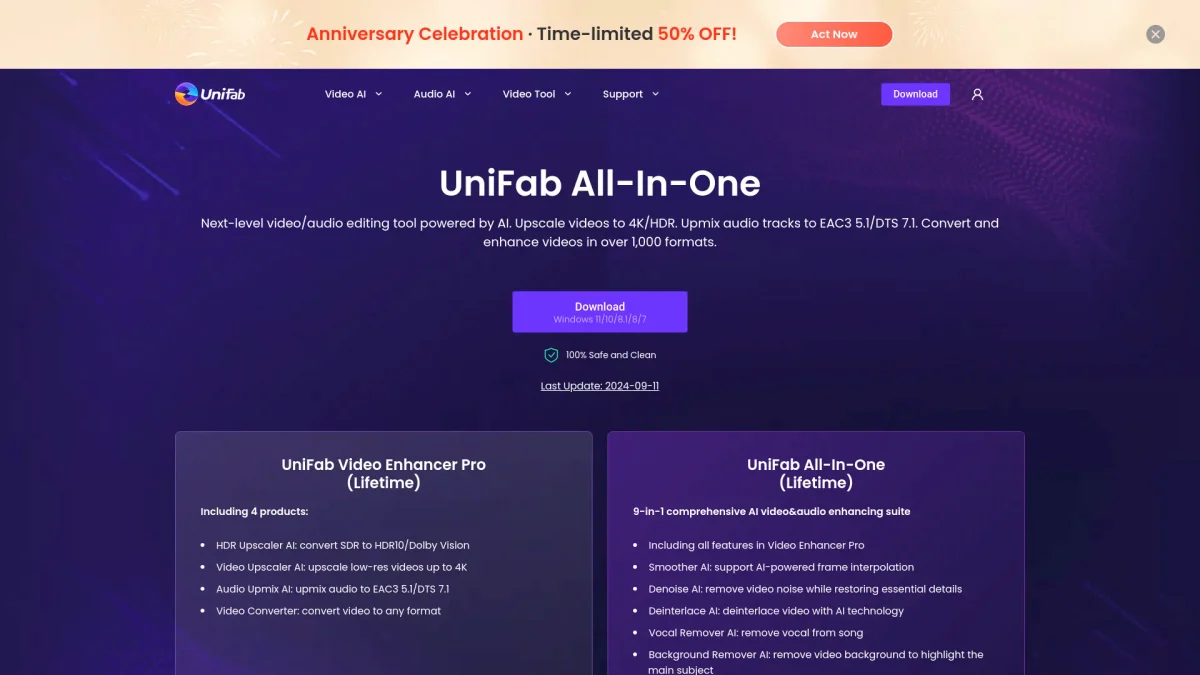
What is UniFab Video Enhancer?
UniFab Video Enhancer is a comprehensive AI-powered tool designed to upscale videos to exceptional resolutions while preserving quality and enhancing details. Its main purpose is to solve common video issues, such as noise and blurriness, enabling users to achieve cinema-grade visuals effortlessly. By utilizing cutting-edge AI algorithms, this tool offers a professional-grade solution for video enhancement across various formats. With features like AI-driven upscaling, noise reduction, and batch conversion, UniFab Video Enhancer significantly improves video quality frame by frame. It is ideal for content creators, filmmakers, and media enthusiasts who wish to elevate their video projects, streamline workflows, and enjoy enhanced clarity and detail in their footage. The tool's versatile capabilities make it a must-have for anyone looking to transform their video content into stunning visual experiences.
Key Features
- Upscale videos to 4K, 8K, and 16K
- Advanced AI noise reduction
- Batch conversion for TV shows
- Multiple upscaling models available
- Video background removal tool
- Integrated video editor and stabilizer
- Cloud processing options for flexibility
Who is it for?
- Filmmakers and videographers
- Content creators and bloggers
- Media professionals and editors
- Gamers and streamers
- Social media marketers
Use Cases
1. High-Resolution Video Enhancement
Transform your standard videos into stunning high-resolution formats with UniFab Video Enhancer. Users can upscale their content to 4K, 8K, or even 16K, enhancing clarity and detail for a professional look.
2. Noise Reduction in Low-Light Footage
For users dealing with grainy low-light videos, the Denoise AI feature effectively removes noise while preserving original details. This allows for clear and crisp visuals, enhancing viewer experience.
3. Batch Conversion for Media Libraries
Easily manage and organize large media libraries by batch converting TV shows, auto-generating covers and metadata. This feature streamlines the process of preparing content for media servers.
4. Seamless Video Background Removal
Utilize the AI Video Background Remover to isolate subjects in your videos. This is especially useful for creating engaging content where backgrounds need to be altered or removed for emphasis.
5. Professional Video Editing
With its integrated video editor, users can trim, crop, and enhance footage directly within the platform. This makes it easy to refine video projects without needing additional software.
Pricing Plans
Pricing information not available on website. Please visit the official website for current pricing.
Frequently Asked Questions
1. Does UniFab Video Enhancer offer a free trial?
Yes, UniFab Video Enhancer provides a free trial with full features and no limitations, allowing users to experience the tool before making a purchase.
2. What video formats can be enhanced with UniFab Video Enhancer?
UniFab Video Enhancer supports a wide range of video formats, including MP4, MKV, AVI, WMV, and more, ensuring compatibility with various media types.
3. Can I use UniFab Video Enhancer for commercial projects?
Absolutely! UniFab Video Enhancer is designed to meet the needs of professionals and can be used for commercial video projects, enhancing quality for any audience.
4. Is UniFab Video Enhancer available for Mac users?
Currently, UniFab Video Enhancer is available for Windows operating systems, including Windows 11/10/8.1/8/7. Check the website for updates on Mac compatibility.
UniFab Video Enhancer Reviews & Ratings
Real user feedback and ratings for UniFab Video Enhancer. See what the community thinks about this AI tool.
No reviews yet
Be the first to share your experience with UniFab Video Enhancer