Teach-O-Matic
Create AI-powered how-to videos effortlessly
Teach-O-Matic transforms text instructions into engaging AI how-to videos, leveraging advanced technology without requiring any development environment.
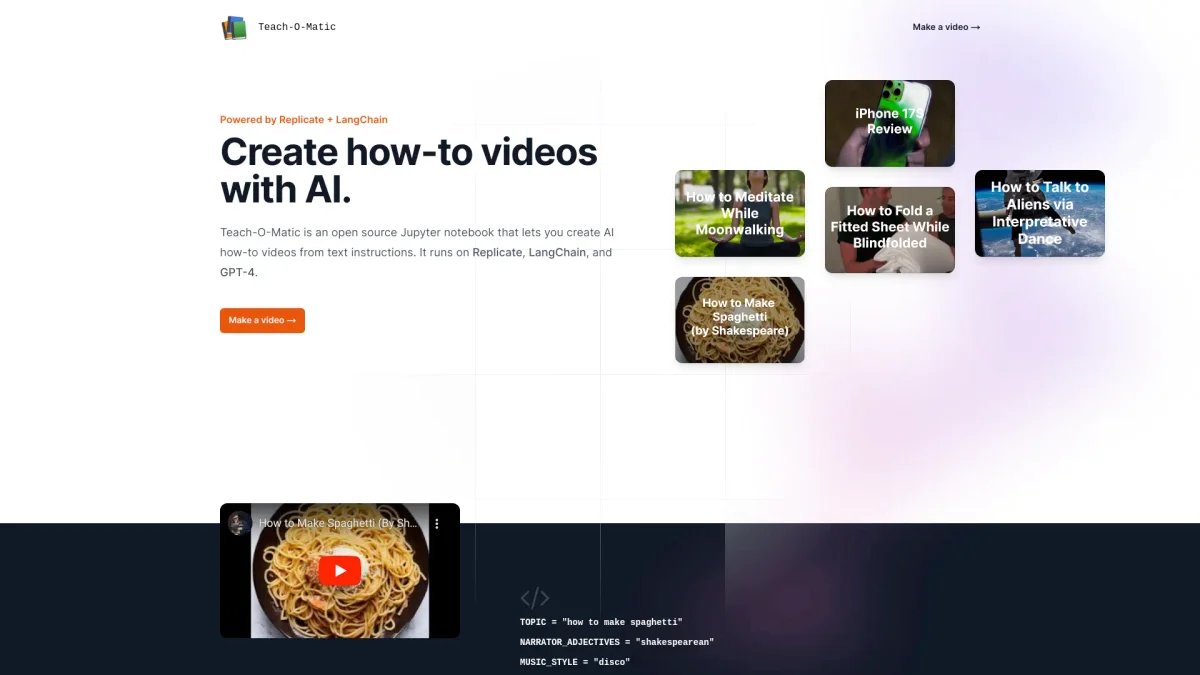
What is Teach-O-Matic?
Teach-O-Matic is an open-source Jupyter notebook designed to convert text instructions into engaging how-to videos. By utilizing powerful technologies like Replicate, LangChain, and GPT-4, it simplifies the video creation process, allowing users to produce high-quality content without needing extensive technical skills. This tool addresses the challenge of creating instructional videos, making it accessible to a broader audience. With Teach-O-Matic, users can effortlessly generate scripts, voiceovers, videos, and even music, all tailored to their specific instructions. The integration of various AI tools helps streamline the entire process, making content creation faster and more efficient. Whether for educational purposes, tutorials, or creative projects, Teach-O-Matic empowers users to share knowledge visually and engagingly, enhancing learning experiences.
Key Features
- No development environment required
- AI-generated scripts from text
- Voiceovers using Suno AI Bark
- Video creation with Damo Text-to-Video
- Customizable music via Riffusion
- Cover images from Stable Diffusion
- Seamless integration through LangChain
Who is it for?
- Educators and trainers
- Content creators and bloggers
- Businesses producing tutorials
- Students creating projects
- Marketers needing engaging content
Use Cases
1. Educational Video Creation
Teachers can create step-by-step instructional videos on various subjects using Teach-O-Matic. By inputting text instructions, they receive a professional-quality video that aids in visual learning.
2. Recipe Demonstrations
Food bloggers can easily turn written recipes into engaging how-to videos. Teach-O-Matic generates scripts and visuals that make cooking tutorials fun and interactive for audiences.
3. Product Tutorials for Businesses
Companies can create informative product demonstration videos. By utilizing Teach-O-Matic, businesses can showcase product features and benefits effectively, enhancing customer understanding and engagement.
4. Creative Storytelling
Writers can transform their stories into visual narratives. Teach-O-Matic allows authors to create compelling video content that brings their stories to life, captivating their audience.
Pricing Plans
Pricing information not available on website. Please visit the official website for current pricing.
Frequently Asked Questions
1. What technologies power Teach-O-Matic?
Teach-O-Matic is powered by advanced technologies including Replicate, LangChain, and GPT-4, which work together to transform text into engaging how-to videos seamlessly.
2. Is any coding experience needed to use Teach-O-Matic?
No coding experience is required. Teach-O-Matic is designed to be user-friendly, allowing anyone to create videos without a development environment.
3. What types of videos can I create with Teach-O-Matic?
You can create instructional how-to videos on various topics, from cooking recipes to educational content, using text input that the tool transforms into engaging visual formats.
4. Can I customize the videos produced by Teach-O-Matic?
Yes, Teach-O-Matic allows various customizations, including the narrator's style, music genre, and cover images, ensuring that the final videos meet your specific needs.
Teach-O-Matic Reviews & Ratings
Real user feedback and ratings for Teach-O-Matic. See what the community thinks about this AI tool.
No reviews yet
Be the first to share your experience with Teach-O-Matic