TalkingAvatar AI
Transform your voice into a digital avatar
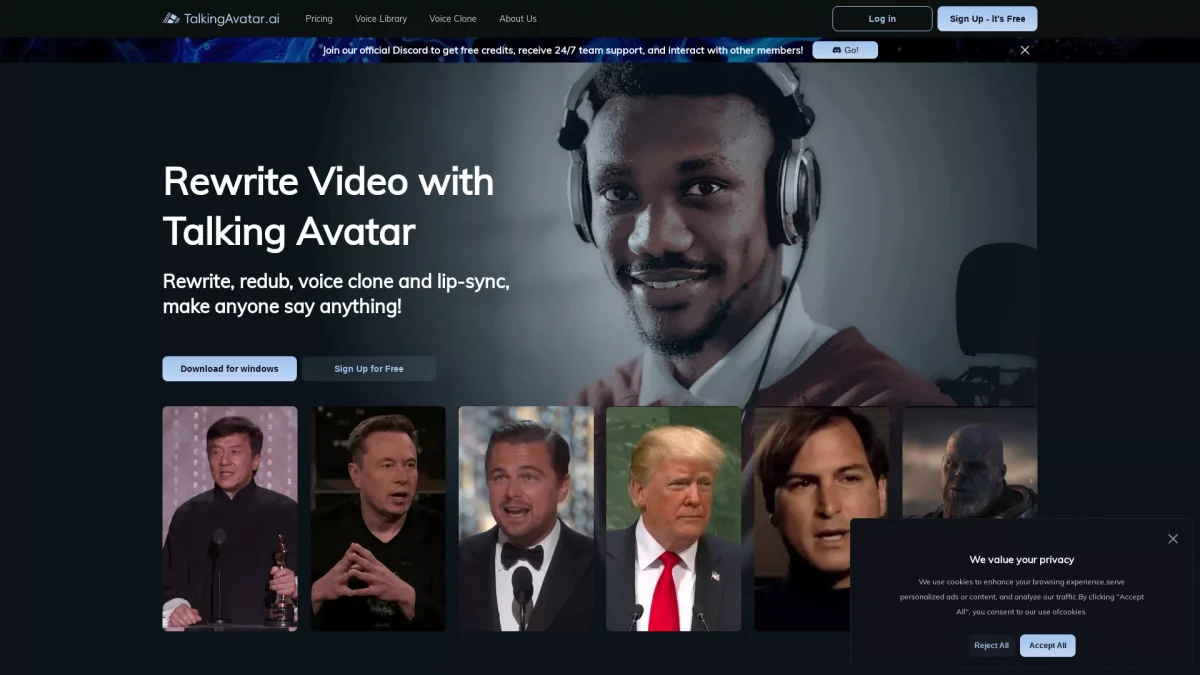
TalkingAvatar AI creates lifelike avatars that lip-sync and voice clone, enhancing video content and virtual communication seamlessly.
What is TalkingAvatar AI?
TalkingAvatar AI is a cutting-edge tool that allows users to create realistic digital avatars that can lip-sync to their voice, making virtual communication more engaging and interactive. Its primary purpose is to eliminate the need for video, allowing users to join meetings or create content without revealing their identity, thus solving privacy concerns and enhancing productivity in various online platforms. The tool offers numerous advantages, including the ability to rewrite and redub videos with cloned voices, making it ideal for content creators and marketers. With features such as one-click multi-speaker lip-sync and voice cloning from a single sentence, TalkingAvatar AI dramatically streamlines the video creation process. Users can easily update and localize content, making it a versatile solution for enhancing audience engagement across multiple languages and formats.
Key Features
- Realistic avatar creation and customization
- Voice cloning from a single sentence
- One-click multi-speaker lip-sync
- Video rewriting and redubbing
- AI body double for virtual meetings
- Integration with NotebookLM audio
- Photo to avatar transformation
Who is it for?
- Content creators and bloggers
- Digital marketing agencies
- Educators and trainers
- Social media influencers
- Podcast producers
Use Cases
1. Virtual Meetings with AI Avatars
Use TalkingAvatar AI to replace your camera during virtual meetings on platforms like Zoom or Twitch. Your digital avatar can lip-sync your voice, allowing you to participate without being on camera, enhancing privacy and engagement.
2. Updating Old Video Content
Revitalize your existing video content by using TalkingAvatar AI to rewrite scripts and redub with cloned voices. This feature is perfect for tailoring videos for new audiences or creating multilingual versions while preserving the original feel.
3. Engaging Educational Content
Educators can utilize TalkingAvatar AI to create dynamic instructional videos. By using avatars that lip-sync their lessons, teachers can make learning more interactive and enjoyable for students, enhancing retention and engagement.
4. Social Media Content Creation
Influencers can create captivating social media videos using TalkingAvatar AI's avatars and voice cloning capabilities. This tool enables them to produce engaging content quickly, helping maintain a consistent online presence.
Pricing Plans
Pricing information not available on website. Please visit the official website for current pricing.
Frequently Asked Questions
1. What platforms does TalkingAvatar AI support?
TalkingAvatar AI is compatible with Windows 10 Anniversary Update or newer, requiring specific hardware configurations for optimal performance, including Intel Core i5 or AMD Ryzen processors.
2. How can I create an avatar using TalkingAvatar AI?
You can create an avatar by uploading a photo, which TalkingAvatar AI will transform into a digital avatar. This feature allows for easy customization and design, enhancing your video content.
3. Can I use TalkingAvatar AI for live streaming?
Yes, you can use TalkingAvatar AI as a body double in live streaming applications like Twitch or TikTok, enabling you to engage with your audience without appearing on camera.
4. What are the system requirements for using TalkingAvatar AI?
To run TalkingAvatar AI, you need Windows 10 Anniversary Update or newer, with a minimum Intel Core i5 9400 or AMD Ryzen 5 2600, 8 GB RAM, and a compatible graphics card such as NVIDIA GeForce 1060.
TalkingAvatar AI Reviews & Ratings
Real user feedback and ratings for TalkingAvatar AI. See what the community thinks about this AI tool.
No reviews yet
Be the first to share your experience with TalkingAvatar AI