SVG to 3D
Transform SVGs into stunning 3D models instantly
Convert your SVG files into high-quality 3D models effortlessly, perfect for web and print applications without any software installation required.
What is SVG to 3D?
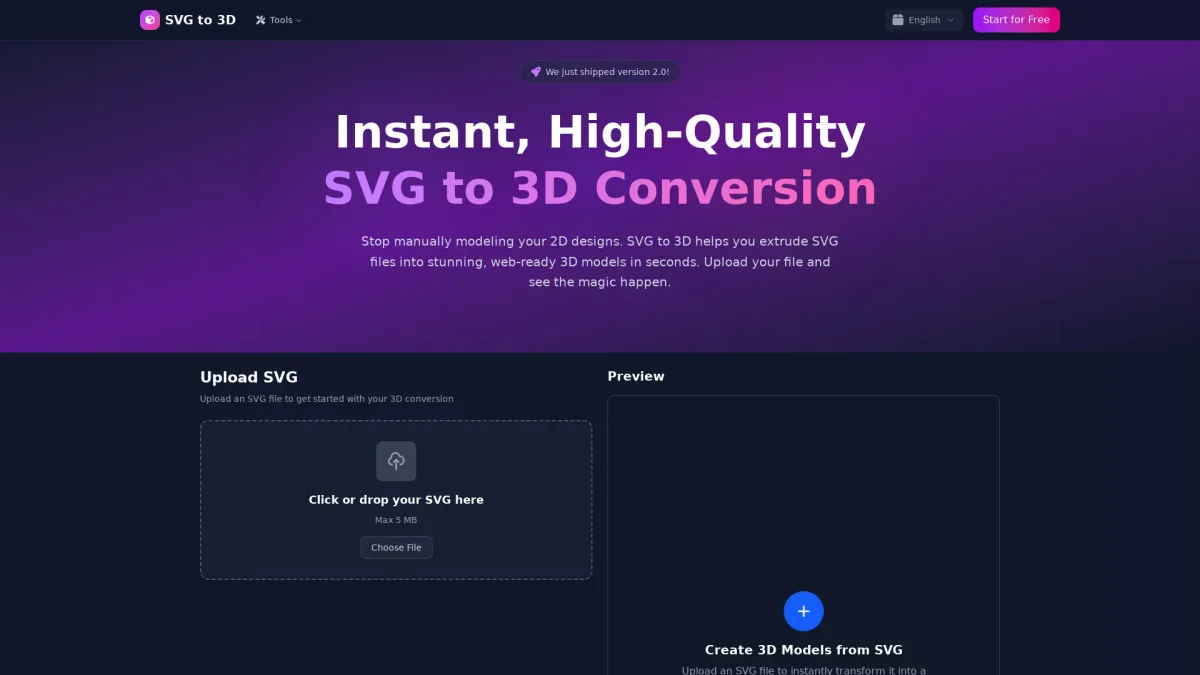
SVG to 3D is an online tool designed to convert 2D SVG designs into captivating 3D models swiftly. Its main purpose is to eliminate the tedious process of manual modeling, allowing users to instantly extrude SVG files into web-ready 3D formats. This service caters to designers and developers looking to enhance their projects with professional-grade 3D visuals without the need for complex software. The key benefits of SVG to 3D include its lightning-fast processing, advanced material systems, and user-friendly interface that enables fine-tuning of every detail in the model. Users can easily adjust thickness, bevels, and materials, resulting in high-quality outputs suitable for various applications such as web design, 3D printing, and interactive media experiences. It supports multiple export formats, making it an invaluable tool for developers and designers alike.
Key Features
- Instant SVG to 3D conversion
- Advanced controls for fine-tuning
- Supports GLB, GLTF, OBJ, STL formats
- Realistic PBR materials and textures
- Optimized for web and 3D printing
- Privacy-focused local processing
Who is it for?
- Web developers
- Graphic designers
- 3D printing enthusiasts
- UI/UX designers
- Digital content creators
Use Cases
1. Create Interactive 3D Logos
Easily convert your SVG logos into dynamic 3D models ready for web integration. This enhances visual appeal and user engagement on websites and applications.
2. 3D Printing Custom Designs
Transform 2D SVG designs into STL files for 3D printing. This allows hobbyists and makers to fabricate unique items like custom keychains and art without complex CAD software.
3. Enhancing UI/UX Designs
Integrate 3D elements into your user interface designs. Use SVG to 3D to add depth and realism to mockups, helping to impress clients and stakeholders.
4. Web-Optimized 3D Models for Developers
Export lightweight GLB files for seamless integration into React Three Fiber projects. This simplifies the workflow for developers aiming to create stunning interactive experiences.
Pricing Plans
Free: Unlimited SVG to 3D conversions with no subscription required.
Frequently Asked Questions
1. What formats can I export my models to?
SVG to 3D supports multiple export formats including GLB, GLTF, OBJ, and STL. This flexibility allows users to choose the best format for their specific needs.
2. Is there a file size limit for uploads?
Yes, you can upload SVG files up to 5 MB in size. This limit is designed to accommodate the vast majority of common use cases.
3. How does SVG to 3D ensure privacy?
SVG to 3D processes your files locally in your browser when possible, ensuring that your designs remain private and secure without uploads to external servers.
4. Can I use SVG to 3D for commercial projects?
Absolutely. SVG to 3D is designed for professional use, making it suitable for commercial projects and workflows in web development and design.
SVG to 3D Reviews & Ratings
Real user feedback and ratings for SVG to 3D. See what the community thinks about this AI tool.
No reviews yet
Be the first to share your experience with SVG to 3D