Sketch to Image
Transform sketches into stunning AI art!
Sketch to Image effortlessly converts your sketches into beautiful images in various styles, enhancing creativity and providing endless artistic possibilities at your fingertips.
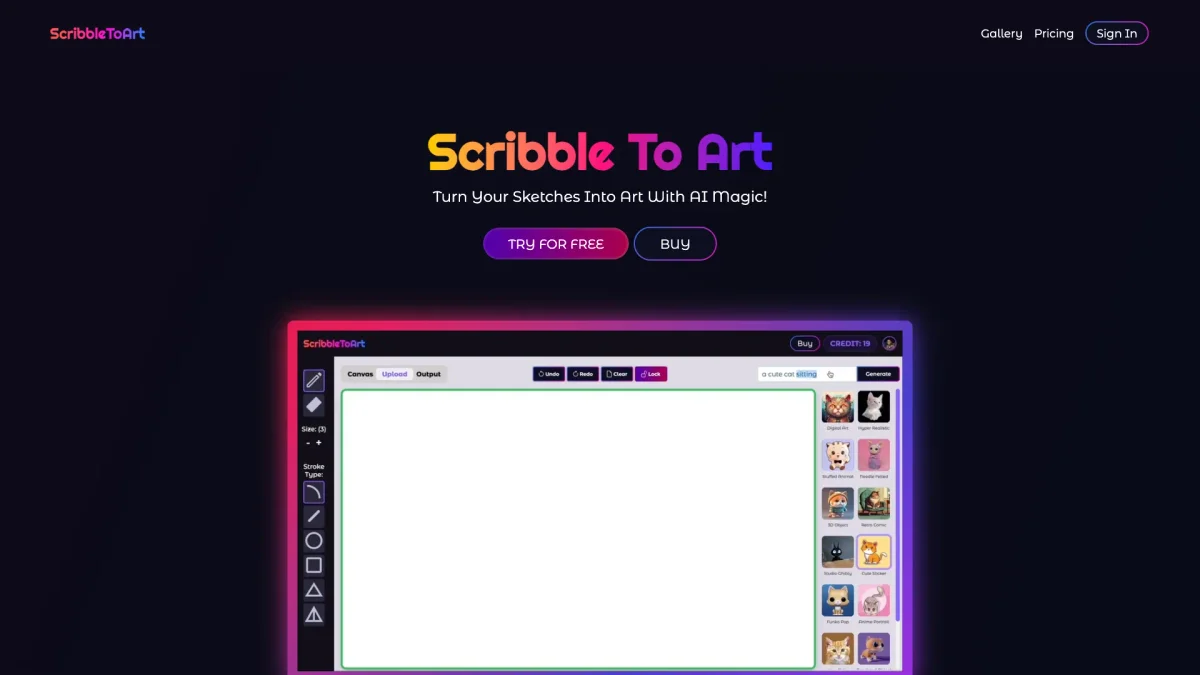
What is Sketch to Image?
Sketch to Image is an innovative AI-powered tool designed to transform any sketch into a stunning digital image with just a click. By utilizing advanced AI technology, it addresses the challenge of turning simple drawings into professional-looking art, making the creative process accessible for everyone, from kids to professionals. This tool offers numerous benefits, enabling users to visualize their ideas in various artistic styles, such as hyper-realistic, anime, or cyberpunk. Whether for personal projects or professional presentations, Sketch to Image enhances creativity and helps users bring their visions to life quickly and easily, ultimately saving time and improving productivity in artistic endeavors.
Key Features
- Transform sketches into multiple art styles
- Upscale images up to 8x for clarity
- Animate images into videos seamlessly
- User-friendly interface for all skill levels
- Copyright-free artwork for commercial use
- Supports both hand-drawn and digital sketches
Who is it for?
- Artists and illustrators
- Architects and designers
- Parents and educators
- Marketing professionals
- Content creators and bloggers
Use Cases
1. Kids' Art Transformation
Parents can upload their children's sketches to see them transformed into impressive artworks. This not only enhances the child's creativity but also provides a unique keepsake that showcases their imagination in various artistic styles.
2. Architectural Visualization
Architects can convert their design sketches into realistic images with a single click. This feature helps in presenting ideas to clients clearly, ensuring that design concepts are easily understood and appreciated.
3. Interior Design Mockups
Interior designers can visualize their sketches into realistic renders in seconds. This tool streamlines the design process by providing instant feedback on various styles and aesthetics, aiding in the decision-making process.
4. 3D Model Texturing
3D designers can easily texture their models using various art styles. This capability allows for creative experimentation and enhances the visual appeal of 3D projects, making them stand out in presentations.
5. Creative Presentations
Marketers can generate visually appealing images from sketches to use in pitch decks or marketing materials. The tool helps capture attention and communicate ideas more effectively, making presentations more impactful.
Pricing Plans
Pricing information not available on website. Please visit the official website for current pricing.
Frequently Asked Questions
1. Is the artwork generated by Sketch to Image copyright free?
Yes, all artwork generated with Sketch to Image is copyright free. Users can use their creations commercially without any restrictions, making it a great choice for both personal and professional projects.
2. How does the image upscaling feature work?
The image upscaling feature allows users to enhance their generated artwork up to 8x, improving clarity and details. This ensures that the final images maintain high quality, even when enlarged for prints or presentations.
3. Can I share my artwork created with Sketch to Image?
Absolutely! Users can download their generated artwork and share it through email, social media, or any other platform. This makes it easy to showcase your creativity to friends, family, or clients.
4. What types of sketches does Sketch to Image support?
Sketch to Image supports both hand-painted and digitally created sketches. Users can either paint directly on the app's canvas or upload existing sketches, making it versatile for various artistic approaches.
Sketch to Image Reviews & Ratings
Real user feedback and ratings for Sketch to Image. See what the community thinks about this AI tool.
No reviews yet
Be the first to share your experience with Sketch to Image