
Shortwave
Automate Your Email with AI
Shortwave is an AI-driven email assistant that helps users organize, schedule, write, and search emails efficiently, saving hours each day.
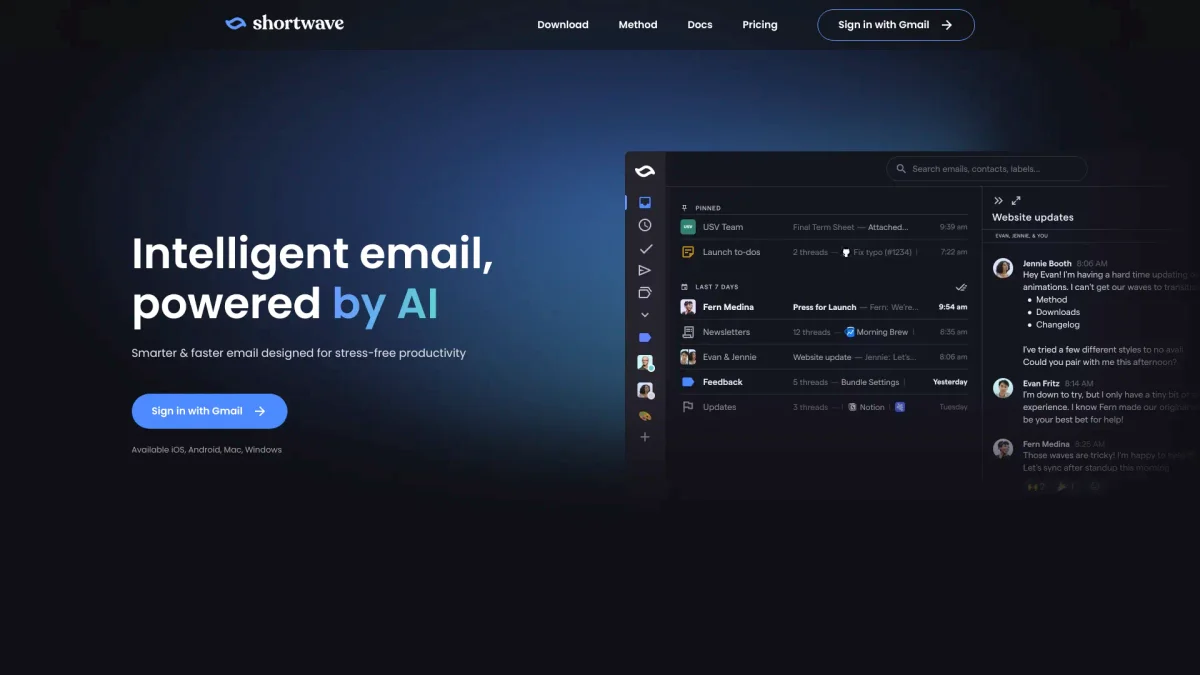
What is Shortwave?
Shortwave is an innovative AI email assistant designed to streamline email management by automating various tasks such as organization, scheduling, writing, and searching. Its main purpose is to alleviate the burden of handling overwhelming inboxes, enabling users to focus on what truly matters without the hassle of sifting through countless emails. By utilizing advanced AI automation, Shortwave empowers users to identify important emails and action items quickly, utilize custom filters, and write in their unique voice. This tool significantly enhances productivity, allowing individuals and teams to achieve inbox zero faster, automate workflows with integrations, and collaborate seamlessly, making email communication much more efficient and effective.
Key Features
- AI-powered email organization
- Custom AI filters for inbox control
- Intelligent email writing assistance
- Real-time team collaboration features
- Integration with popular productivity tools
- Email scheduling and snoozing capabilities
- Advanced search for quick access
Who is it for?
- Busy professionals
- Teams and organizations
- Small business owners
- Remote workers
- Project managers
Use Cases
1. Email Triage and Management
Shortwave allows users to quickly sort through emails by applying custom filters and organizing them into bundles, effectively achieving inbox zero and managing priorities effortlessly.
2. Team Collaboration on Emails
Utilize Shortwave's real-time sharing features to keep team members updated on email threads, enabling collaboration through private comments and assigned tasks directly within the inbox.
3. Automated Scheduling
With Shortwave, users can easily schedule meetings by checking availability, sending invites, and managing responses directly from their inbox, eliminating back-and-forth emails.
4. Enhanced Email Writing
Shortwave learns your writing style and voice, providing personalized suggestions and drafts to enhance email communication, making it sound authentic and professional.
5. Productivity Boost with Integrations
Connect Shortwave with tools like Slack, Asana, and Notion to automate workflows, manage tasks, and streamline communication, all while staying focused in your inbox.
Pricing Plans
Free: Basic features with no credit card required, Pro: Pricing information not available on website. Please visit the official website for current pricing, Enterprise: Custom pricing - Tailored solutions for larger teams.
Frequently Asked Questions
1. What platforms is Shortwave available on?
Shortwave is available on iOS, Android, Mac, and Windows, ensuring users can manage their emails from any device seamlessly.
2. Can I use Shortwave for team collaboration?
Yes, Shortwave offers features for real-time team collaboration, allowing you to share email threads, comment privately, and assign tasks within your team.
3. Does Shortwave provide email automation features?
Absolutely, Shortwave automates email management through custom filters, scheduling, and integration with other tools, enhancing productivity and efficiency.
4. How does Shortwave help with email writing?
Shortwave's AI learns your unique writing style and offers personalized suggestions, making email writing easier and ensuring your communications are authentic and effective.
Shortwave Reviews & Ratings
Real user feedback and ratings for Shortwave. See what the community thinks about this AI tool.
No reviews yet
Be the first to share your experience with Shortwave