
RawQuery
Chat with your database effortlessly
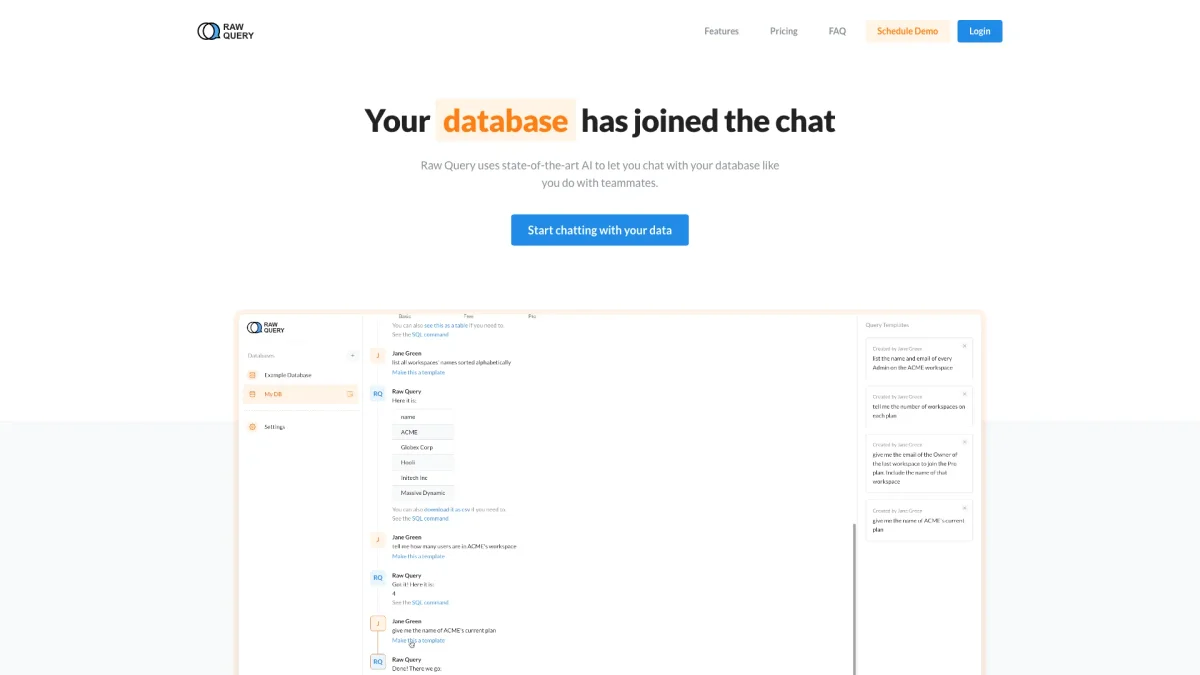
RawQuery allows you to interact with your database using natural language, simplifying data management for users of all technical levels.
What is RawQuery?
RawQuery is a cutting-edge tool that enables users to communicate with their databases using natural language, eliminating the need for complex SQL queries. Its primary purpose is to streamline data management tasks such as querying, inserting, and updating data. By allowing users to engage in conversational queries, RawQuery solves the problem of technical barriers that often hinder access to valuable data insights. With RawQuery, users benefit from an intuitive interface that saves time and simplifies processes. It enables business intelligence professionals and developers to focus on strategic tasks rather than learning intricate database languages. By providing quick access to information through simple chat commands, RawQuery enhances productivity, empowering users to manage and analyze their data efficiently without needing extensive technical knowledge.
Key Features
- Natural language query interface
- Data insertion with confirmation
- Update existing records easily
- Supports multiple database types
- Mobile-friendly access
- Time-saving data management
Who is it for?
- Business intelligence professionals
- Developers and engineers
- Small business owners
- Data analysts
- Non-technical users
Use Cases
1. Customer Data Management
Quickly query customer information such as sign-up dates or emails. RawQuery allows users to manage customer records without needing to write complex SQL queries, enhancing efficiency in customer relationship management.
2. Sales Reporting
Easily generate sales reports by asking RawQuery for the latest sales data. Users can retrieve specific data points or export reports in CSV format, simplifying the sales analysis process.
3. Database Updates
Update client information directly through chat. RawQuery prompts users for confirmation before making changes, ensuring accuracy while allowing for swift corrections to data.
4. Data Exporting
Export data effortlessly as CSV files. Users can request specific datasets, and RawQuery will prepare them for download, making data sharing straightforward for teams.
Pricing Plans
Free: 300 successful queries/month, 1 seat, 2 databases; Starter: $39/month - 1500 successful queries/month, 5 seats, unlimited databases; Pro: $79/month - 5000 successful queries/month, 10 seats, unlimited databases; Team: $149/month - 20000 successful queries/month, unlimited seats, unlimited databases.
Frequently Asked Questions
1. What databases does RawQuery support?
RawQuery currently supports Postgres, MySQL, and MariaDB. However, only Postgres allows for data insertion and updates, while MySQL and MariaDB can only select data.
2. Can I cancel my subscription anytime?
Yes, you can cancel your subscription at any time. If you choose to downgrade to the free plan, you can do so directly within your account settings.
3. Is my data secure with RawQuery?
Absolutely! RawQuery ensures data security by not storing any actual data. Your connection string is hashed for security, making your databases safe from unauthorized access.
4. How does RawQuery handle unsuccessful queries?
If a query does not provide enough context or is not specific enough for the AI to process, it will not count against your monthly quota of successful queries.
RawQuery Reviews & Ratings
Real user feedback and ratings for RawQuery. See what the community thinks about this AI tool.
No reviews yet
Be the first to share your experience with RawQuery