PDFToVideo
Transform PDFs into engaging videos effortlessly
Convert your PDFs and documents into professional explainer videos in minutes, making learning and sharing content more engaging and effective.
What is PDFToVideo?
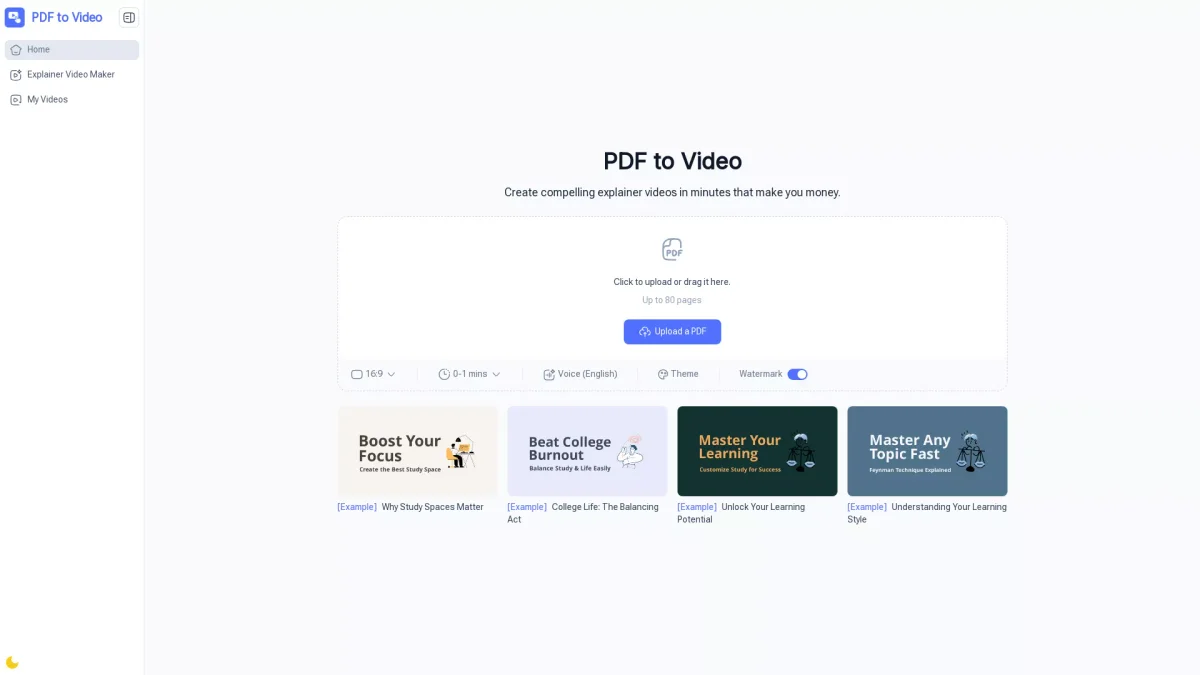
PDFToVideo is an AI-powered online tool that transforms static PDF documents into dynamic explainer videos. Its primary purpose is to enhance the way information is presented, turning boring text into engaging visual content without requiring any video editing skills. This tool addresses the common challenge of making complex information more accessible and memorable by leveraging animations and voiceovers. Users benefit from a fast and efficient video creation process, allowing them to produce professional-quality videos for various purposes such as education, marketing, and social media sharing. The ease of use, with no sign-up required, means that anyone—from teachers to business professionals—can quickly convert their documents into visual narratives that captivate audiences and improve understanding of the material.
Key Features
- AI-powered video creation
- No sign-up required
- Free online access
- Customizable voiceovers
- Fast conversion process
- Professional quality output
- Supports up to 80 pages
Who is it for?
- Teachers and trainers
- Business professionals
- Marketers
- Students
- Content creators
- Nonprofits
Use Cases
1. Interactive Learning for Educators
Educators can convert lesson materials into engaging videos that enhance student understanding. By using visuals and voiceovers, complex topics become more digestible, fostering better learning outcomes.
2. Engaging Marketing Content
Marketers can quickly create explainer videos from product brochures and proposals. This not only saves time but also presents information in a visually appealing manner that captures customer interest.
3. Dynamic Presentations for Business
Business professionals can transform reports and manuals into professional videos, making presentations more engaging. This approach helps convey important information effectively to stakeholders and clients.
4. Study Aids for Students
Students can turn their notes into shareable video summaries, making revision more interactive. This method helps reinforce learning and makes study sessions more productive and enjoyable.
Pricing Plans
Free: Full access to video creation features, no sign-up required.
Frequently Asked Questions
1. Is PDFToVideo free to use?
Yes, PDFToVideo is completely free to use online, with no sign-up required, allowing anyone to convert PDFs into videos at no cost.
2. Do I need video editing experience to use PDFToVideo?
No, PDFToVideo requires no video editing experience. The AI handles the entire process, allowing users to create professional videos effortlessly.
3. Can I add voice narration to my video?
Yes, PDFToVideo supports AI-generated voiceovers in multiple languages, allowing for a more personalized and engaging video experience.
4. How long does it take to convert a PDF into a video?
Most videos are ready within a few minutes, depending on the size of the PDF file, making the process fast and efficient.
PDFToVideo Reviews & Ratings
Real user feedback and ratings for PDFToVideo. See what the community thinks about this AI tool.
No reviews yet
Be the first to share your experience with PDFToVideo