OCRSpace
Effortless OCR for Images and PDFs
OCRSpace converts images and PDFs into editable text seamlessly, supporting multiple languages and formats without the need for registration.
What is OCRSpace?
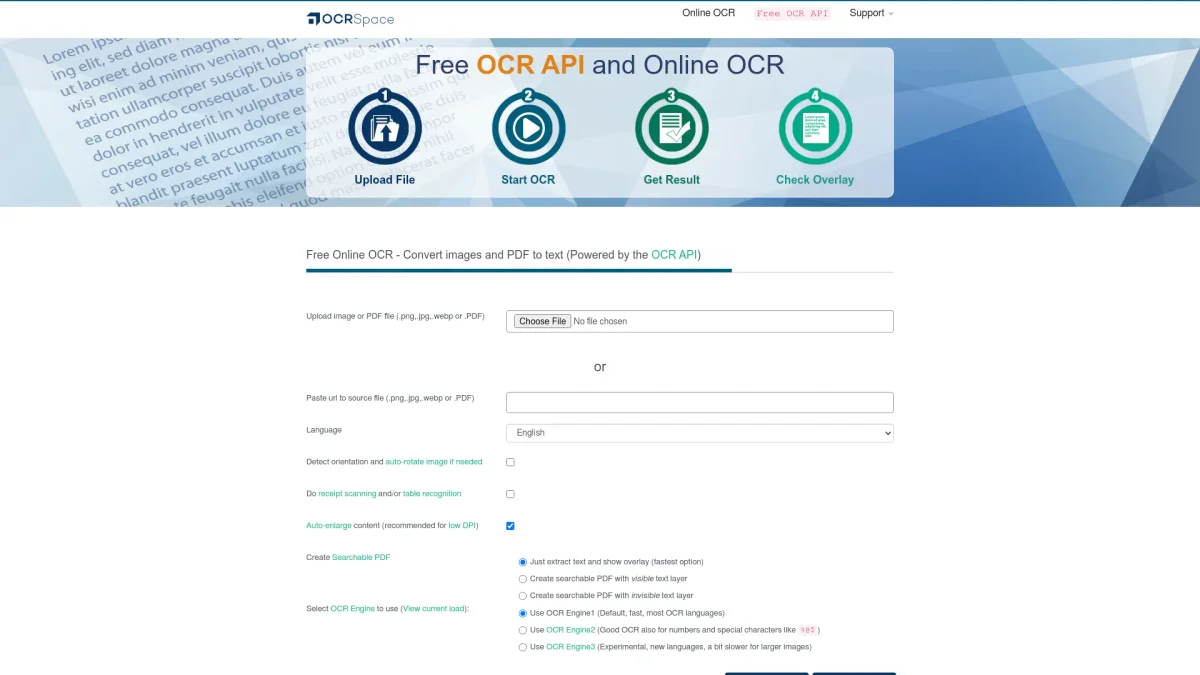
OCRSpace is a powerful online OCR service that converts images and PDF documents into editable text files using advanced Optical Character Recognition technology. Its primary purpose is to enable users to easily extract text from various file formats, addressing the need for efficient and accurate data digitization without the hassle of manual entry. The platform offers a range of benefits, including support for multiple languages, automatic file type detection, and the ability to create searchable PDFs. Users can benefit from quick and convenient text extraction, enhancing productivity and streamlining workflows in both personal and professional contexts. With no registration required, OCRSpace is accessible to anyone needing reliable OCR capabilities.
Key Features
- Supports multiple file formats including JPG and PDF
- Creates searchable PDFs with text layers
- Automatic language detection and orientation adjustment
- Multiple OCR engines for different needs
- No registration required for basic use
Who is it for?
- Students and educators
- Businesses needing document digitization
- Content creators and bloggers
- Researchers and analysts
Use Cases
1. Digitizing Printed Documents
Easily convert printed documents into editable text, enabling efficient data entry and digital archiving. Perfect for students and professionals looking to preserve important information.
2. Creating Searchable PDFs
Transform scanned documents into searchable PDFs, making it simple to find and reference information. Ideal for businesses needing to streamline document management.
3. Receipt and Invoice Scanning
Quickly scan and extract text from receipts and invoices for expense tracking and bookkeeping. A valuable tool for freelancers and small business owners.
Pricing Plans
Pricing information not available on website. Please visit the official website for current pricing.
Frequently Asked Questions
1. What file formats does OCRSpace support?
OCRSpace supports various file formats including JPG, PNG, GIF, and PDF. Users can upload images directly or paste URLs to source files for text extraction.
2. Is there a file size limit for uploads?
Yes, the free tier has a file size limit of 5MB per document. For larger documents or batch processing, users are encouraged to utilize the OCR API.
3. How does OCRSpace ensure data privacy?
OCRSpace automatically deletes uploaded files and extracted text immediately after processing, ensuring that no data is stored or retained, in adherence to their privacy policy.
4. Can I use OCRSpace for commercial projects?
Absolutely. OCRSpace is suitable for both personal and commercial use, providing reliable OCR services that can enhance productivity in various business applications.
OCRSpace Reviews & Ratings
Real user feedback and ratings for OCRSpace. See what the community thinks about this AI tool.
No reviews yet
Be the first to share your experience with OCRSpace