

No-Background
Effortless background removal for your images
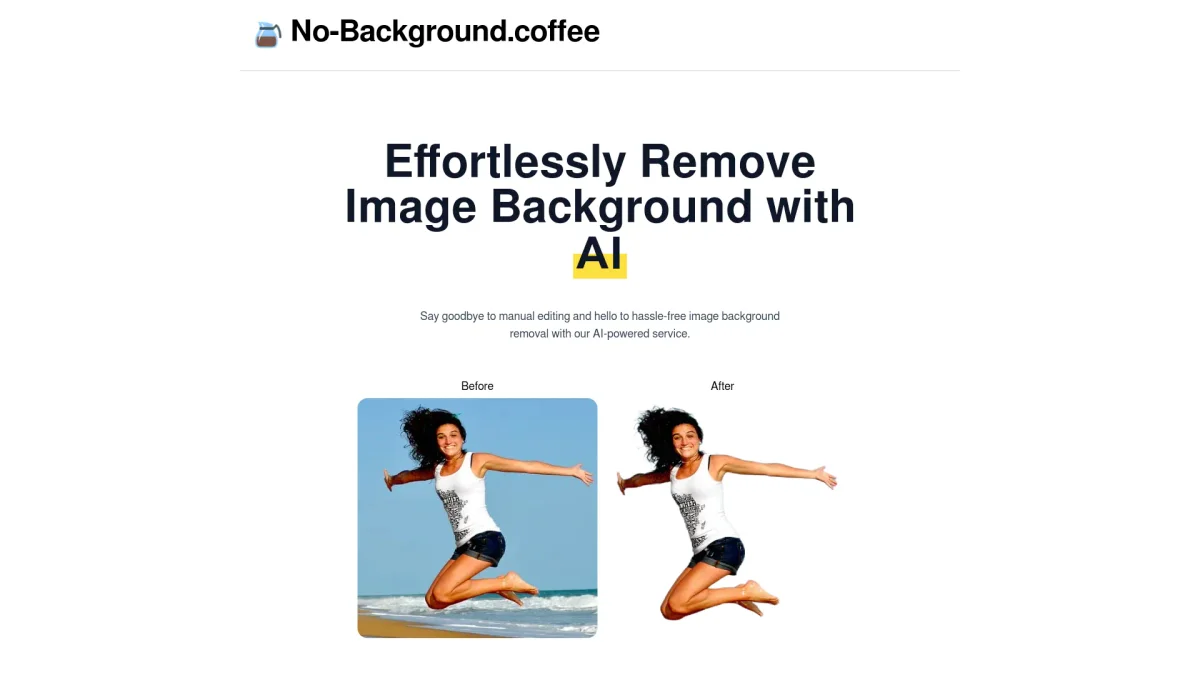
No-Background simplifies the process of removing backgrounds from images, allowing users to focus on their content without distractions.
What is No-Background?
No-Background is a specialized tool designed to remove backgrounds from images seamlessly. Its primary purpose is to solve the common issue of unwanted backgrounds that distract from the main subject, making it ideal for users who need clean, professional-looking images. By utilizing advanced algorithms, No-Background streamlines the editing process, enabling users to achieve high-quality results quickly and efficiently. This tool offers significant benefits, such as saving time on manual editing and enhancing the visual appeal of images for various applications. Users can create stunning visuals for marketing materials, presentations, or social media without the hassle of complex software. With its user-friendly interface, No-Background empowers anyone, from professionals to hobbyists, to elevate their content effortlessly and effectively.
Key Features
- Automatic background removal
- User-friendly interface
- High-resolution output
- Supports various image formats
- Fast processing speed
- Ideal for marketing and social media
Who is it for?
- Digital marketers
- E-commerce sellers
- Graphic designers
- Social media managers
Use Cases
1. E-commerce Product Photos
Enhance your product listings by removing distracting backgrounds from images. No-Background allows sellers to present their products in a clean and professional manner, increasing appeal to potential buyers.
2. Social Media Content Creation
Create eye-catching visuals for social media posts by removing backgrounds. This helps in crafting engaging content that stands out and resonates with your audience, boosting interaction and engagement.
3. Marketing Materials Design
Use No-Background to prepare images for flyers, brochures, and advertisements. By eliminating unwanted backgrounds, you can focus on the key message and design elements, ensuring clarity and impact.
Pricing Plans
Pricing information not available on website. Please visit the official website for current pricing.
Frequently Asked Questions
1. What types of images can No-Background process?
No-Background can process various image formats, allowing users to upload JPEG, PNG, and other popular file types for background removal. This flexibility ensures compatibility with most user needs.
2. Is No-Background easy to use for beginners?
Yes, No-Background features a user-friendly interface designed for users of all skill levels. Beginners can easily navigate the tool and achieve professional results without prior experience in image editing.
3. Can I use No-Background for commercial projects?
Absolutely! No-Background is suitable for commercial use, making it a great choice for businesses needing high-quality images for marketing and sales purposes without background distractions.
4. How long does it take to remove an image background?
The background removal process is incredibly fast, typically completed in seconds. This efficiency allows users to quickly edit and utilize images for various applications without significant delays.
No-Background Reviews & Ratings
Real user feedback and ratings for No-Background. See what the community thinks about this AI tool.
No reviews yet
Be the first to share your experience with No-Background








