NanoStudio
Your AI-powered Photoshop alternative
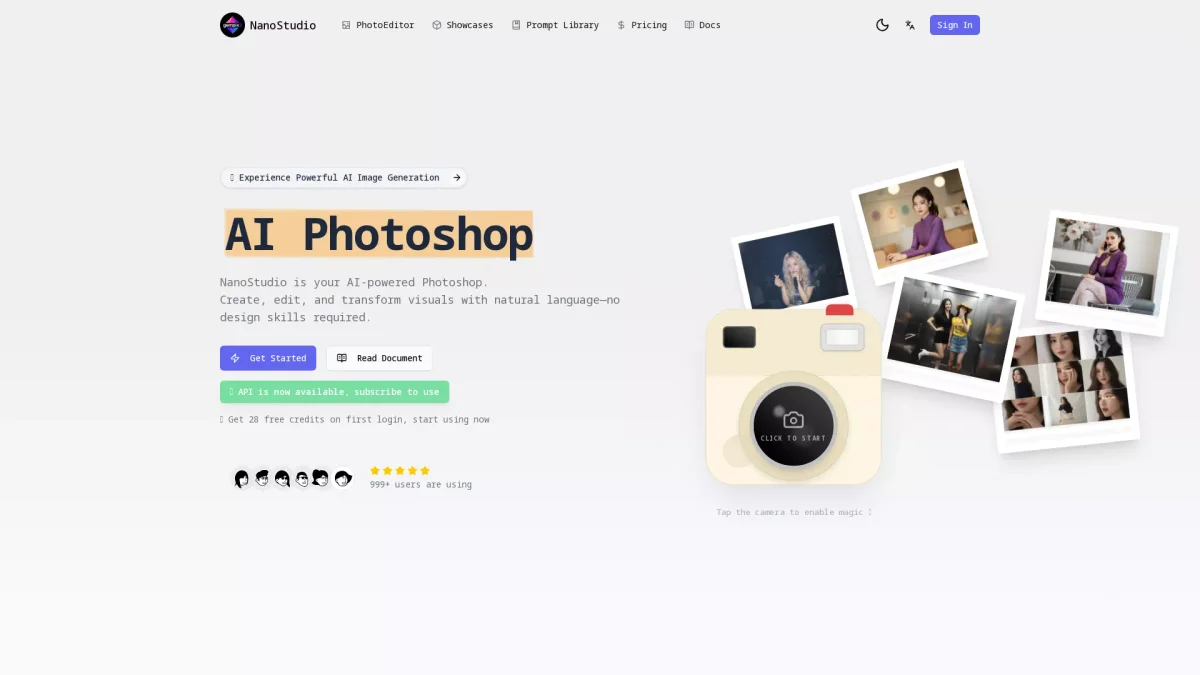
Create, edit, and transform visuals effortlessly with NanoStudio, your AI-driven tool for professional-grade image generation without any design skills required.
What is NanoStudio?
NanoStudio is an innovative AI image generator that empowers users to create and edit visuals using natural language. Its primary purpose is to simplify the design process, making high-quality image generation accessible to everyone, regardless of their design skills. By leveraging advanced AI technology, NanoStudio helps users produce stunning images quickly and efficiently, solving the problem of complexity in traditional design software. The key benefits of NanoStudio include capabilities like photorealistic rendering, professional 4K output, and instant style transfers. Users can effortlessly maintain character consistency across various scenes, making it ideal for artists and marketers alike. By providing tools that allow for quick iterations and high-quality results, NanoStudio enhances productivity and creativity, making it a must-have for anyone involved in visual content creation.
Key Features
- AI-powered image generation
- 4K resolution output
- Instant style transfer
- Reliable text rendering
- Character consistency across edits
- Natural language prompts
- API access for developers
Who is it for?
- Digital artists and designers
- Game developers and studios
- Marketing professionals
- Content creators and YouTubers
- Freelance photographers
Use Cases
1. Creating Marketing Visuals
Utilize NanoStudio to generate high-quality marketing materials like posters and social media graphics. With its 4K resolution capabilities, users can create print-ready visuals without compromising quality.
2. Game Asset Development
Develop unique game assets by applying instant style transfers to visuals. Game developers can save time and enhance creativity by generating consistent character designs efficiently.
3. Photorealistic Visualizations
Freelance photographers can use NanoStudio to visualize shoots before actual photography. The advanced lighting simulation and material rendering capabilities create lifelike environments for product visualization.
4. Fast Iteration for Logo Designs
Designers can quickly generate logo concepts and poster layouts with clear, distortion-free text. This speeds up the iteration process significantly, allowing for rapid feedback and adjustments.
5. YouTube Thumbnail Creation
Content creators can craft eye-catching thumbnails quickly. NanoStudio's AI understands complex prompts, enabling users to create high-CTR visuals that attract viewers instantly.
Pricing Plans
Free: 28 free credits upon first login, Pro: $X/month - Enhanced features including access to Gemini 3 Pro, Enterprise: Custom pricing - Tailored solutions for larger teams.
Frequently Asked Questions
1. What features are included in the free plan?
The free plan provides users with 28 credits upon their first login, allowing access to basic features of NanoStudio for image generation and editing without any hidden fees.
2. How can I access the API for NanoStudio?
To access the API, users need to subscribe to the Nano Banana Pro plan, which offers advanced capabilities for integration into production workflows and custom applications.
3. What resolution outputs does NanoStudio support?
NanoStudio supports ultra-clear output resolutions of 1K, 2K, and native 4K, making it suitable for high-end professional design workflows and marketing-grade visuals.
4. Can I use images generated for commercial purposes?
Yes, images generated with NanoStudio can be used for commercial projects. The platform ensures that users own the rights to their creations, allowing for resale and embedding in other products.
NanoStudio Reviews & Ratings
Real user feedback and ratings for NanoStudio. See what the community thinks about this AI tool.
No reviews yet
Be the first to share your experience with NanoStudio