
LightPDF
Your AI assistant for PDF interactions
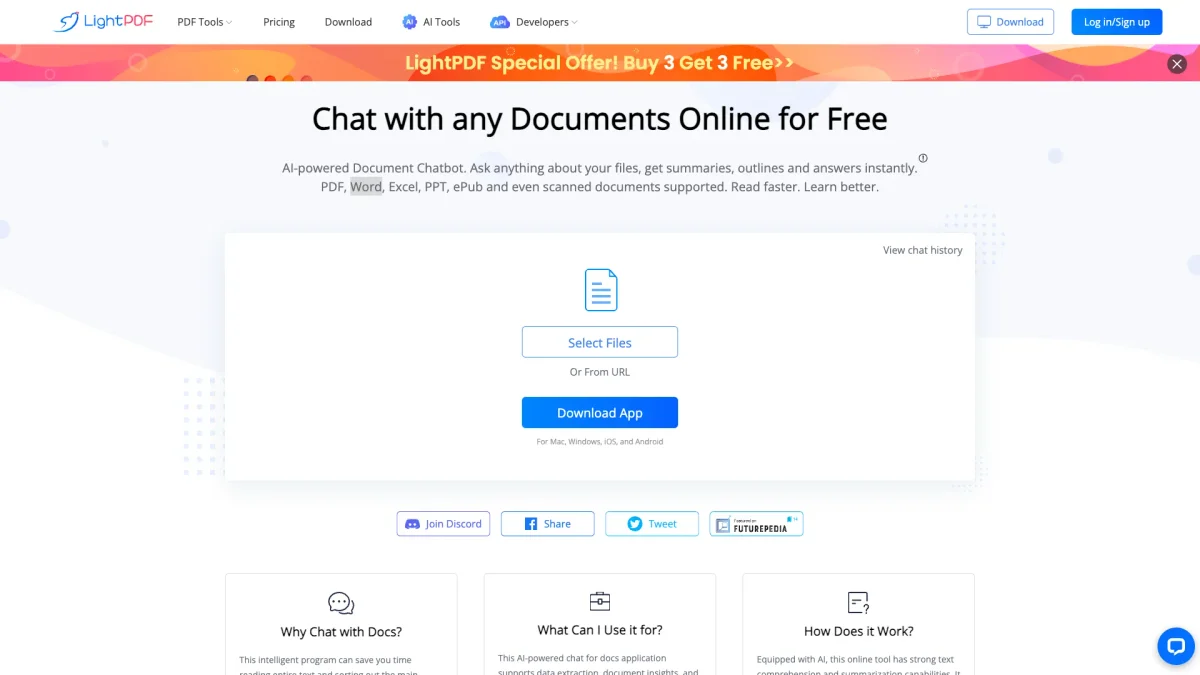
LightPDF is a powerful AI tool that allows users to chat with PDF documents, providing instant answers and summarizations for enhanced productivity.
What is LightPDF?
LightPDF is an innovative GPT-powered assistant designed to facilitate interaction with PDF documents. Its main purpose is to streamline information retrieval and analysis from various document types, including PDFs, Word files, Excel spreadsheets, and more. By enabling users to pose questions directly to their files, LightPDF addresses the common challenge of extracting relevant information quickly and efficiently. With features like multi-document chat, OCR support, and the ability to generate summaries and tables, LightPDF enhances user productivity significantly. It helps individuals and businesses save time by automating tedious tasks, such as document analysis and information extraction. Users can focus on creative and strategic work while LightPDF handles the data-heavy lifting, making it a valuable tool for anyone working with documents regularly.
Key Features
- Multi-document chat support
- OCR for scanned files
- Instant summarization and analysis
- Supports various file formats
- Cited sources for answers
- Available on multiple platforms
- Free document uploads up to 100 pages
Who is it for?
- Researchers and analysts
- Students and educators
- Business professionals
- Content creators
- Legal and compliance teams
Use Cases
1. Research Document Analysis
Upload academic papers or reports to LightPDF and ask specific questions to extract relevant insights. This allows researchers to save time while gathering necessary information for their studies.
2. Business Proposal Review
Utilize LightPDF to analyze and summarize business proposals quickly. By asking targeted questions, business professionals can efficiently evaluate proposals and make informed decisions.
3. Learning and Study Aid
Students can leverage LightPDF to chat with their textbooks or lecture notes. By querying specific topics, they can enhance their understanding and retention of the material.
4. Document Summarization
LightPDF can summarize lengthy documents, making it easier for users to grasp key points without reading every detail. This is particularly useful for busy professionals who need quick insights.
Pricing Plans
Free: Upload documents up to 100 pages, Pro: $X/month - Upload larger documents and access premium features, Enterprise: Custom pricing - Tailored solutions for organizations.
Frequently Asked Questions
1. What file formats does LightPDF support?
LightPDF supports a variety of file formats including PDF, Word, Excel, PPT, EPUB, TXT, and even scanned documents. This wide range ensures users can interact with most document types.
2. Is my document secure when uploaded to LightPDF?
Yes, LightPDF prioritizes document security by storing files in encrypted cloud storage. Users maintain full ownership and control over their data, and files can be deleted at any time.
3. Can I use LightPDF on mobile devices?
Absolutely! LightPDF is designed to be accessible on multiple platforms, including Windows, Mac, Android, and iOS devices, allowing users to interact with documents anywhere.
4. How does LightPDF enhance productivity?
LightPDF enhances productivity by automating document analysis and information retrieval. Users can quickly access insights, summaries, and data extraction without spending time manually sifting through files.
LightPDF Reviews & Ratings
Real user feedback and ratings for LightPDF. See what the community thinks about this AI tool.
No reviews yet
Be the first to share your experience with LightPDF