Keyframes Studio
Create Stunning Videos for Social Media
Keyframes Studio is an all-in-one platform for crafting, editing, and repurposing engaging videos tailored for all social media platforms effortlessly.
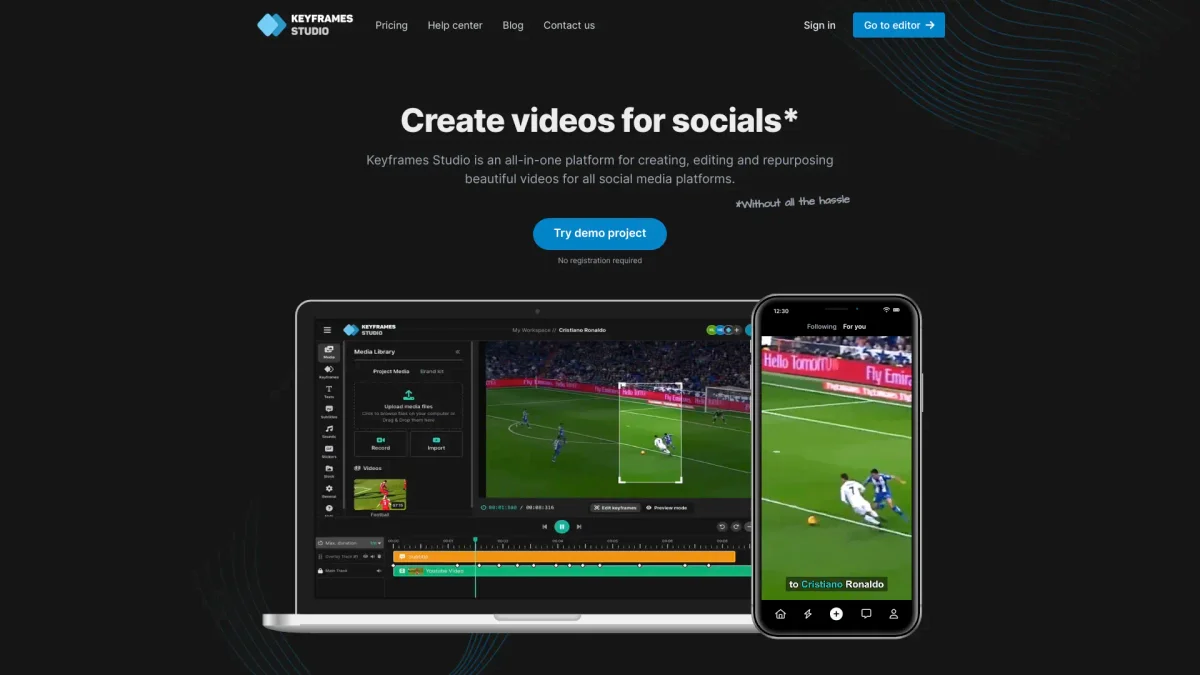
What is Keyframes Studio?
Keyframes Studio is a comprehensive online video editing platform designed to simplify the creation and editing of videos specifically for social media usage. Its primary purpose is to eliminate the complexities of video production, allowing users to produce high-quality, visually appealing content in just a few clicks. By leveraging artificial intelligence, Keyframes Studio automates processes such as keyframe creation and subtitle generation, making video editing accessible to everyone. With an intuitive interface and a plethora of customizable templates, Keyframes Studio enhances user productivity by streamlining the video creation process. It supports effortless collaboration, automatic subtitle generation in multiple languages, and integration with sound and image libraries, empowering content creators, digital marketers, and agencies to produce and share captivating videos that resonate with their audience efficiently. Users can focus on creativity rather than technicalities, ensuring their videos stand out on social media platforms.
Key Features
- AI-driven video editing tools
- Automatic subtitle generation
- User-friendly video editor
- Customizable templates and effects
- Effortless team collaboration
- Integration with image and sound libraries
- Multiple format support for social media
Who is it for?
- Content creators and bloggers
- Digital marketing agencies
- Social media managers
- Small business owners
- Vloggers and influencers
Use Cases
1. Social Media Campaigns
Utilize Keyframes Studio to create eye-catching promotional videos for social media campaigns. The platform's templates and AI features enable users to produce professional-looking videos quickly, increasing audience engagement and brand visibility.
2. How-to Videos
Easily create engaging how-to videos that explain complex topics simply. Keyframes Studio allows users to generate subtitles automatically, which enhances understanding and accessibility for a broader audience.
3. Content Repurposing
Repurpose existing content into engaging video formats. Keyframes Studio helps users transform blogs, podcasts, or live streams into visually compelling videos, maximizing content reach across platforms.
4. Team Collaboration on Projects
Facilitate teamwork by inviting collaborators to share and edit projects within Keyframes Studio. This feature makes it easy for teams to work together on video content, ensuring consistent messaging and branding.
Pricing Plans
Starter: $6/month - Basic video editing features, Professional: $10/month - Advanced tools and templates, Yearly plans available for greater savings.
Frequently Asked Questions
1. What are the pricing options for Keyframes Studio?
Keyframes Studio offers a Starter plan at $6 per month and a Professional plan at $10 per month. Additionally, you can save more with yearly subscriptions, making it affordable for various users.
2. Can I create videos without prior editing experience?
Absolutely! Keyframes Studio is designed with simplicity in mind, allowing users without previous editing experience to create stunning videos easily using its intuitive editor and pre-made templates.
3. Does Keyframes Studio support multiple languages for subtitles?
Yes, Keyframes Studio supports subtitle generation in 12 different languages, making it easier to reach a global audience and enhance the accessibility of your videos.
4. Is it possible to collaborate with my team on projects?
Yes, Keyframes Studio offers features for effortless collaboration, allowing you to invite team members to your workspace, share videos, and work together on projects in real time.
Keyframes Studio Reviews & Ratings
Real user feedback and ratings for Keyframes Studio. See what the community thinks about this AI tool.
No reviews yet
Be the first to share your experience with Keyframes Studio