

jpgRM
Effortless Image Cleanup with AI
jpgRM utilizes advanced AI to effortlessly remove backgrounds and unwanted objects, enhancing your images with just a few clicks.
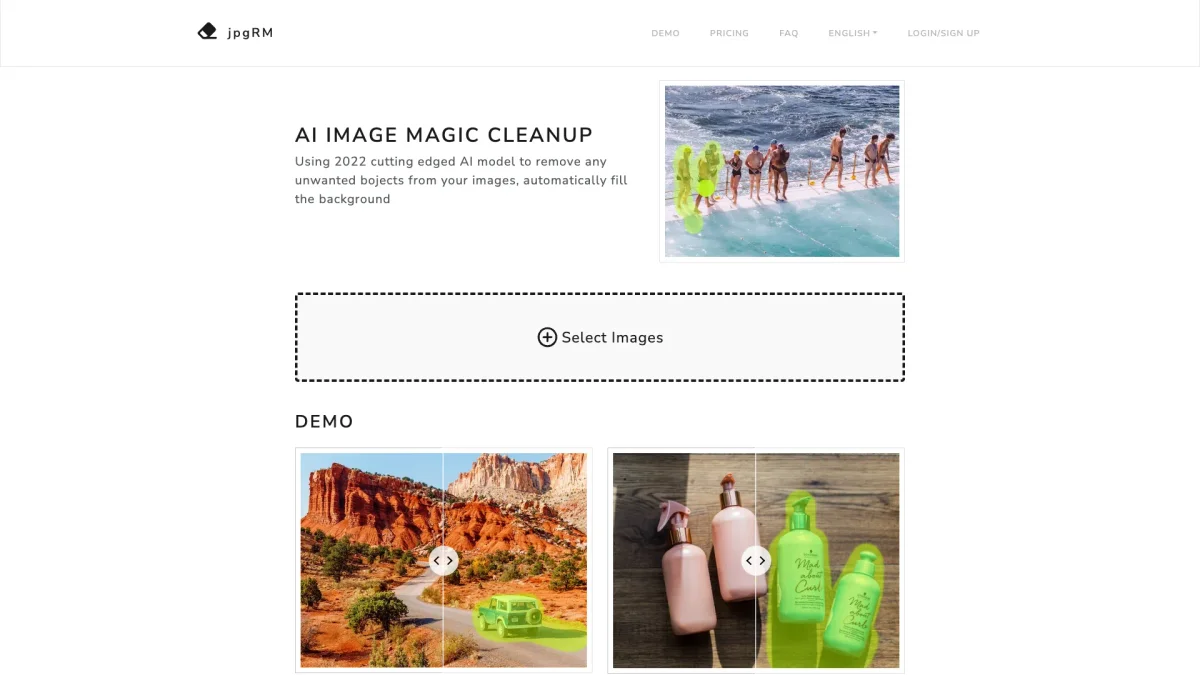
What is jpgRM?
jpgRM is a cutting-edge AI tool designed for image cleanup, specifically focusing on the removal of backgrounds and unwanted objects from photographs. Utilizing a sophisticated 2026 AI model, it intelligently identifies content within images and fills backgrounds seamlessly, solving the common problem of editing complexity and time consumption. This tool is ideal for users looking to enhance their visual content without the need for extensive editing skills. The key benefits of jpgRM include quick processing times, user-friendly operation, and high-quality output. Users can simply paint over the areas they wish to remove, achieving desirable results in seconds. Whether for personal projects or professional use, jpgRM saves time and enhances productivity, making it a valuable resource for anyone needing rapid and effective image editing solutions.
Key Features
- Advanced AI background removal
- Intelligent object erasing
- Smart watermark removal
- Quick processing under 1000px
- Mobile device compatibility
- Simple brush interface
Who is it for?
- Photographers and editors
- E-commerce businesses
- Social media marketers
- Content creators and bloggers
- Graphic designers
Use Cases
1. E-commerce Product Photography
Enhance product images by removing distracting backgrounds, allowing products to stand out. This improves the overall aesthetic of online stores, leading to higher conversion rates.
2. Social Media Content Creation
Create visually appealing posts by effortlessly removing unwanted elements from photos. This helps maintain a clean and professional look across social media platforms.
3. Event Photography Editing
Quickly edit event photos by removing unwanted background distractions or people, making it easier to focus on the main subjects of the images.
4. Logo and Branding Material Creation
Easily erase logos or other elements from images to create custom branding materials or presentations, ensuring a polished and unique look.
Pricing Plans
Free: Limited to 720px downloads and basic features, VIP: $5/month - Access to 4K resolution and unlimited images, VIP 6 months: $30, currently $15 - 50% off for 4K support and unlimited images, VIP 1 Year: $60, currently $20 - 70% off for 4K support and unlimited images.
Frequently Asked Questions
1. What image resolutions are available with jpgRM?
Free users can download images at 720px resolution. By upgrading to VIP, users gain access to higher resolutions, including 4K images for enhanced quality.
2. How does jpgRM ensure image security?
jpgRM deletes images immediately after processing to ensure user privacy and security, providing a safe environment for handling sensitive visuals.
3. Is jpgRM compatible with mobile devices?
Yes, jpgRM supports mobile devices, allowing users to edit images conveniently from their smartphones or tablets, enhancing accessibility.
4. What types of images can I edit with jpgRM?
jpgRM can handle various image formats, making it suitable for a wide range of applications including personal, commercial, and professional photography.
jpgRM Reviews & Ratings
Real user feedback and ratings for jpgRM. See what the community thinks about this AI tool.
No reviews yet
Be the first to share your experience with jpgRM









