

Imagestool
Process images securely without uploading
Imagestool offers a fast and free solution for online image processing, enabling users to convert, compress, and edit images directly in their browser without file uploads.
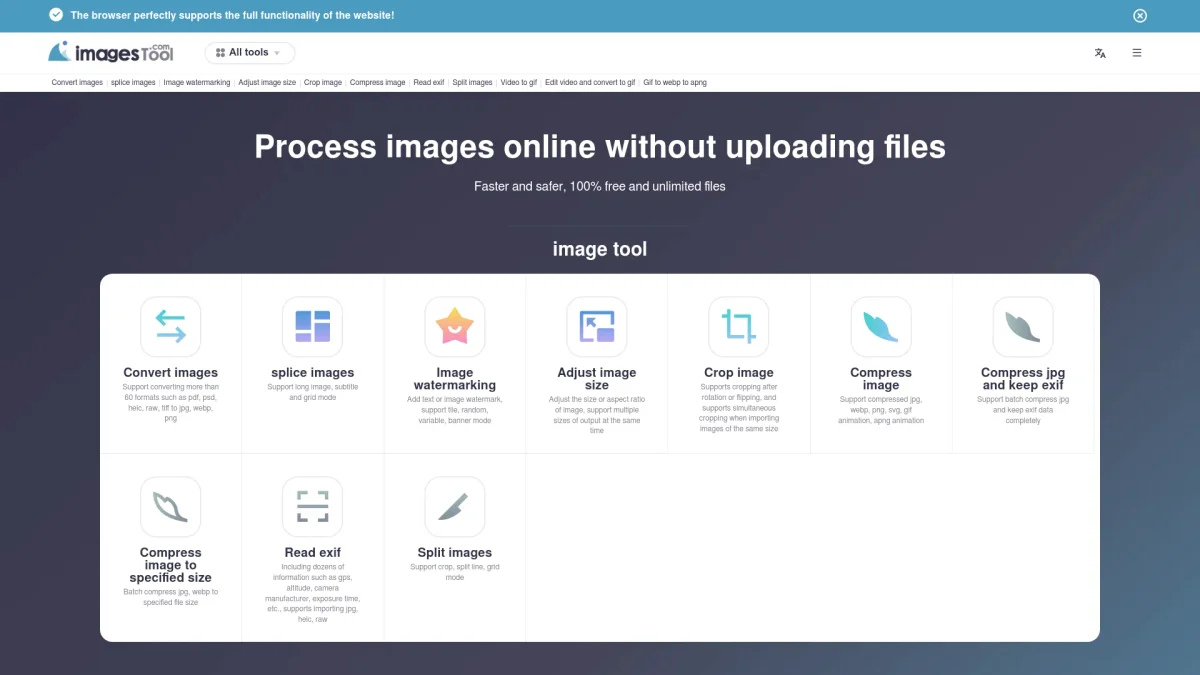
What is Imagestool?
Imagestool is an innovative online tool designed for secure image processing without the need for file uploads. Its main purpose is to provide users with the ability to convert, compress, and edit images directly within their browsers, ensuring privacy and speed. With support for over 60 image formats, Imagestool addresses common challenges related to image management, allowing users to handle images more efficiently and securely. The key benefits of Imagestool include its user-friendly interface, batch processing capabilities, and robust compression options that maintain image quality while reducing file sizes. Users can enjoy the convenience of accessing powerful image editing tools from any device without compromising their privacy. Imagestool stands out for its commitment to user security by processing images locally in the browser, making it an ideal choice for anyone needing a reliable image processing solution.
Key Features
- No file uploads for enhanced privacy
- Support for over 60 image formats
- Batch processing capabilities
- High-quality image compression
- Advanced editing tools including cropping
- GIF and video conversion features
- Auto-save settings for user convenience
Who is it for?
- Photographers and designers
- Content creators and bloggers
- Marketing professionals
- Web developers and programmers
Use Cases
1. Bulk Image Conversion
Easily convert batches of images from various formats like PDF, TIFF, or HEIC to JPG or PNG in just a few clicks. Ideal for users needing to standardize image formats for websites or presentations.
2. Image Compression for Websites
Compress images to reduce file sizes without losing quality, ensuring faster loading times for websites. This is crucial for web developers looking to enhance user experience and SEO.
3. GIF Creation from Videos
Transform video clips into high-quality GIFs with minimal effort. Users can edit the video, crop it, and then convert it into a GIF, perfect for social media sharing or digital marketing campaigns.
4. Watermarking Images
Add custom text or image watermarks to protect original content. This feature is especially useful for photographers and artists looking to secure their work while sharing online.
Pricing Plans
Pricing information not available on website. Please visit the official website for current pricing.
Frequently Asked Questions
1. What types of image formats can I convert?
Imagestool supports converting over 60 image formats, including PDF, PSD, HEIC, TIFF, JPG, PNG, and WEBP, making it versatile for various needs.
2. Is there a limit on the number of images I can process?
No, Imagestool allows unlimited files to be processed for free, enabling users to handle multiple images without restrictions.
3. Do I need to install any software to use Imagestool?
No installation is required. Imagestool operates entirely in your web browser, allowing for quick access and use without the need for additional software.
4. How does Imagestool ensure my files are secure?
Imagestool processes images locally in your browser, meaning files are never uploaded to external servers, thus ensuring maximum privacy and security.
Imagestool Reviews & Ratings
Real user feedback and ratings for Imagestool. See what the community thinks about this AI tool.
No reviews yet
Be the first to share your experience with Imagestool








