

ImageEditor
Effortless AI-powered photo editing online
Quickly edit, crop, and enhance your photos online for free, using powerful AI tools with no sign-up required.
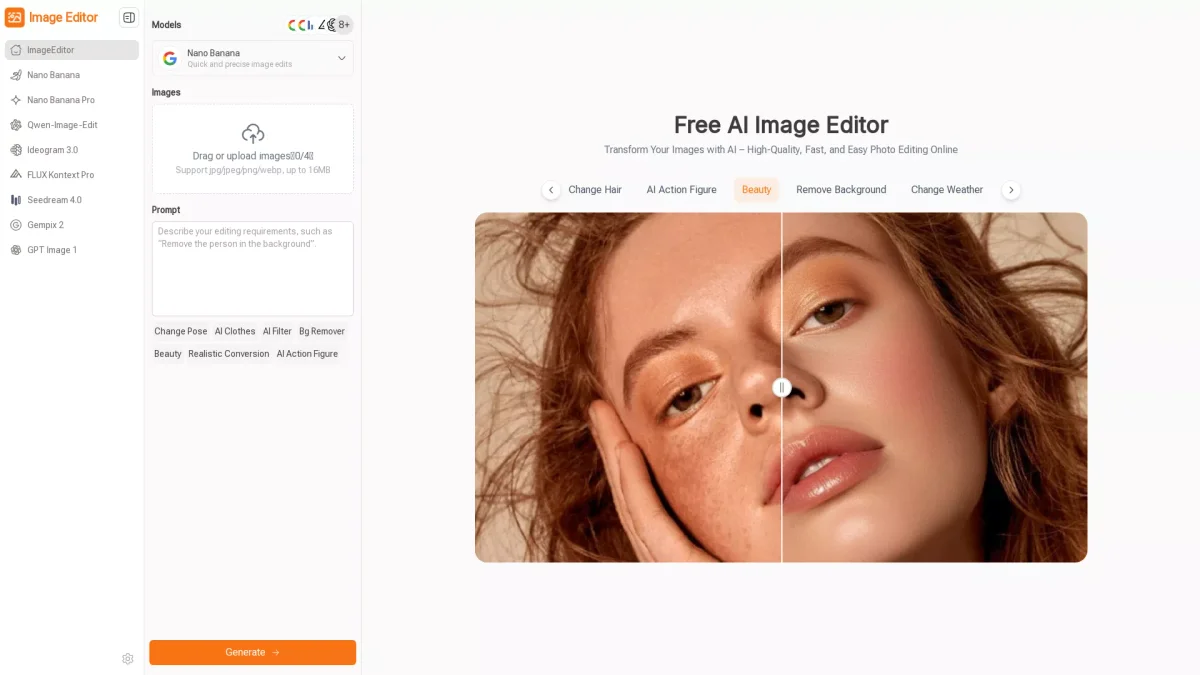
What is ImageEditor?
ImageEditor is a free, AI-powered online tool designed to simplify photo editing. It allows users to edit, crop, and enhance images quickly and easily without any need for advanced editing skills. By utilizing various AI models, it addresses common challenges in photo editing, such as background removal and style transfer, making professional-quality editing accessible to all. Users benefit from a streamlined editing experience that requires no complex software or design skills. With features like natural language prompts and continuous editing, ImageEditor empowers creators, educators, and marketers to produce stunning visuals effortlessly. Its intuitive interface and high-quality results make it the go-to choice for those seeking efficient and effective photo editing solutions.
Key Features
- AI-powered editing with natural language prompts
- Multiple AI models for diverse editing needs
- Hundreds of pre-designed templates and styles
- Continuous editing workflow for detailed refinement
- High-resolution downloads without watermarks
- Easy background removal and style transformation
Who is it for?
- Content creators and bloggers
- Digital marketing professionals
- Educators and teachers
- Social media managers
- Small business owners
Use Cases
1. Social Media Content Creation
Easily create eye-catching visuals for social media platforms by using ImageEditor’s AI models. Enhance images, apply filters, and generate engaging graphics to boost your online presence.
2. Professional Marketing Materials
Design promotional graphics and marketing materials effortlessly. ImageEditor allows you to create banners and posters quickly, ensuring your marketing visuals stand out without needing advanced software skills.
3. Educational Visuals for Teaching
Enhance images for educational materials, such as diagrams and learning visuals. ImageEditor simplifies the process, making it easy to create clear and engaging content that aids student understanding.
4. Personalized Gifts and Projects
Use ImageEditor to create unique images for personalized gifts or projects. With its easy editing features, you can enhance photos and add custom text for special occasions.
Pricing Plans
Free: Basic editing tools with no sign-up required, Pro: Pricing information not available on website. Please visit the official website for current pricing.
Frequently Asked Questions
1. What features are included in the free version of ImageEditor?
The free version of ImageEditor includes basic photo editing tools, AI models for image enhancement, and the ability to download high-resolution images with no watermarks.
2. Can I use ImageEditor for commercial purposes?
Yes, ImageEditor can be used for commercial projects. Users can create professional visuals for marketing, social media, and other business applications without any restrictions.
3. Is there a limit to the number of images I can edit?
There is no specified limit to the number of images you can edit with ImageEditor. Users can edit and download as many images as needed while utilizing the available tools.
4. How does ImageEditor handle image privacy and security?
ImageEditor prioritizes user privacy and security. All uploaded images are processed securely, and users can edit images without any risk of data exposure or misuse.
ImageEditor Reviews & Ratings
Real user feedback and ratings for ImageEditor. See what the community thinks about this AI tool.
No reviews yet
Be the first to share your experience with ImageEditor









