IdeaTo Image
Transform Images with AI-Powered Edits
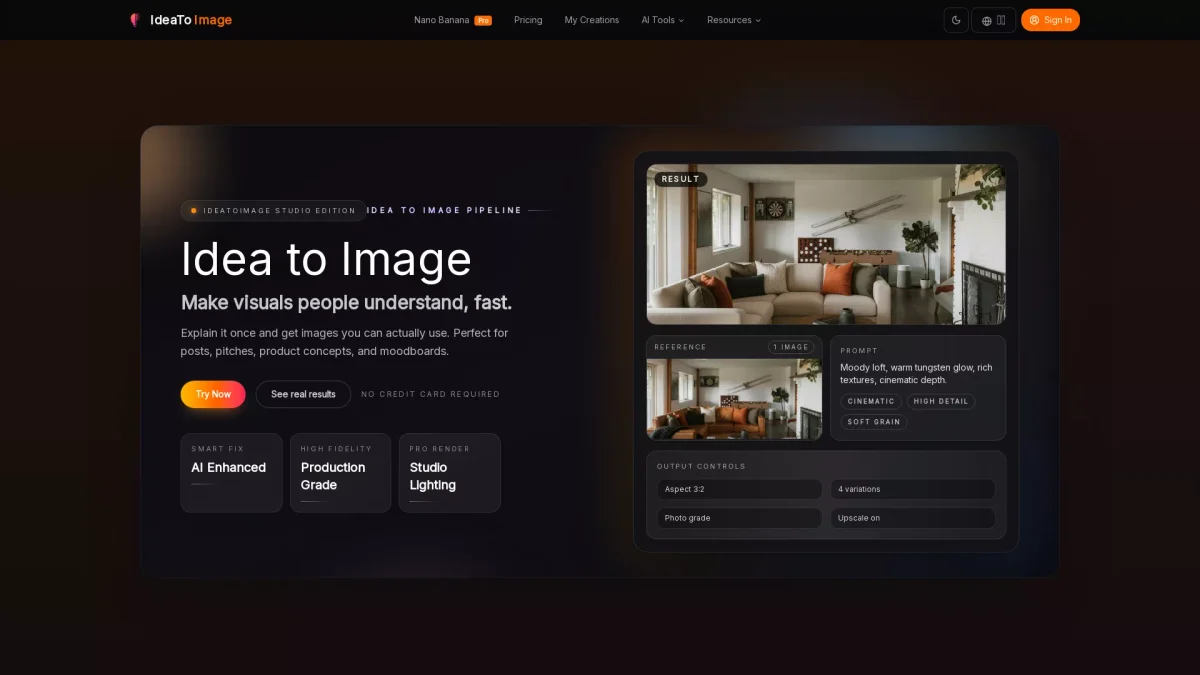
IdeaTo Image is a user-friendly AI tool that enables quick image editing, background swaps, and visual updates without the need for complex software.
What is IdeaTo Image?
IdeaTo Image is an innovative online image editing platform that utilizes AI to provide users with powerful image-to-image editing capabilities. Its primary purpose is to simplify the editing process, allowing users to restyle images, swap backgrounds, and make precise updates without starting from scratch. This tool is particularly beneficial for those needing quick modifications for social media, marketing, or creative projects. The key benefits of IdeaTo Image include its ease of use, speed, and flexibility. Users can generate high-quality edits by simply uploading their images and describing the desired changes. This eliminates the complexity typical of traditional editing software, making it accessible even for non-designers. With features like background replacement and detail updates, IdeaTo Image empowers users to create polished visuals efficiently, saving time and enhancing productivity.
Key Features
- AI-powered image restyling
- Background replacement for products
- Detail updates without full rebuilds
- Polish sketches into visuals
- Generate multiple variations from one image
Who is it for?
- E-commerce sellers
- Social media managers
- Graphic designers
- Content creators
- Marketing professionals
Use Cases
1. Restyle Portraits for Campaigns
Use IdeaTo Image to maintain the core identity of a portrait while changing its style or mood. Perfect for creating cohesive visuals for marketing campaigns without losing the original subject.
2. Background Replacement for Products
Easily upload product images and request new backgrounds suitable for various themes, such as seasonal or lifestyle settings, ensuring the product remains centered and visually appealing.
3. Quick Detail Updates
Make fast adjustments to existing images, such as changing colors or fixing labels, while keeping the overall composition intact. This is ideal for quick fixes in marketing materials.
4. Turn Rough Drafts into Final Visuals
Transform initial sketches or mockups into refined visuals suitable for presentations or online content. IdeaTo Image helps streamline the process from concept to polished output.
5. Create Coordinated Image Variations
Generate multiple variations of an image that align with specific campaign themes. This feature is useful for marketers needing consistent visuals across different platforms.
Pricing Plans
Free: Basic image editing features, Pro: $X/month - High-resolution outputs and advanced capabilities, Enterprise: Custom pricing - Tailored solutions for large teams.
Frequently Asked Questions
1. Is there a free version of IdeaTo Image?
Yes, IdeaTo Image offers a free version that includes basic editing features, allowing users to try the platform without any credit card requirements.
2. What types of edits can I perform with IdeaTo Image?
Users can perform a variety of edits including restyling images, replacing backgrounds, updating details, and generating multiple variations from a single image.
3. How does IdeaTo Image help non-designers?
IdeaTo Image simplifies the editing process with an intuitive interface that allows users to make changes through simple text instructions, making it accessible even for those without design experience.
4. What file formats does IdeaTo Image support?
The platform supports various image formats, enabling users to upload and edit their files easily. Specific formats are typically JPEG, PNG, and more, ensuring versatility.
IdeaTo Image Reviews & Ratings
Real user feedback and ratings for IdeaTo Image. See what the community thinks about this AI tool.
No reviews yet
Be the first to share your experience with IdeaTo Image