HiWork
Streamline Your Business Processes Seamlessly
HiWork enhances project management with built-in workflows, enabling businesses to manage contacts, tasks, and processes in one unified system effectively.
What is HiWork?
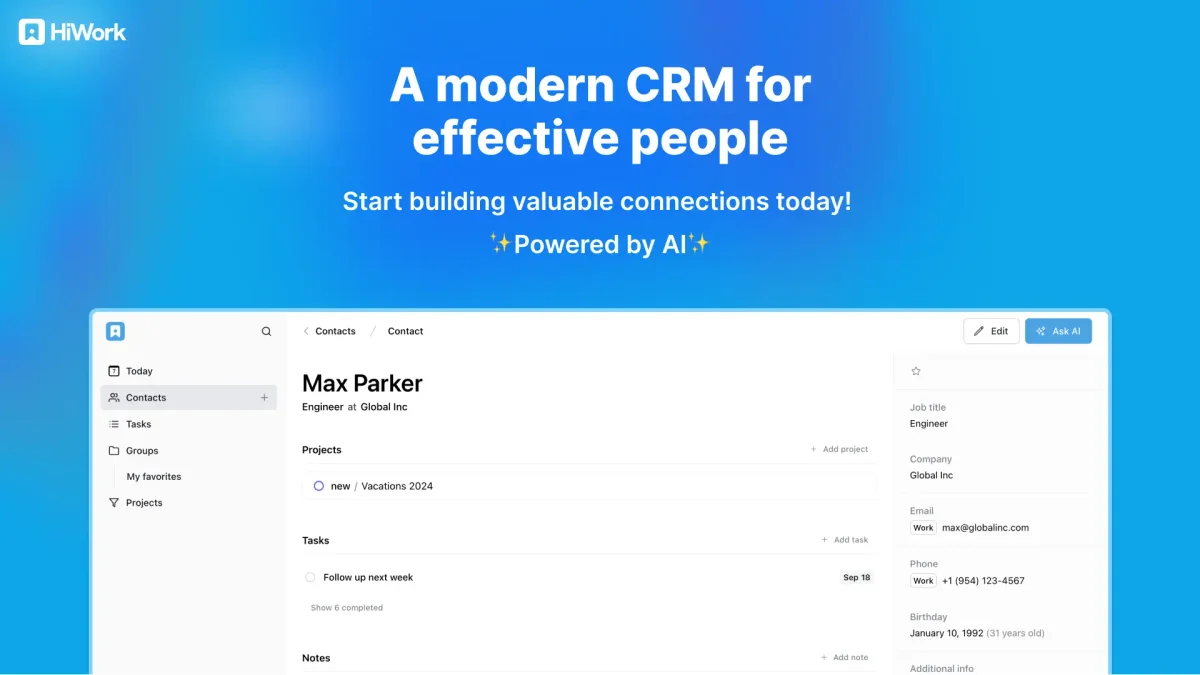
HiWork is a comprehensive business management tool that transcends traditional contact management. Its primary purpose is to streamline workflows and enhance project oversight, allowing teams to manage contacts, tasks, notes, and client portals in a single system. By eliminating the chaos of scattered tools, HiWork helps organizations maintain clarity and accountability throughout their projects. The key benefits of HiWork include standardized workflows that reduce errors, improve consistency across processes, and provide complete visibility into project progress. Users can create structured experiences for clients and internal teams, ensuring everyone involved has access to necessary information at every step. This leads to enhanced professionalism, better communication, and ultimately, increased productivity within businesses of all sizes.
Key Features
- Built-in workflows for project management
- Unified contact and task management
- Client portal for streamlined communication
- Customizable multi-step processes
- Enhanced visibility across projects
- Secure collaboration tools
Who is it for?
- Project managers
- Small business owners
- Team leaders
- Consultants
- Freelancers
Use Cases
1. Client Onboarding Process
Use HiWork to create a structured onboarding process for new clients. The tool allows you to design workflows that guide clients through necessary steps, ensuring all required information is collected efficiently.
2. Project Management for Teams
Manage team projects with clarity using HiWork's workflows. Assign tasks, track progress, and maintain communication within one platform, enabling teams to complete projects on time and with fewer errors.
3. Task Management and Tracking
Utilize HiWork to assign, manage, and monitor tasks effectively. With integrated notes and workflow history, teams can collaborate seamlessly and stay updated on project developments.
4. Workflow Standardization
Standardize processes across your organization with HiWork's customizable workflows. This ensures that every project follows the same reliable steps, reducing mistakes and improving overall efficiency.
Pricing Plans
Pricing information not available on website. Please visit the official website for current pricing.
Frequently Asked Questions
1. What types of workflows can I create with HiWork?
HiWork allows you to design customizable workflows that fit your business processes. You can create multi-step workflows with defined ownership, fields, and approvals to track progress effectively.
2. Is there a client portal available in HiWork?
Yes, HiWork features a client portal that allows external users to engage with workflows via secure links. Clients can complete steps and submit information without needing an account.
3. How does HiWork ensure data security?
HiWork prioritizes data security with industry best practices, including database level encryption, access controls, and automated security checks, ensuring your information is protected.
4. Can HiWork be used for both internal and external processes?
Absolutely! HiWork is designed to handle both internal team processes and external client workflows. This flexibility allows businesses to manage all aspects of their operations from one platform.
HiWork Reviews & Ratings
Real user feedback and ratings for HiWork. See what the community thinks about this AI tool.
No reviews yet
Be the first to share your experience with HiWork