GPTImageGenerator
Fast AI Image Generation & Editing
Create stunning visuals with GPTImageGenerator's advanced AI capabilities, enabling rapid image generation and precise editing for various needs.
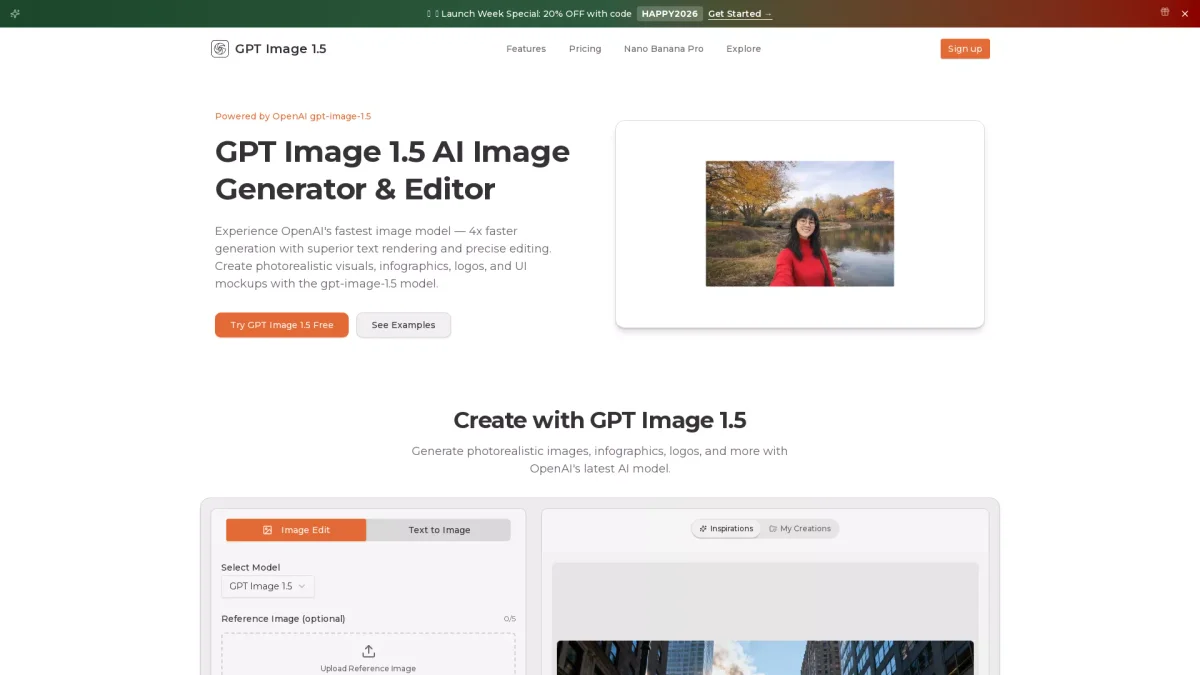
What is GPTImageGenerator?
GPTImageGenerator is an innovative AI tool designed to facilitate fast and accurate image generation and editing. It leverages OpenAI's advanced model to produce photorealistic images, logos, infographics, and UI mockups, helping users overcome challenges in visual content creation by streamlining the workflow from concept to finished product. This tool offers significant benefits, including 4x faster image generation, precise editing features, and reliable text rendering. Users can easily create high-quality visuals tailored to their specific needs, whether for marketing, web design, or personal projects. By utilizing GPTImageGenerator, users can save time and enhance productivity while producing visually appealing and professional outputs.
Key Features
- 4x faster image generation
- Precise image editing capabilities
- Supports text-to-image and image-to-image
- High-quality output formats
- Iterative refinement with context preservation
- User-friendly prompt structure
- Multiple reference image support
Who is it for?
- Graphic designers
- Marketing professionals
- Content creators
- UI/UX designers
- Small business owners
Use Cases
1. AI Infographic Generator
Create detailed infographics to explain structured information effortlessly. GPTImageGenerator handles complex layouts, incorporating heavy text while maintaining design quality and typographic hierarchy.
2. Comprehensive Marketing Materials
Generate eye-catching visuals like logos and advertisements efficiently. The tool helps marketers create professional-grade images that resonate with their target audience, enhancing branding efforts.
3. UI Design Mockups
Design realistic mobile app and web UI mockups using the AI's capabilities. The tool generates precise visuals that aid in the prototyping phase, streamlining the design process.
4. Image Editing for Retouching
Edit and refine existing images with precision, such as photo retouching and style transformations. Users can enhance images by modifying specific elements while preserving key details.
Pricing Plans
Pricing information not available on website. Please visit the official website for current pricing.
Frequently Asked Questions
1. What types of images can I create with GPTImageGenerator?
You can create a variety of images, including photorealistic visuals, infographics, logos, and UI mockups. The tool supports both text-to-image and image-to-image generation.
2. How does the image editing feature work?
The image editing feature allows for precise modifications such as style transfer, object removal, and scene adjustments. Users can refine images iteratively by providing specific prompts.
3. What is the maximum file size for uploads?
While the website does not specify file size limits, users can drag and drop or select images for reference, ensuring flexibility in the editing process.
4. Can I export images in different formats?
Yes, GPTImageGenerator allows you to export images in various formats, including PNG, JPEG, and WebP, making it suitable for web, print, and presentations.
GPTImageGenerator Reviews & Ratings
Real user feedback and ratings for GPTImageGenerator. See what the community thinks about this AI tool.
No reviews yet
Be the first to share your experience with GPTImageGenerator