
GeminiAIPhotoEditor
Transform photos into stunning art effortlessly
GeminiAIPhotoEditor allows users to quickly edit and enhance photos with AI-driven features, making artistic transformations simple and accessible for everyone.
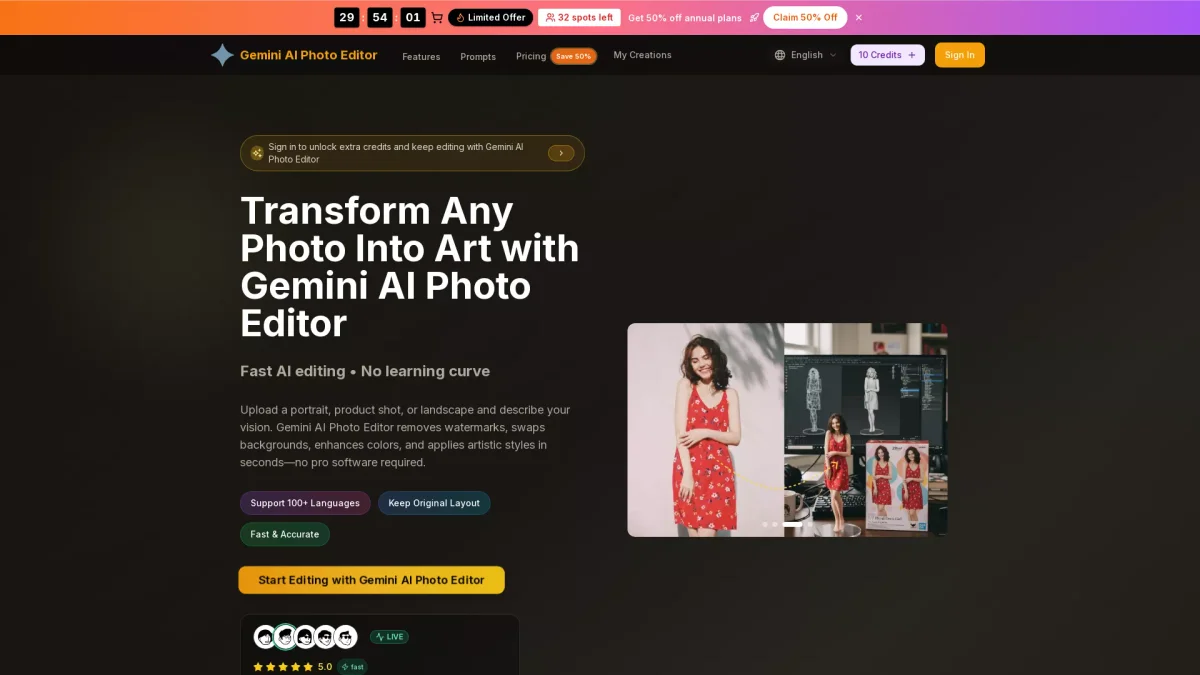
What is GeminiAIPhotoEditor?
GeminiAIPhotoEditor is an online photo editing tool that leverages advanced AI technology to transform ordinary images into artistic masterpieces. Its primary purpose is to simplify the photo editing process for users by providing features such as watermark removal, background swapping, and color enhancement, eliminating the need for complex software. This tool is ideal for both casual users and professionals seeking quick, high-quality edits. Users benefit from GeminiAIPhotoEditor’s intuitive interface, which requires no prior learning curve, allowing anyone to upload their photos, describe their desired edits, and achieve results in seconds. With support for multiple file formats and advanced color processing, it caters to various creative needs, from personal projects to professional marketing visuals. The tool is particularly useful for content creators, marketers, and anyone who values high-quality image presentation.
Key Features
- Fast AI editing with no learning curve
- Supports 4K resolution for high-quality outputs
- Intelligent image understanding for natural edits
- Customizable prompts for precise results
- Batch processing for efficient workflows
- Watermark-free exports for professional use
- Diverse style transformations in one click
Who is it for?
- Content creators and bloggers
- E-commerce teams
- Social media marketers
- Photographers and artists
- Brand marketing professionals
Use Cases
1. E-commerce Product Photography
Enhance product images by removing distractions, adjusting colors, and creating appealing backgrounds that attract customers. GeminiAIPhotoEditor allows for quick edits, ensuring products look their best in online stores.
2. Portrait and Headshot Retouching
Perfect for professionals needing polished images for LinkedIn or resumes. Users can smooth skin, brighten eyes, and refine details in their portraits to make a strong impression effortlessly.
3. Creative Artwork Generation
Transform ordinary snapshots into artistic styles such as oil paintings or sketches. Users can describe their vision and let the AI create unique art pieces, ideal for personal projects or gifts.
4. Social Media Campaign Visuals
Create eye-catching graphics for social media campaigns quickly. Users can generate engaging visuals that align with their brand's aesthetic, maximizing engagement and reach across platforms.
5. Brand Marketing Mockups
Generate professional marketing materials that match your brand's typography and color palettes. This feature helps teams create cohesive visuals for campaigns without extensive design resources.
Pricing Plans
Free: Basic features with limited credits, Pro: $16.7/month - 48,000 credits/year and additional features, Enterprise: Custom pricing - tailored solutions for larger teams.
Frequently Asked Questions
1. What file formats does GeminiAIPhotoEditor support?
GeminiAIPhotoEditor supports JPG, PNG, and WEBP formats, allowing users to upload images up to 10MB for editing without quality loss.
2. Can I use GeminiAIPhotoEditor for commercial projects?
Yes, GeminiAIPhotoEditor allows for commercial use of edited images, ensuring that users can utilize the tool for professional branding and marketing efforts.
3. How does GeminiAIPhotoEditor handle image uploads?
Users can easily upload images by dragging and dropping them into the editor or clicking to select files. The tool optimizes images without compression, maintaining high quality.
4. Does GeminiAIPhotoEditor offer a free trial or plan?
Yes, GeminiAIPhotoEditor offers a free plan that includes basic editing features and credits to start editing immediately, providing an excellent way to explore the tool's capabilities.
GeminiAIPhotoEditor Reviews & Ratings
Real user feedback and ratings for GeminiAIPhotoEditor. See what the community thinks about this AI tool.
No reviews yet
Be the first to share your experience with GeminiAIPhotoEditor